

Table of Contents
Share On


Temu (EU) Marketplace Integration
This native integration with Temu (EU) enables order, catalog and inventory synchronization seamless.
Version: v1.0
Date: January 20, 2026
Owner: Sales Channel Product Team
Disclaimer: Screenshots of the TEMU Seller Center are used for demonstration purposes only. TEMU and the TEMU logo are trademarks of their respective owners.
1. Overview
What this integration does
The Temu (EU) integration connects your Temu Marketplace store with Omniful so that:
- Orders created through Temu automatically sync to Omniful for processing.
- Inventory availability maintained in Omniful can be synced to Temu.
- You can configure hub mapping, order status mapping, directly from Omniful.
2. Prerequisites
2.1 Sales Channel prerequisites
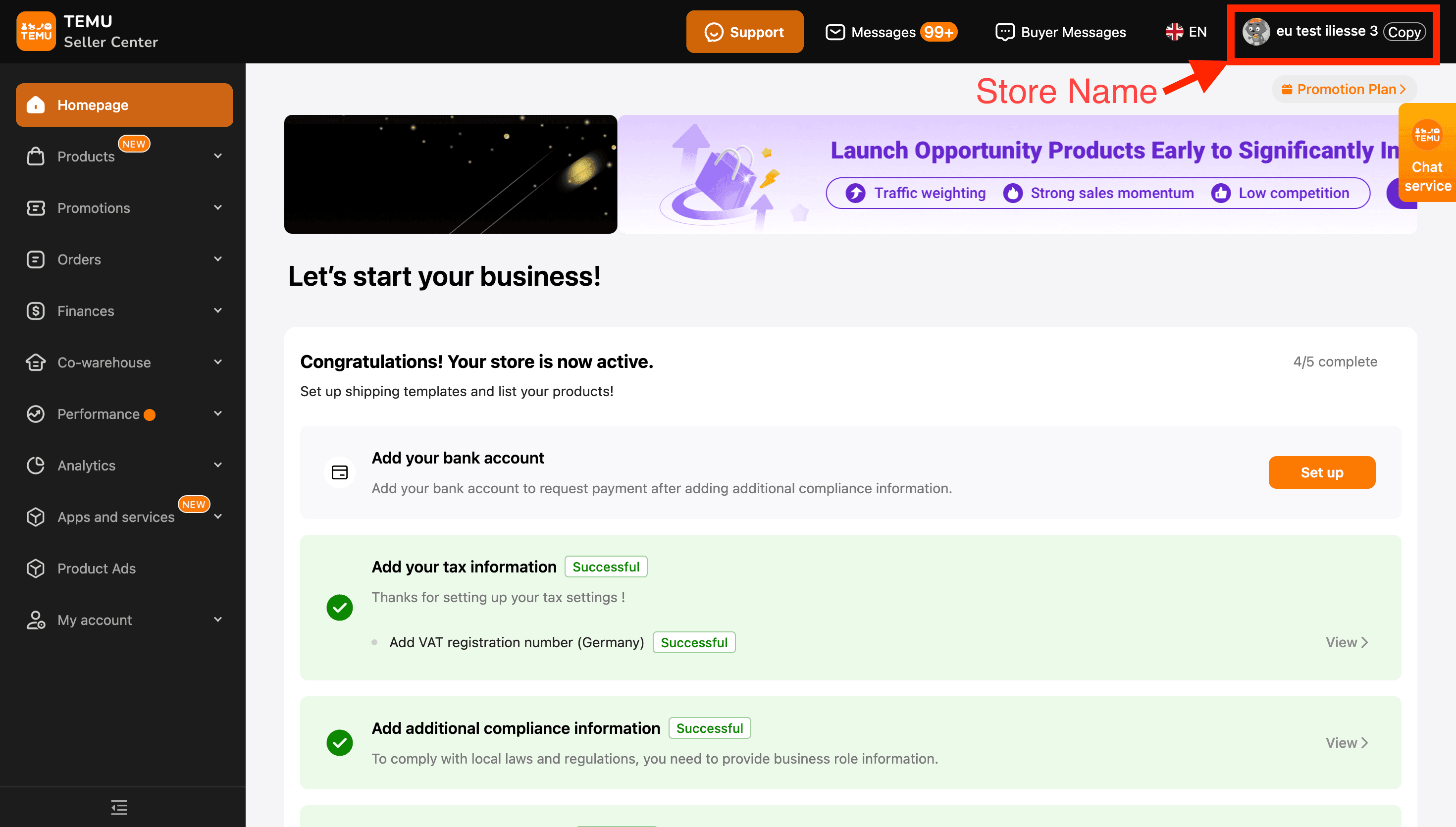
You will be required to obtain the following details from Temu Store:
- Store Name
- Region Name (For example, Germany, Italy)
To obtain the above go to the Temu Seller Dashboard:
https://seller-eu.temu.com/login.html or https://ar.seller.temu.com/login.html
3. Integration Methods and Setup
3.1 Omniful App on Temu
3.1.1 To Install Omniful App on Temu:
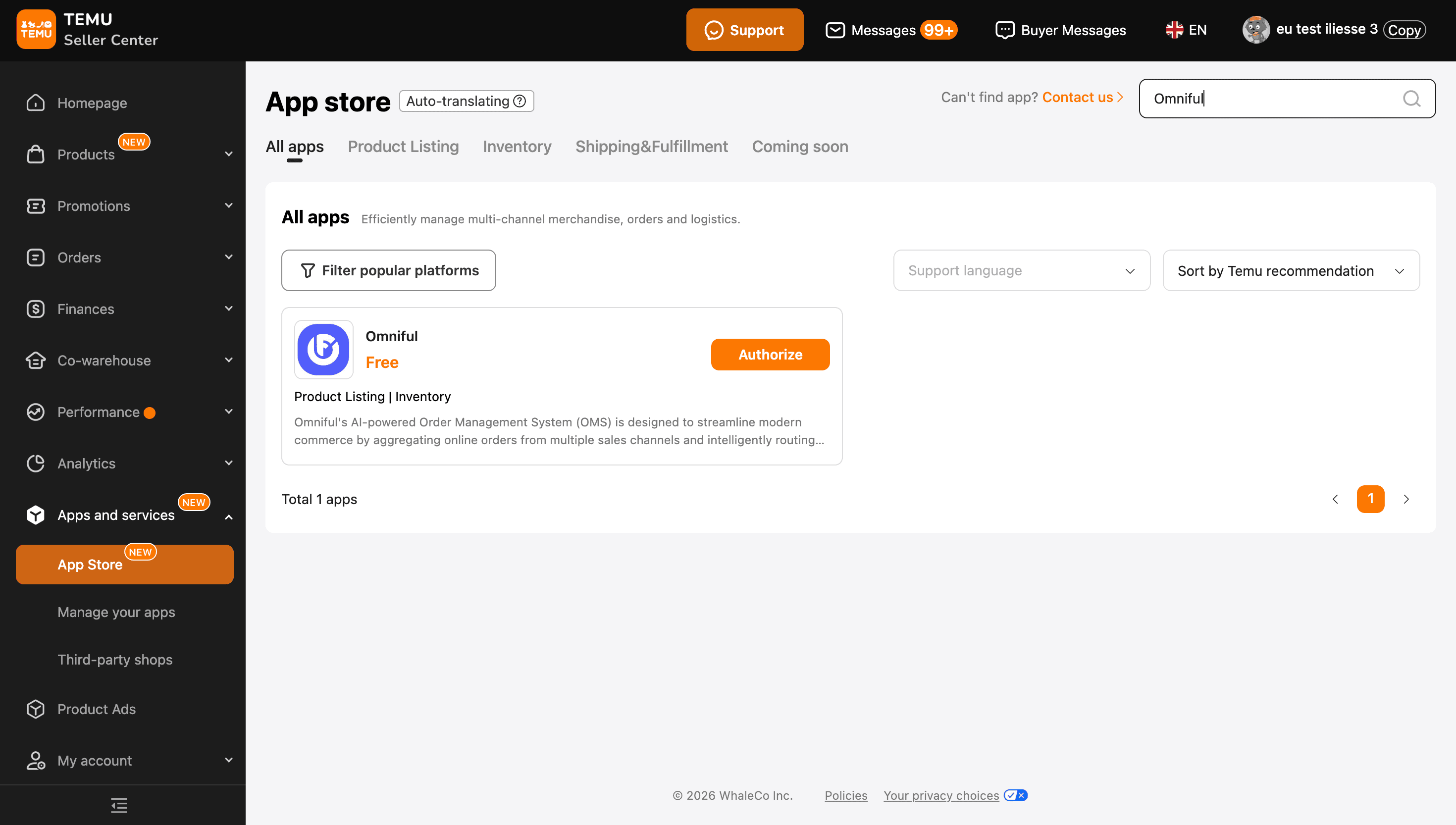
- Go to Apps and Services > App Store
- Search Omniful in the App store and authorize Omniful app by giving all permission and choose expiration duration as one year.
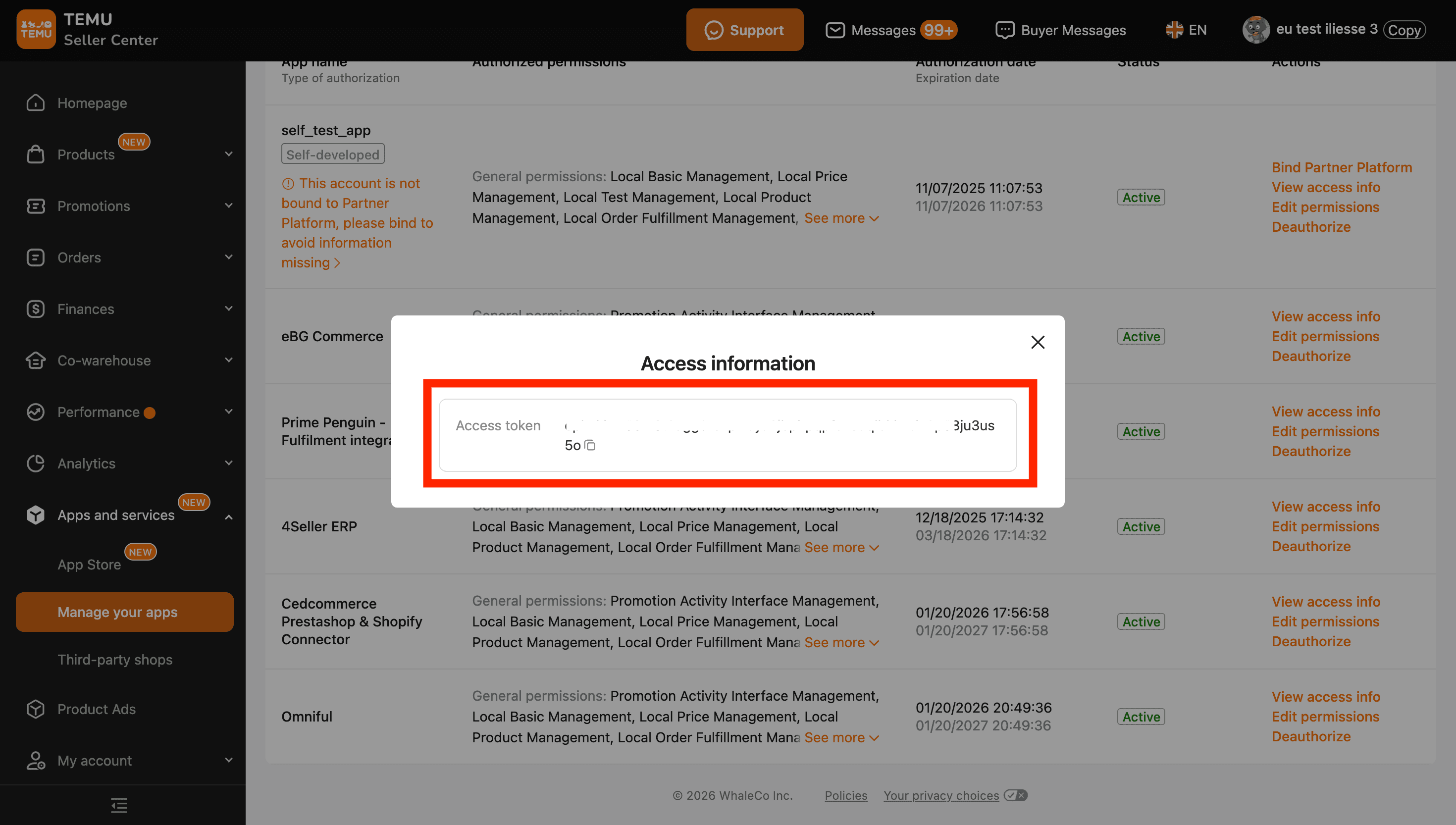
- Once done, you will see the access token region wise, copy the access token for the region store you are integrating in Omniful. Or visit Apps and Services > Manage your apps > Omniful > View Access Info
3.2 Integrate Temu store with Omniful
Once you have the required details:
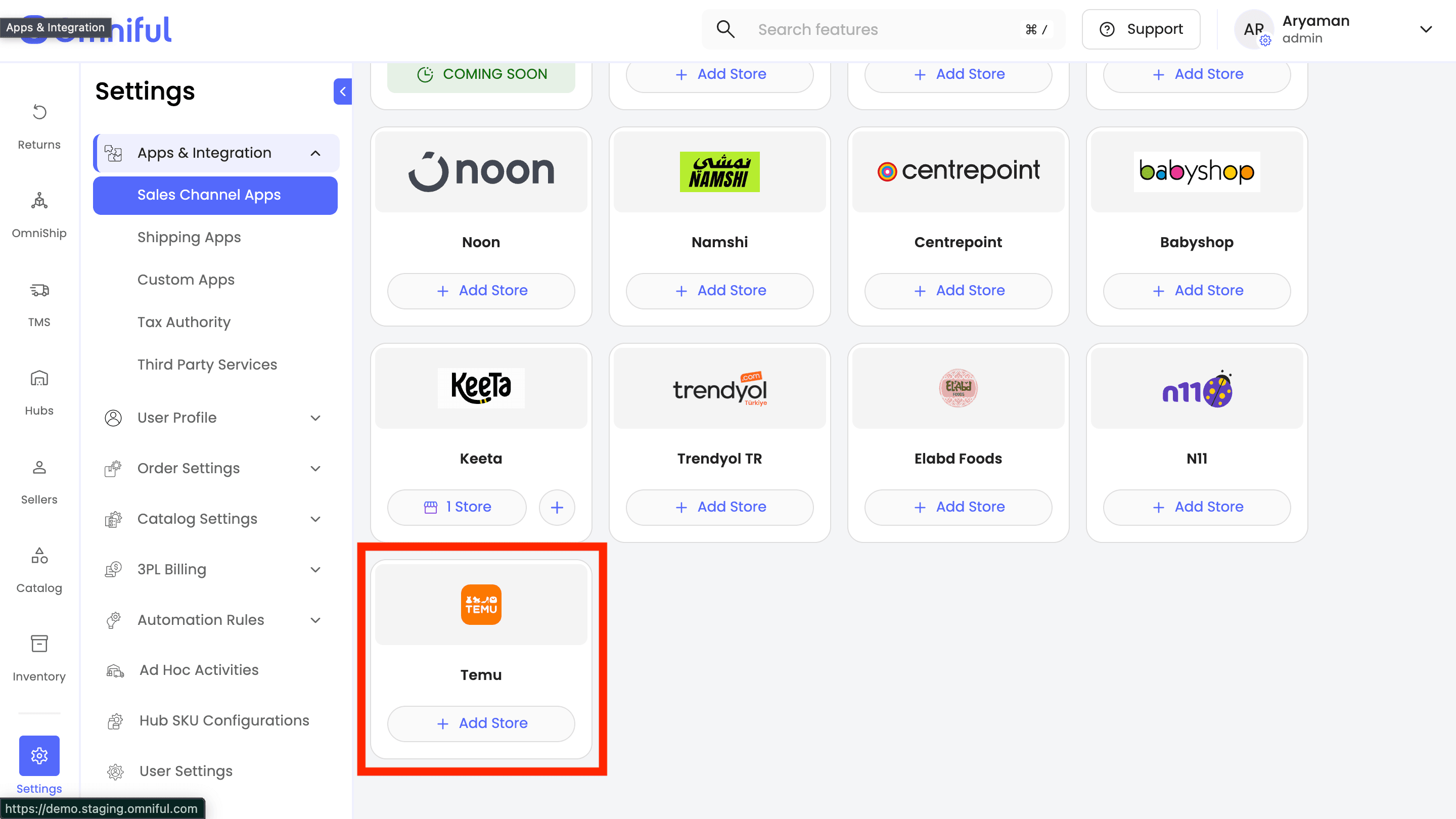
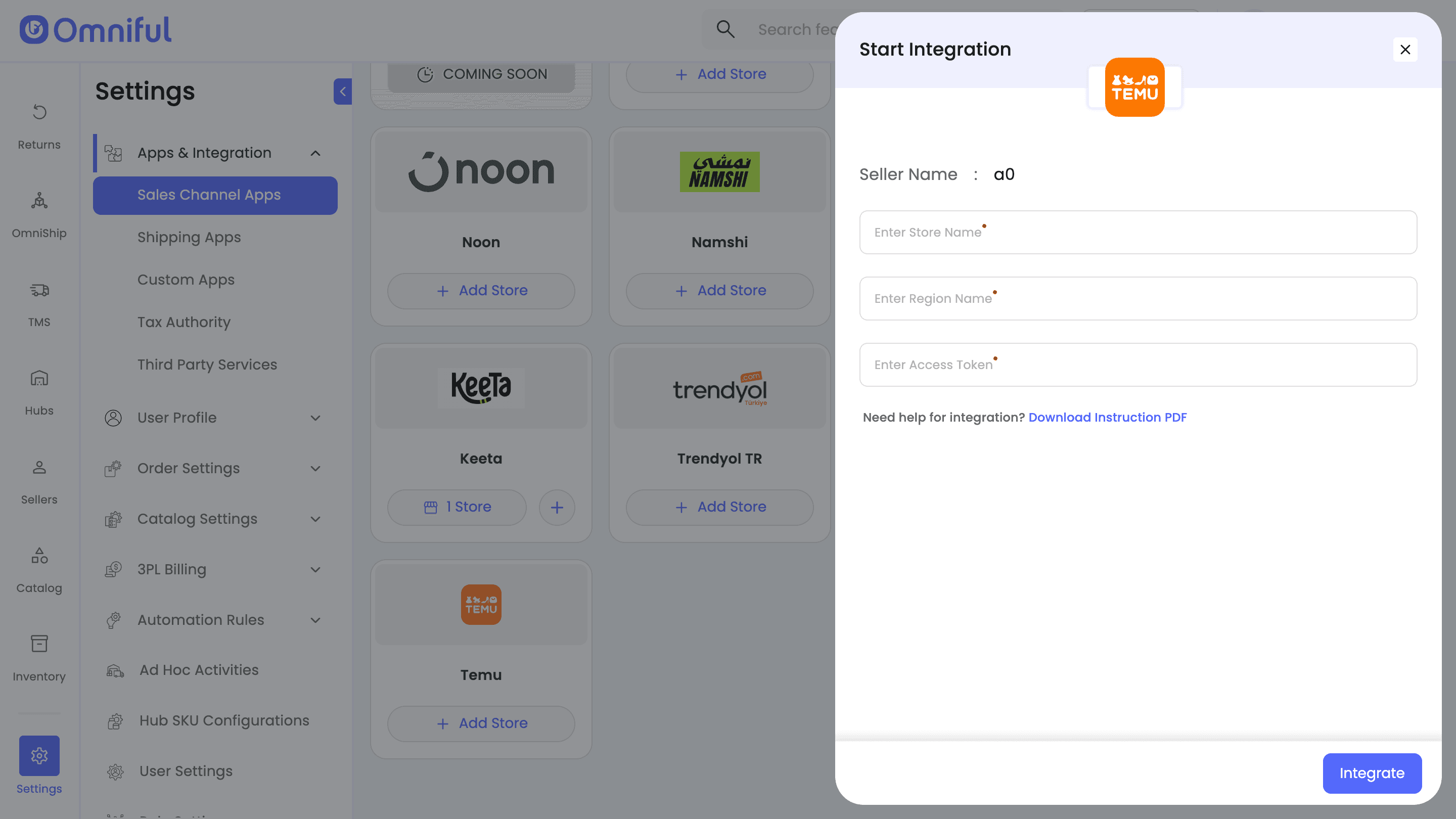
- In Omniful, go to: Settings → Apps & Integration → Sales Channel Apps
- Select Seller and choose Temu from the marketplace section
- Click Add Store
- Enter all required information in the corresponding input fields. Click Integrate to complete the setup process.
4. Omniful Configuration
Once the store is connected, configure how data flows between Temu and Omniful.
4.1 Store-level settings
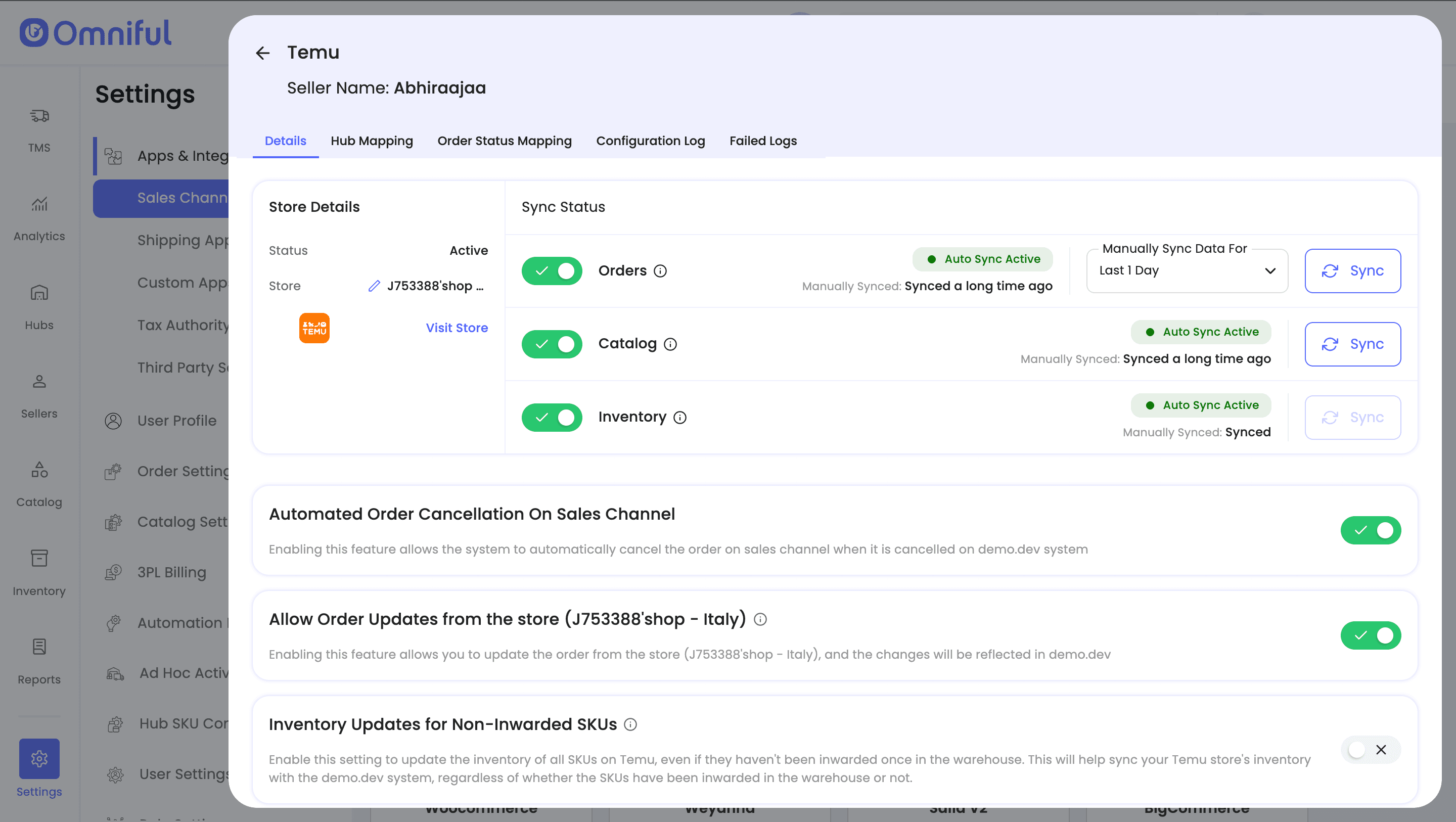
Depending on your requirements, you can enable:
- Order Sync – Automatically fetch orders from Temu to Omniful.
- Catalog Sync – Fetch catalog (active SKUs) from Temu into Omniful.
- Inventory Sync – Push available inventory from Omniful hubs to Temu.
4.2 Hub Mapping
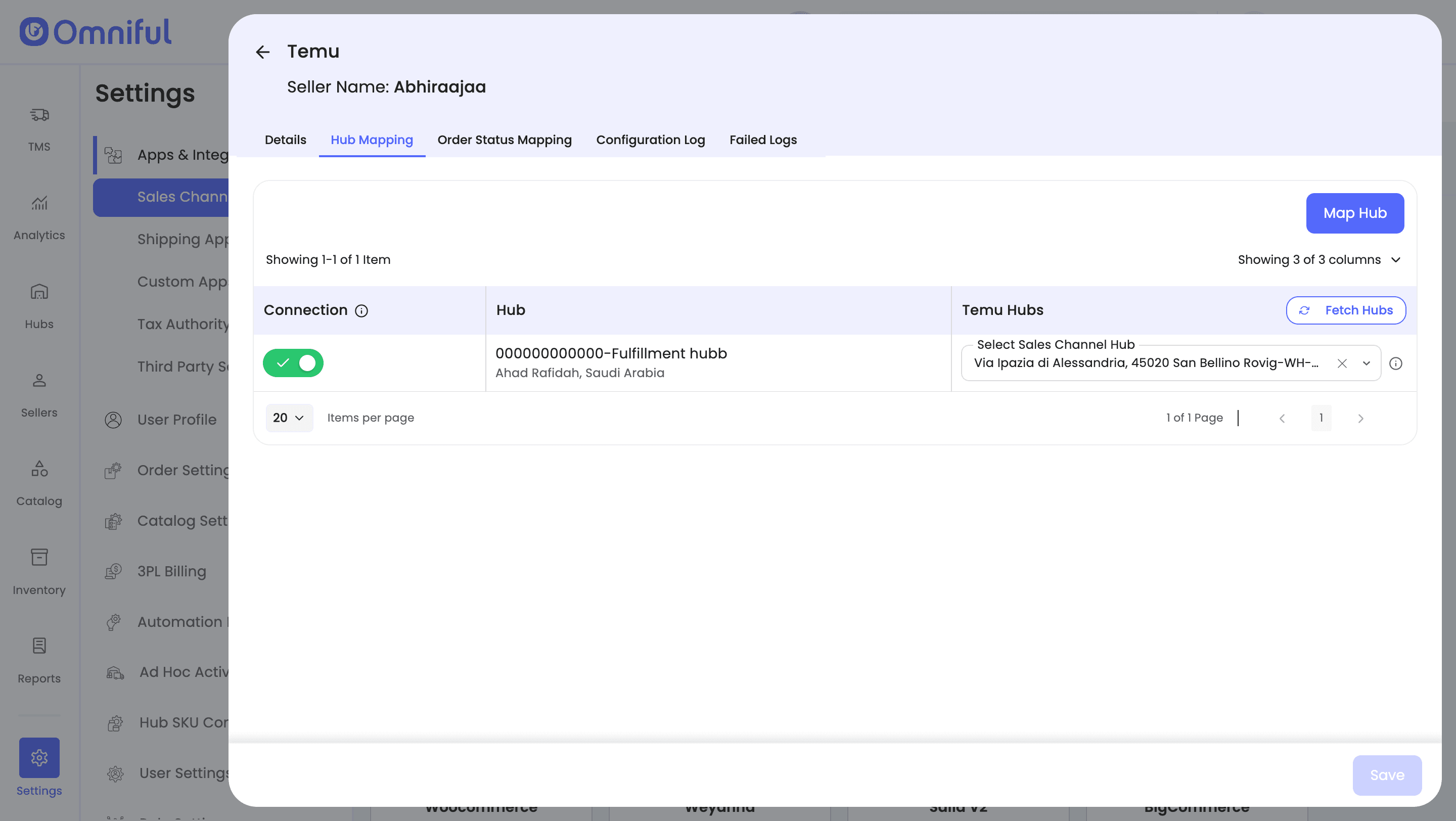
Configure how Temu orders are routed to Omniful hubs:
- Map Omniful Hubs that can fulfill/ship Temu Orders
4.3 Order status mapping
Order Status Mapping defines how Temu statuses and Omniful statuses stay in sync:
Sales Channel Mapping –
Map incoming Temu order statuses (e.g., Unshipping, Shipped) to internal Omniful order lifecycle stages (e.g., New Order, Cancelled).
Workspace Order Mapping –
Define which outgoing Omniful shipment/order statuses should be pushed back to Temu (for example, when the order is Cancelled).
Note: Ensure Temu order statuses (such as Unshipping and Shipped) are configured correctly—otherwise new orders may not sync to Omniful. Likewise, if the cancelled status is not mapped, cancelled orders will not sync back to Temu.
5.1 Orders
Which orders sync
- All orders with the mapped order statuses and mapped hubs will be visible in Omniful.
- Orders are synced every 30 minutes.
Note: Split orders are not supported. Multiple shipments cannot be created for the same order.
5.2 Catalog
- On Clicking Sync button, Seller’s Temu store Catalog (Active SKUs) with valid SKU Code is fetched to Omniful.
Note: Due to Temu’s current system setup., Products (SKUs) are not automatically fetched in Omniful. To fetch the latest Catalog in Omniful, click Sync button in Catalog Sync. Products with valid SKU Codes are then fetched to Omniful.
5.3 Inventory
Omniful automatically pushes and maintains aggregated inventory levels on the Temu store when Inventory Sync is enabled and the hubs are mapped.
5.4 Cancellations
Orders cancelled from Temu reflect in Omniful Order cancellations from Omniful are not supported by Temu at the moment .
6. FAQs
Q: My Products are not appearing in Omniful. What should I check?
A: Due to Temu’s current system setup., Products (SKUs) are not automatically fetched in Omniful. To fetch the latest Catalog in Omniful, click Sync button in Catalog Sync. Products with valid SKU Codes are then fetched to Omniful.
Q: My Temu orders are not appearing in Omniful. What should I check?
A: If orders are not syncing, verify the following:
- Order Sync is enabled in Store-Level Settings.
- The Temu’s order status is mapped under Sales Channel Mapping (e.g., Temu (Unshipping) → Omniful (New Order)).
Q: Who is the inventory master?
A: Omniful is the inventory master. Enabling Inventory Sync pushes available stock from Omniful to Temu.
Q: Who creates shipments of orders from the Temu store?
A: Shipment and delivery is managed by Omniful. Shipment status is updated by Omniful. Temu-generated shipments are not supported at the moment.
Q: Are Co-warehouses from the Temu store supported?
A: No, Orders fulfilled via co-warehouses are not supported. Co-warehouse SKUs sync is not supported for Temu integration.
Q: Customer and Shipping Details are not visible?
A: If customer or shipping details are not visible:
- Perform a Manual Single Order Sync to fetch the details.
- Do not re-sync orders after shipment creation, as this may affect the visibility of customer and shipping details in Omniful.
Q: What are the supported shipment partners for Temu?
A: The following courier partners are supported for shipment creation with Temu.
If any other courier is used, shipment creation will fail on Temu Seller Central:
- iMile
- J&T Express
- Shipa Delivery
- Aramex
- NAQEL Express
- UPS
- DHL (International)
- DHL Paket (Germany)
- FedEx
If a shipping partner supported by Temu is not listed here, please contact the Omniful support team.
Note: The list of service providers is subject to change based on actual operational requirements.
To ensure you have the most accurate and up-to-date details, please always refer to Temu's official policies and requirements.