

Table of Contents
Share On


Ad Hoc Usage Edit and Delete Functionality
Provides controlled edit and delete support for Ad Hoc Usage records across the dashboard, with defined time windows and audit visibility.
Version: 1.0
Owner: Omniful Product Team
Summary
This enhancement introduces controlled edit and delete support for Ad Hoc Usage records across the dashboard, enabling operational teams to correct input errors shortly after entry and prevent billing discrepancies.
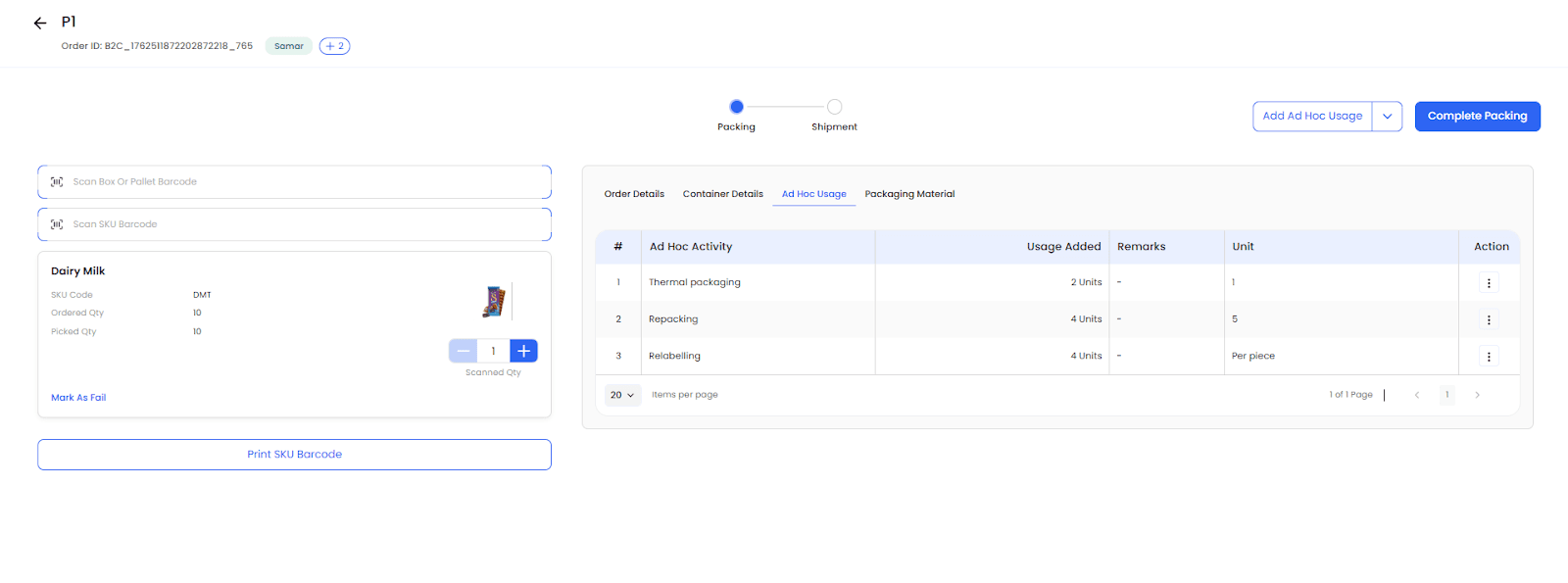
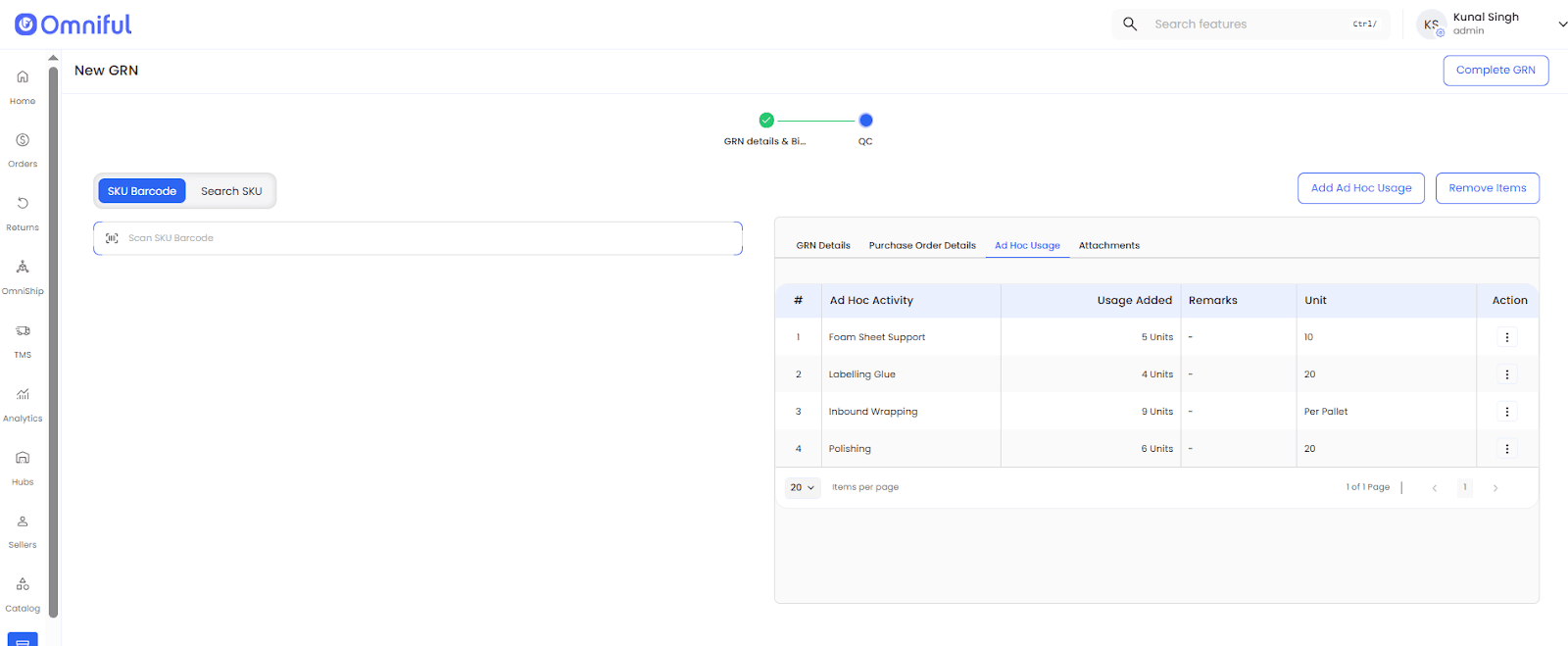
This enhancement applies to Ad Hoc Usage records logged through GRN, Return GRN, Packing, and directly from the dashboard, with controlled edit and delete access within defined time windows to ensure data accuracy and prevent misuse.
To ensure controlled usage, validation rules are applied. Edit and delete actions are permitted only within 2 days of the activity date, while Ad Hoc Usage can be logged from the dashboard only for activity dates within the last 90 days. Additionally, separate permissions for Edit Usage and Delete Usage have been introduced under Ad Hoc Logs Permissions, and only users with these permissions can perform edit or delete actions. Users can update fields including Usage Quantity, Remarks, and Attached Images with the help of edit functionality, enabling controlled corrections after the initial entry. Editing or deleting any record will not impact previously generated bills. Updated charges will be reflected only in newly generated bills for the relevant billing period.
How It Works
-
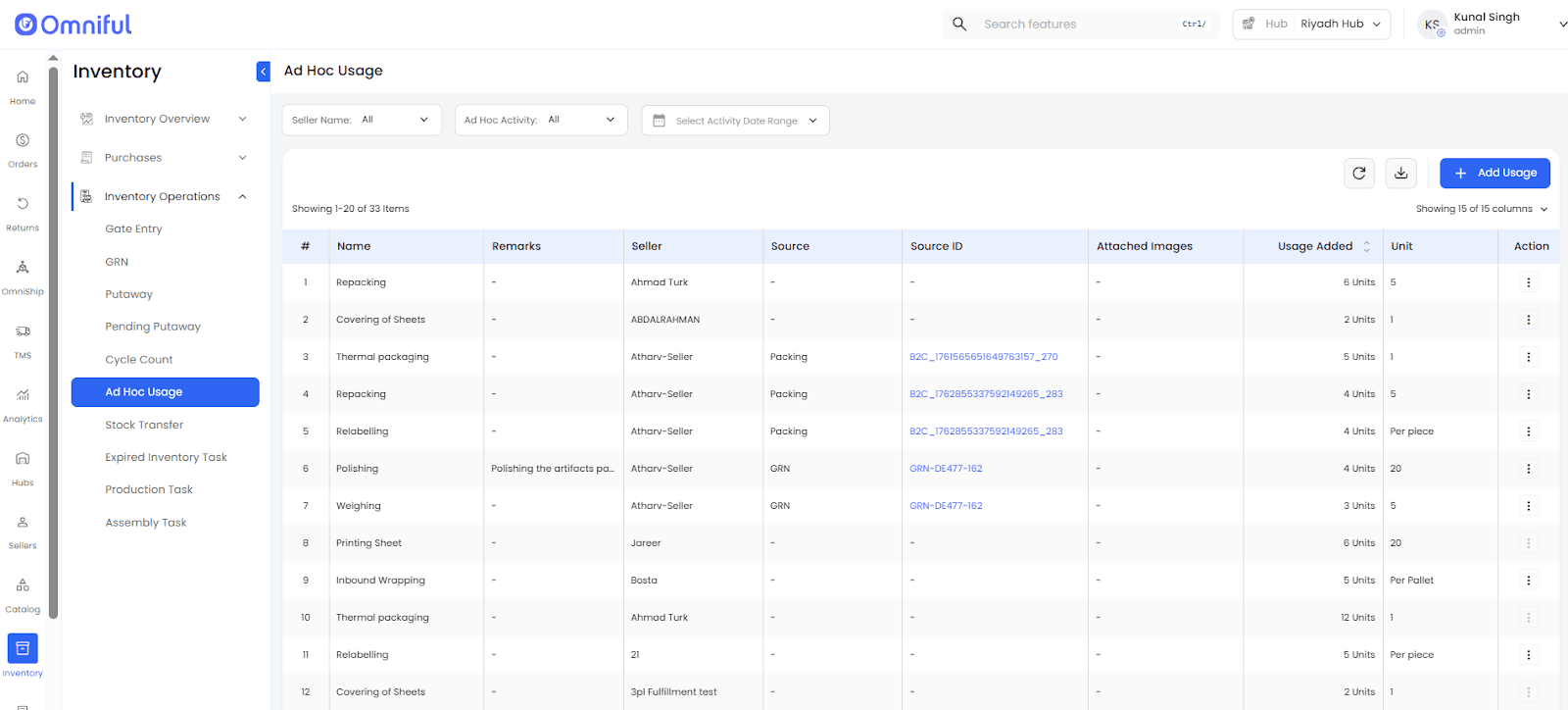
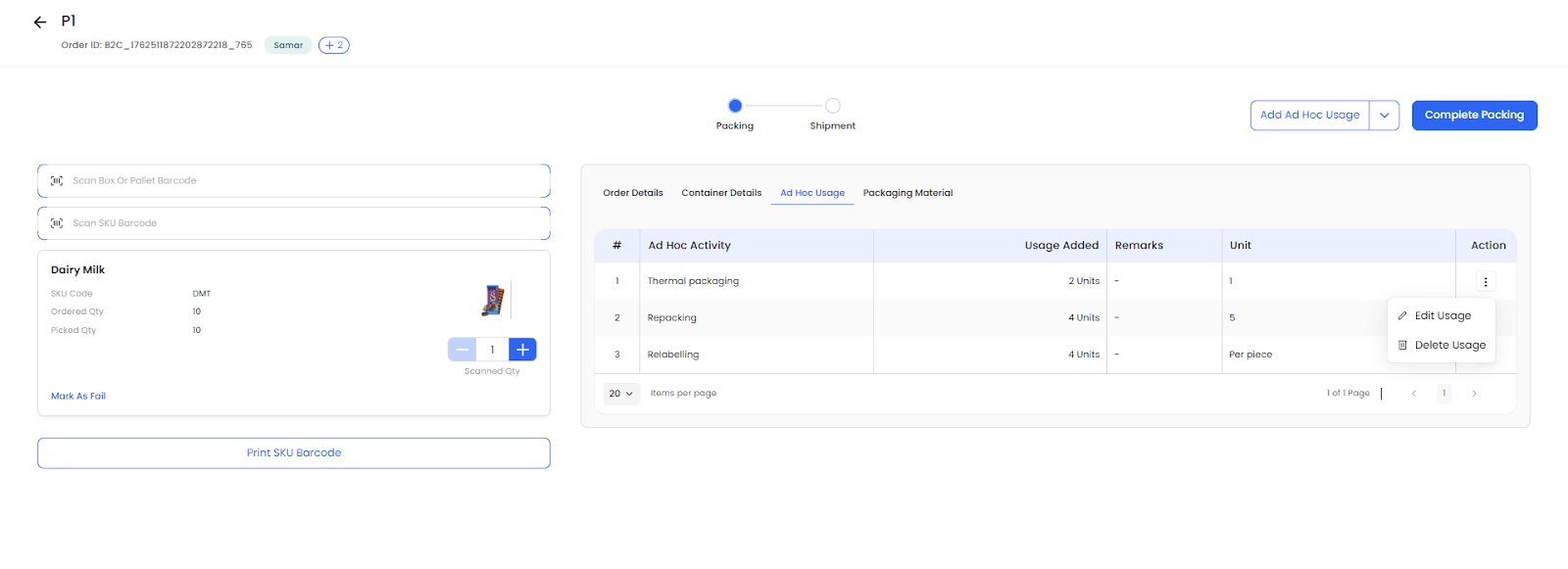
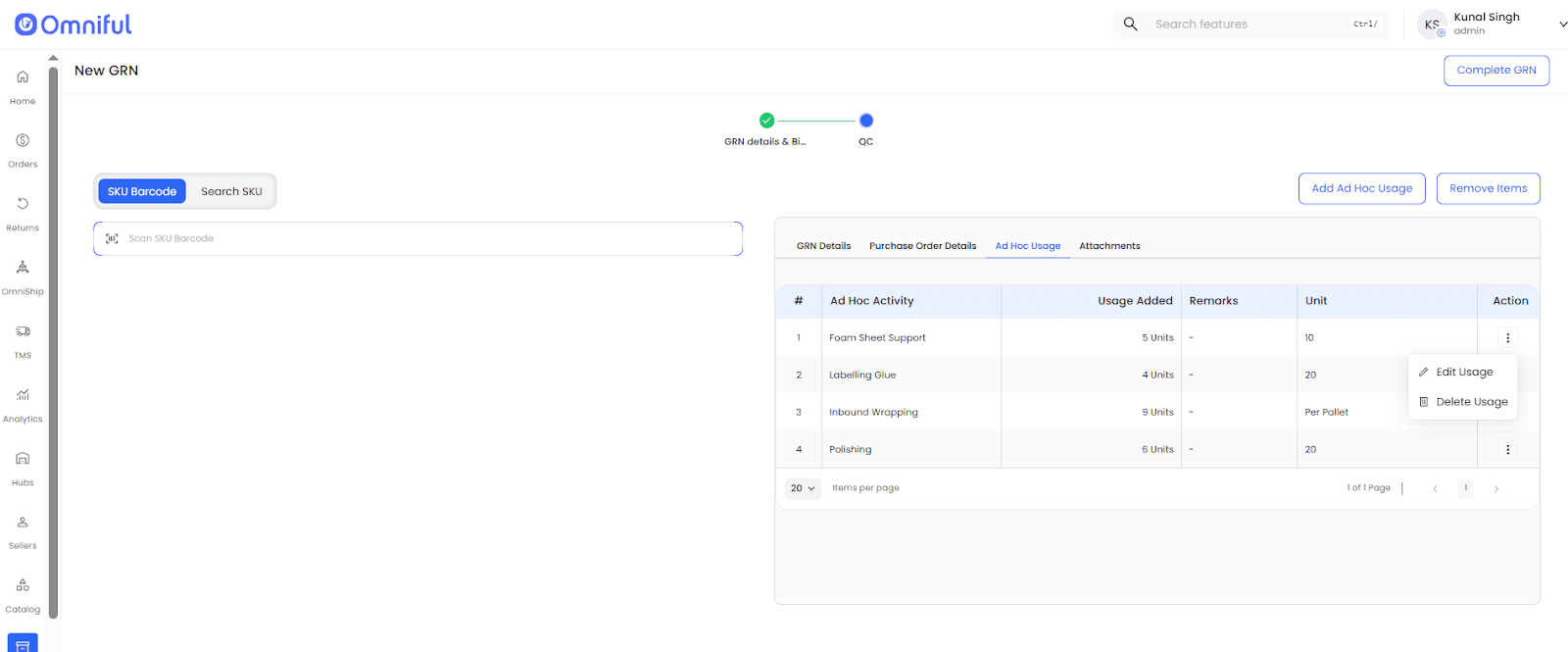
Open the Ad Hoc Usage module or the Ad Hoc Usage records surfaced within the supported activity flow.
-
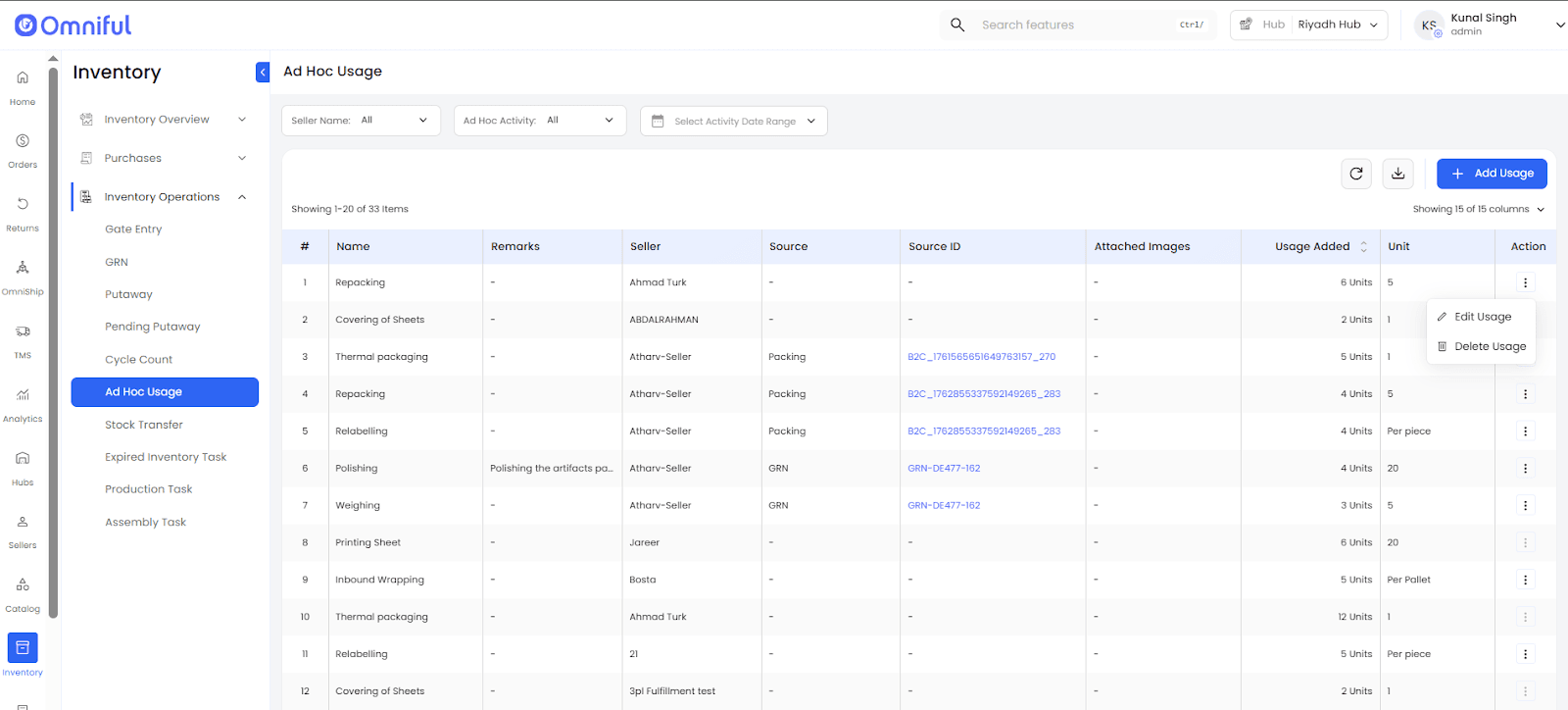
Click on the Action CTA on the right of the respective Ad Hoc Usage record to select Edit or Delete, provided the record is within the allowed time window.
-
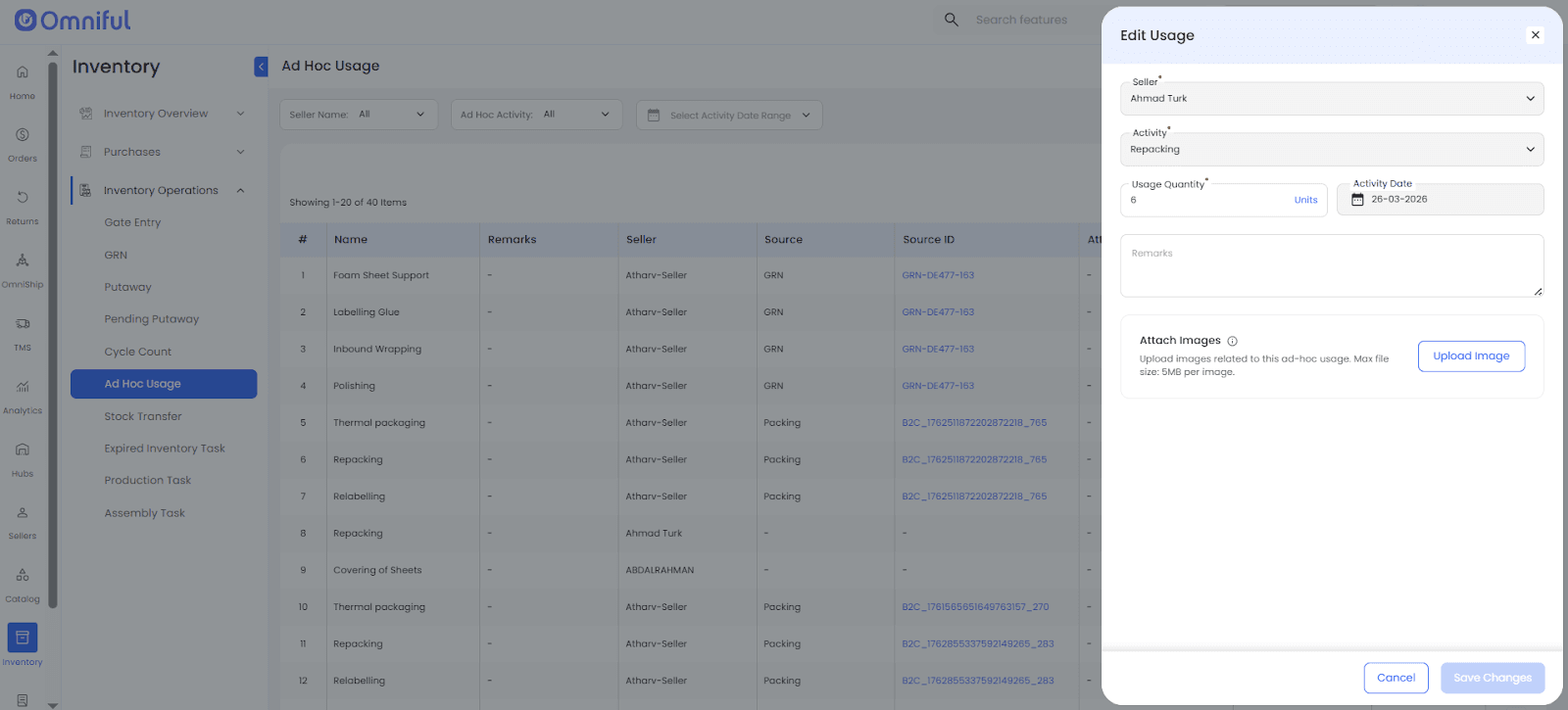
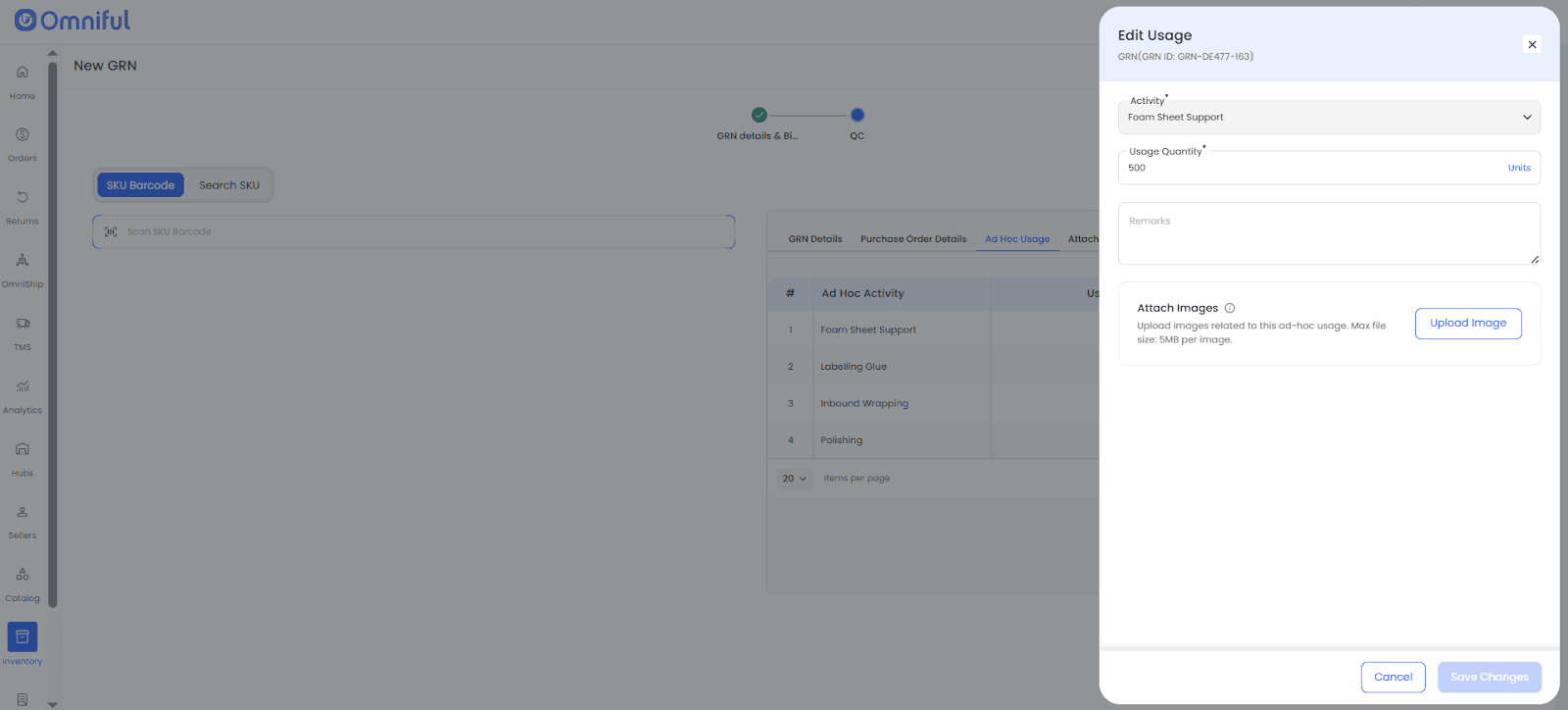
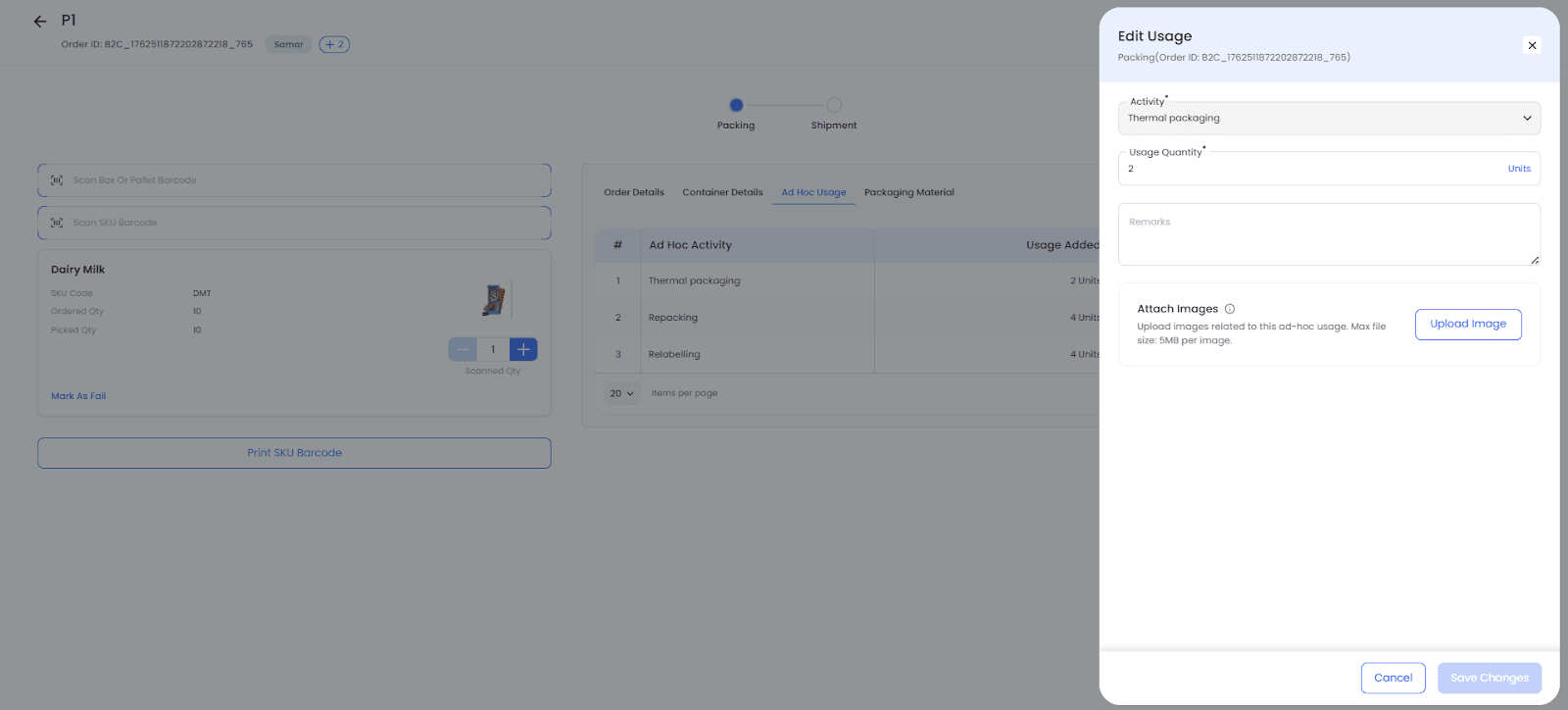
A user can update the Usage Quantity, Remarks, and Attached Images using the Edit option. Make the necessary changes and then click Save Changes to continue.
-
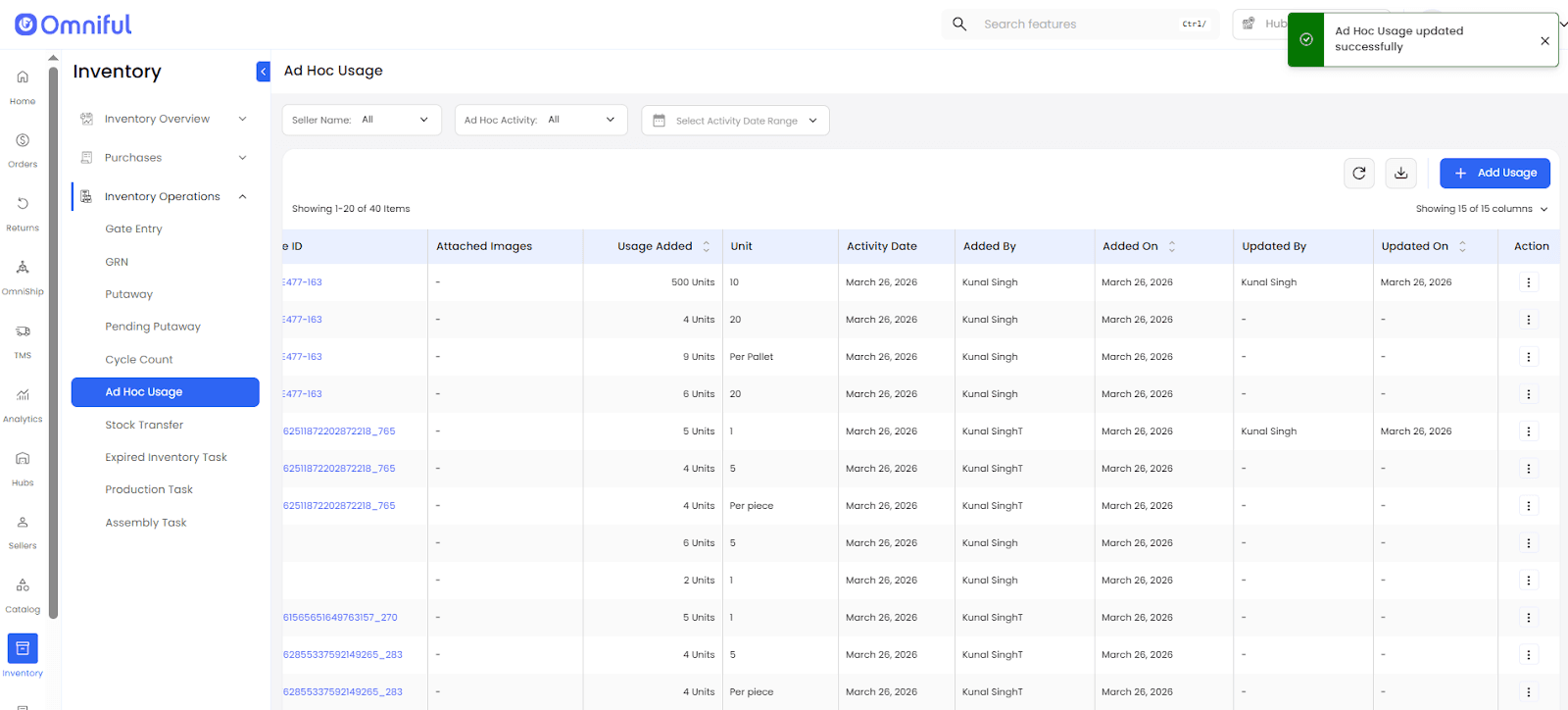
After the update is saved, the Ad Hoc Usage table reflects the latest modification through the Updated By and Updated On columns for respective records.
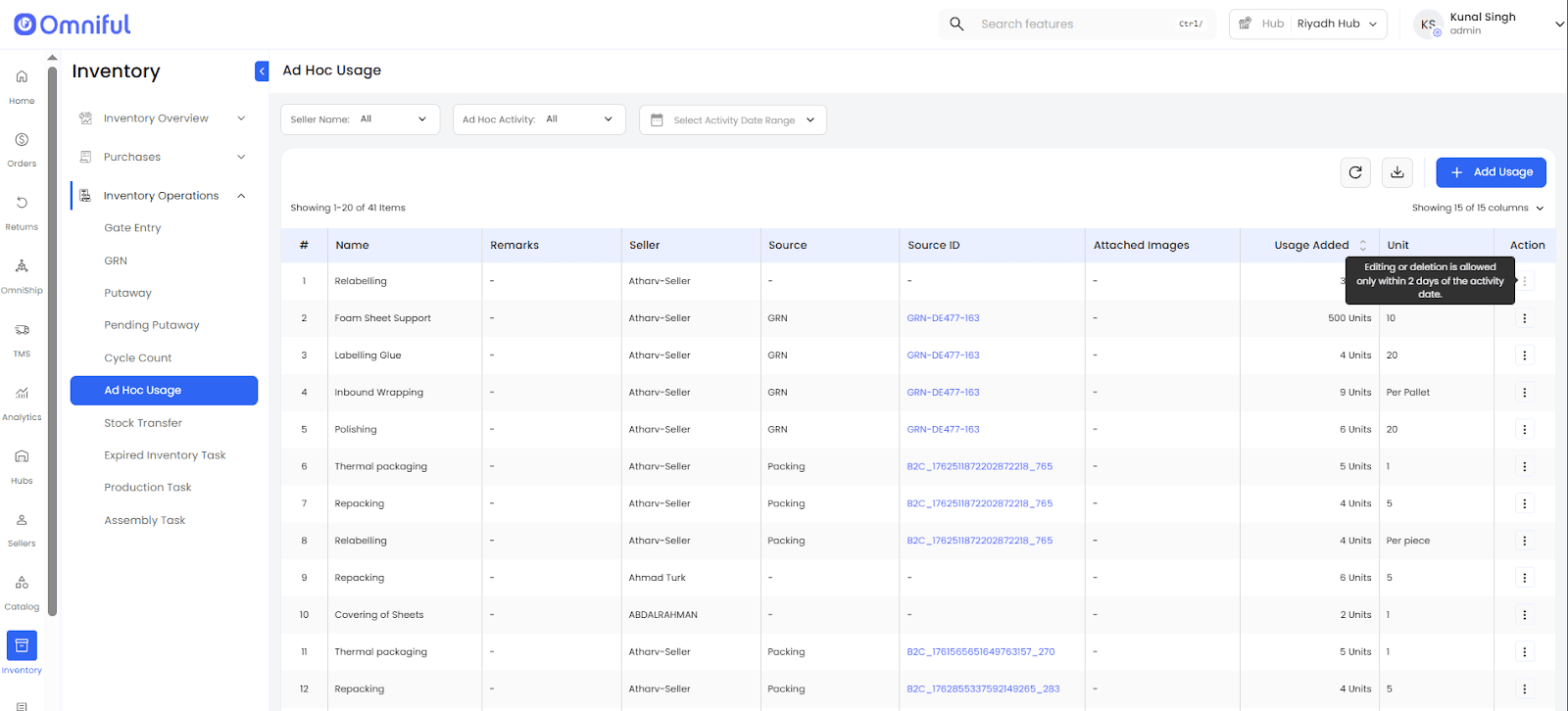
 Note: An Ad Hoc Usage record can be edited or deleted only within 2 days of the activity date.
 Ad Hoc Usage can be logged from the dashboard only for activity dates within the last 90 days.
Edit and Delete functionality is available only on the dashboard.
Technical Details
Functional Coverage
Supports edit and delete actions for Ad Hoc Usage records raised from GRN, Return GRN, Packing, and directly from dashboard.
Limits editable fields to Usage Quantity, Remarks, and Attached Images for controlled post-entry corrections.
Editing or deleting any record will not impact previously generated bills. Updated charges will be reflected only in newly generated bills for the relevant billing period.
Validation and Time Windows
Edit and Delete actions are permitted only when the associated activity date of the Ad Hoc Usage record falls within the last 2 days.
Ad Hoc Usage can be logged from the dashboard only for activity dates within the last 90 days.
Audit and Visibility
The Ad Hoc Usage table now includes Updated By and Updated On to show who last changed the record and when the update happened.
These fields improve traceability for operational review and billing reconciliation.
Permissions
Dedicated Edit Usage and Delete Usage permissions are added under Ad Hoc Logs permissions.
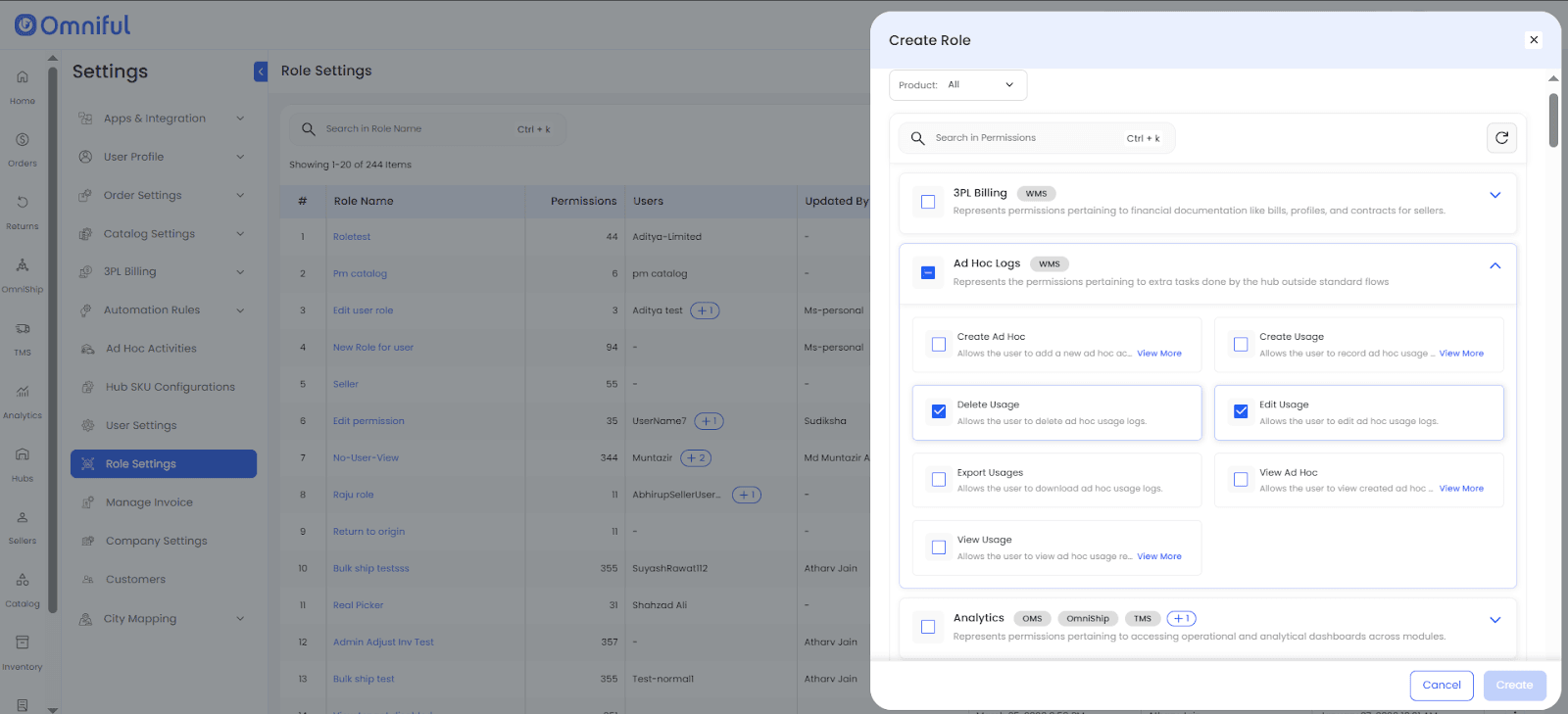 The Admin role receives this permission by default.