

Table of Contents
Share On


Approval Restricted — On Hold Status Configuration
Summary
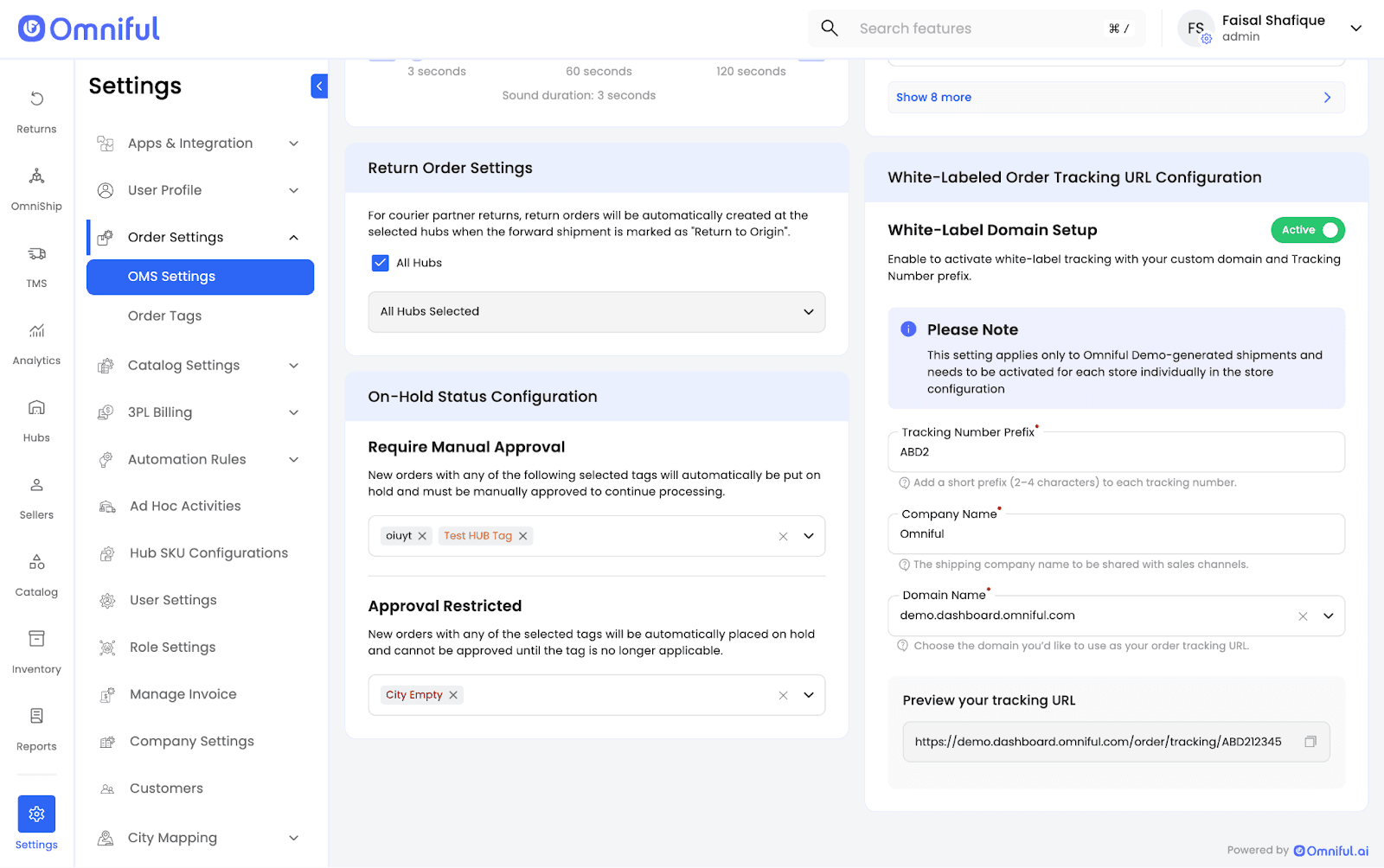
Approval Restricted is a configuration in OMS Settings → On Hold Status Configuration. When enabled, any new order that has one of the configured order tags is automatically placed On Hold and cannot be approved until:
- The order tag is no longer applicable, or
- The tag is removed from the configuration.
Example
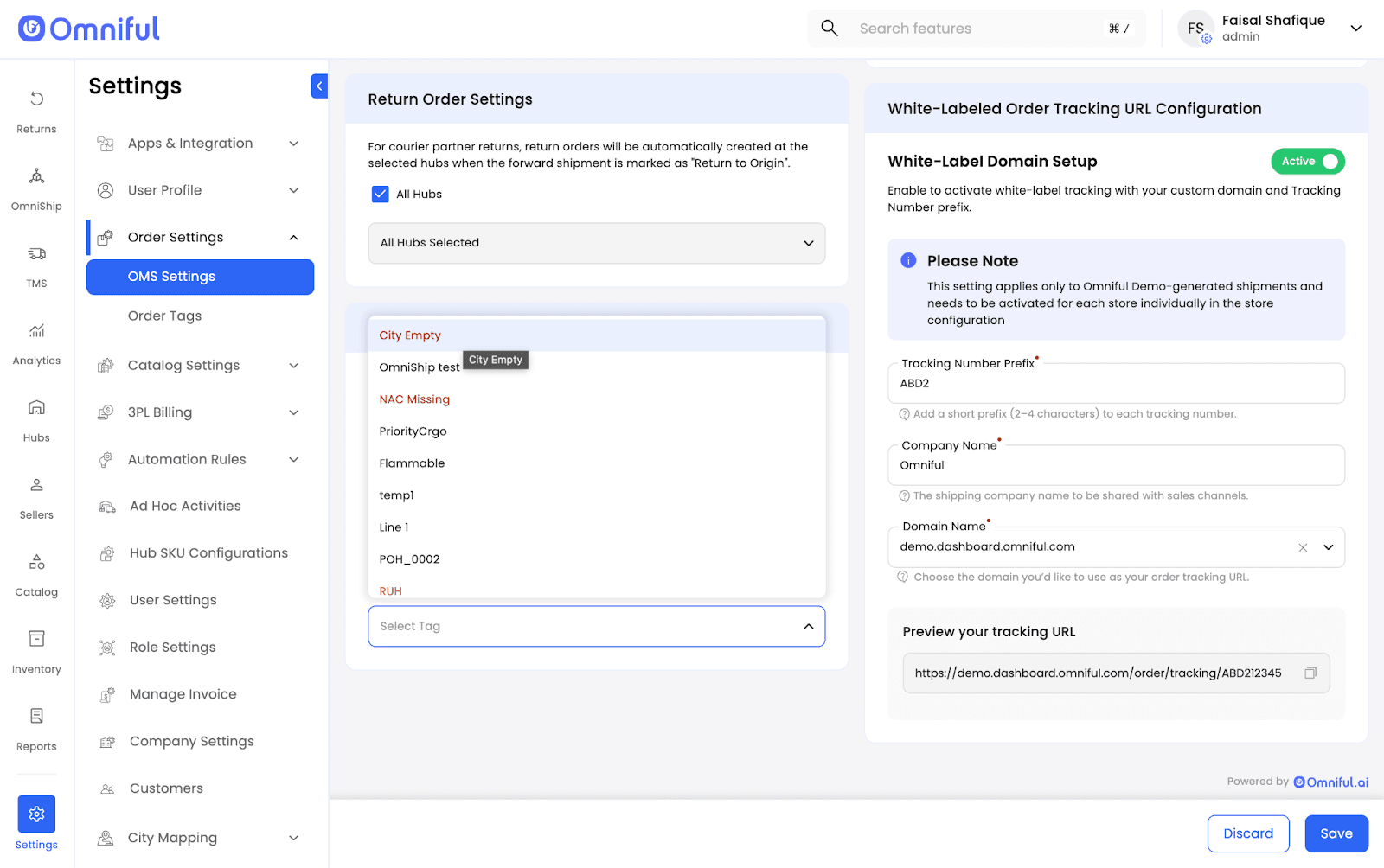
An order tag such as City Empty can be created with the condition:
Destination City is "Empty"
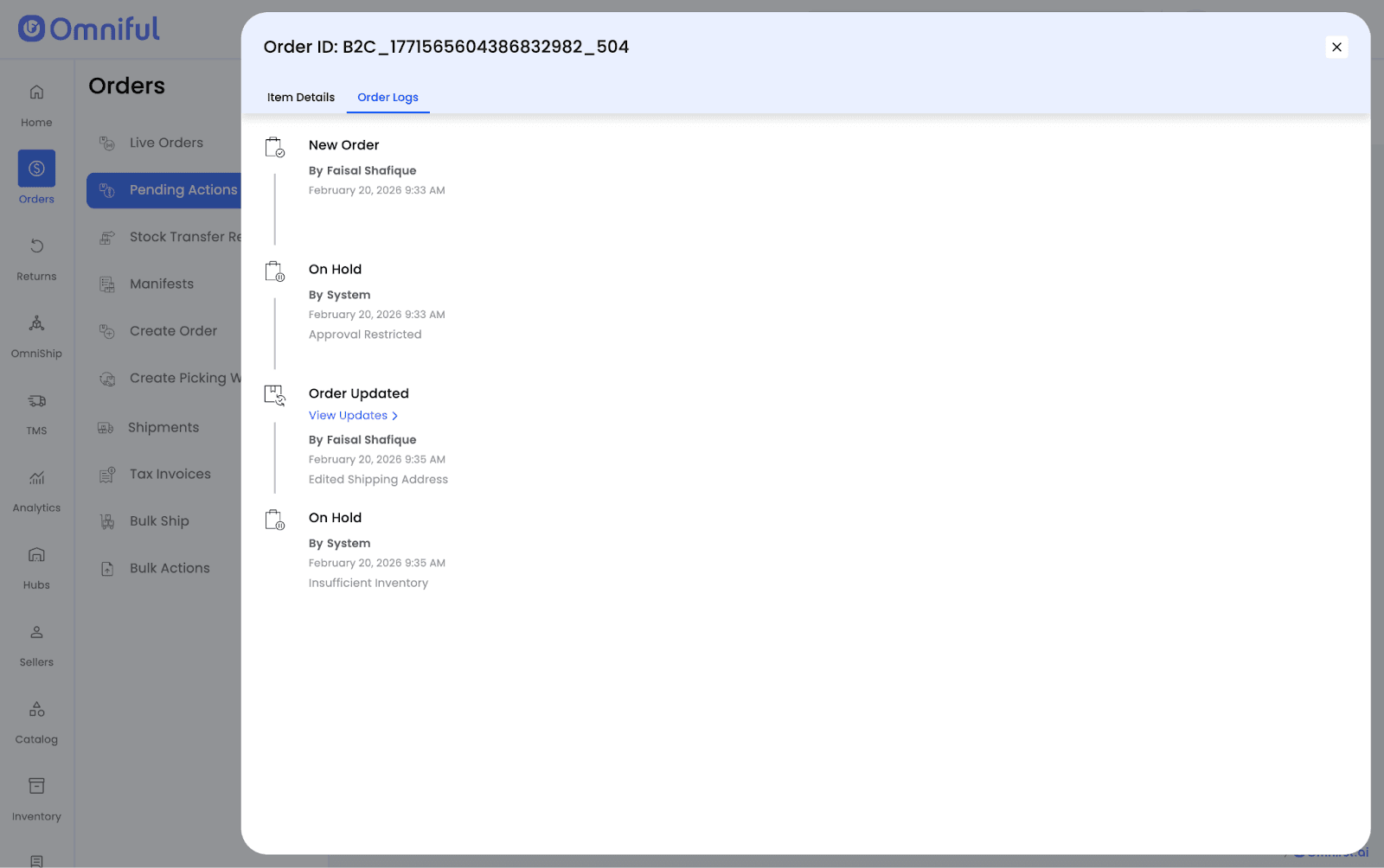
This tag is applied to orders missing a destination city. If added under Approval Restricted, such orders are placed On Hold with the reason Approval Restricted, and cannot be approved until the issue is resolved.
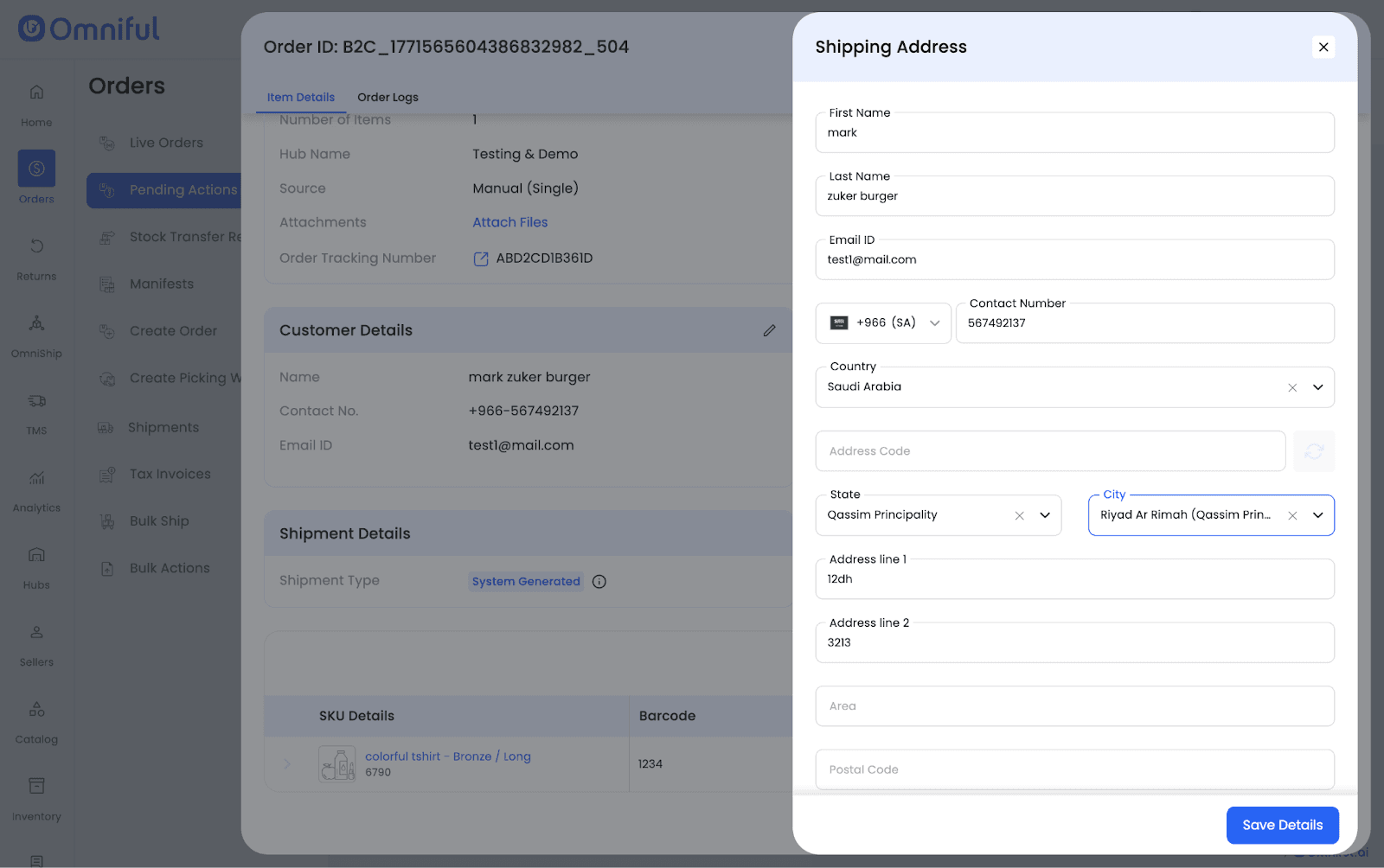
To proceed, the user must update the order (e.g., add the missing city) or update the sales channel and sync the order. The system re-evaluates the tag and clears the hold when the tag condition is no longer met.
Alternatively, the user may manually remove the order tag from the configuration, which clears all orders currently held for this reason.
Once cleared, the order may still remain On Hold due to other reasons such as insufficient inventory.
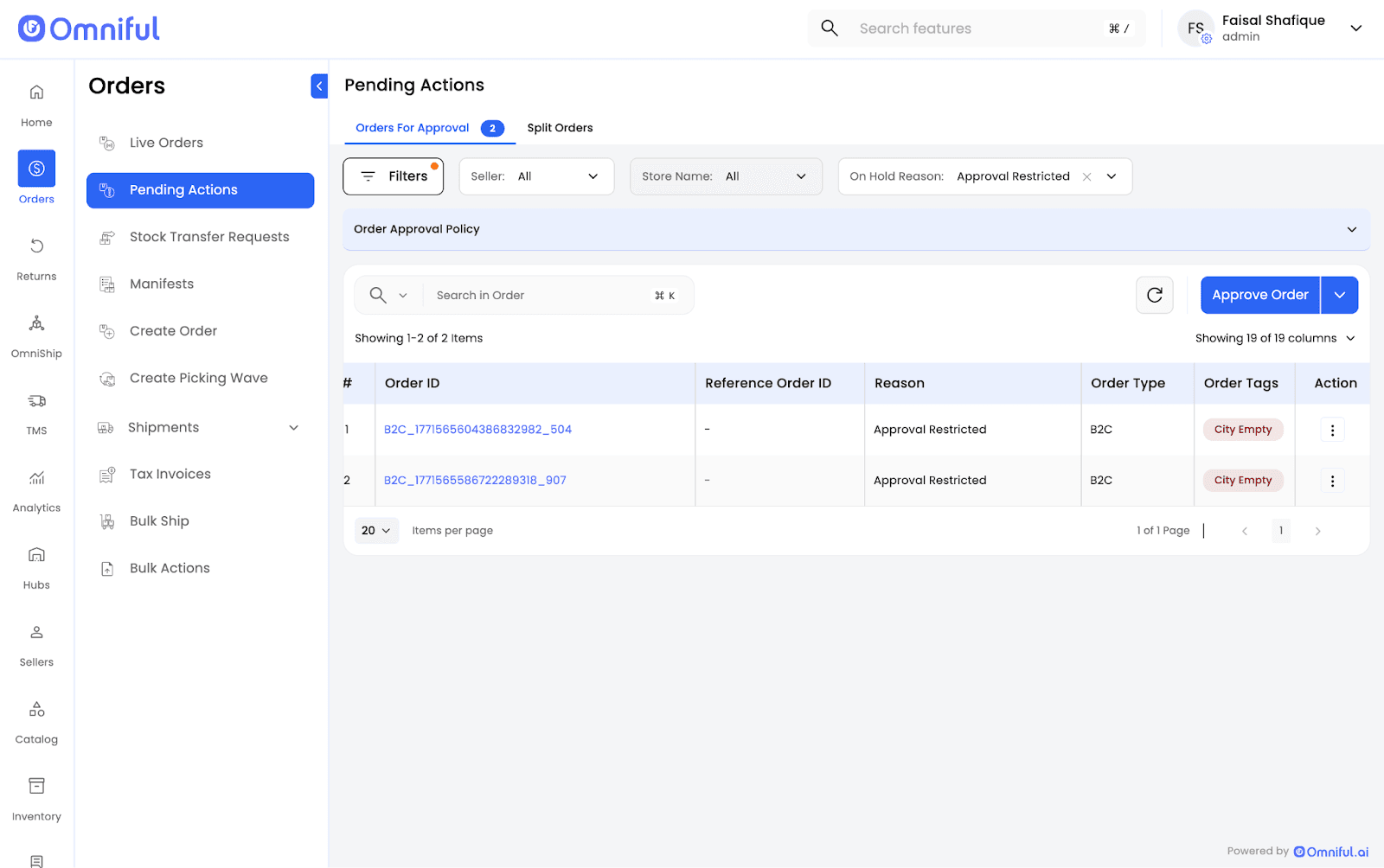
Orders held due to Approval Restricted can be filtered by selecting Approval Restricted on the Pending Actions screen.
Inventory reservation for these orders can be configured at the sales channel level under Reserve inventory for pending state.
How It Works
Step 1
Navigate to: OMS Settings → On Hold Status Configuration
Step 2
Select Order Tag(s) under Approval Restricted (e.g., City Empty).
Step 3
Save configuration.
Step 4
Orders with the selected tags are automatically placed On Hold with reason: Approval Restricted.
Step 5
Edit or update the order so the tag condition is resolved (e.g., manually add the missing city).
Step 6
Once resolved, the system re-evaluates the tag and automatically clears Approval Restricted, approving the order.
Technical Details
- Tag evaluation occurs at order creation and order update.
- Approval is blocked while the tag condition persists.
- Removing the tag from configuration triggers auto-approval of affected On Hold orders.
- Inventory reservation depends on Sales Channel configuration and must be set manually.
- If the same order tag exists in multiple On Hold configurations, Approval Restricted takes priority.