

Table of Contents
Table of Contents
Share On


Date: 29 December 2025
Bulk Delivery Zone Creation
Omniful TMS now supports creating and editing delivery zones in bulk by uploading KML files and managing multiple zones directly from the Map view.
Version: 1.0
Owner: Omniful Product Team
Summary
Omniful TMS now supports creating delivery zones in bulk by uploading a KML file and updating multiple zones together directly from the Map view.
- Upload a
.kmlfile containing delivery zone polygons to create zones in bulk. - The system creates all valid zones and skips invalid placemarks with a clear error message.
- Select and edit multiple delivery zones at once from the Map view for faster updates.
How It Works
- Go to TMS → Configurations → Delivery Zones.
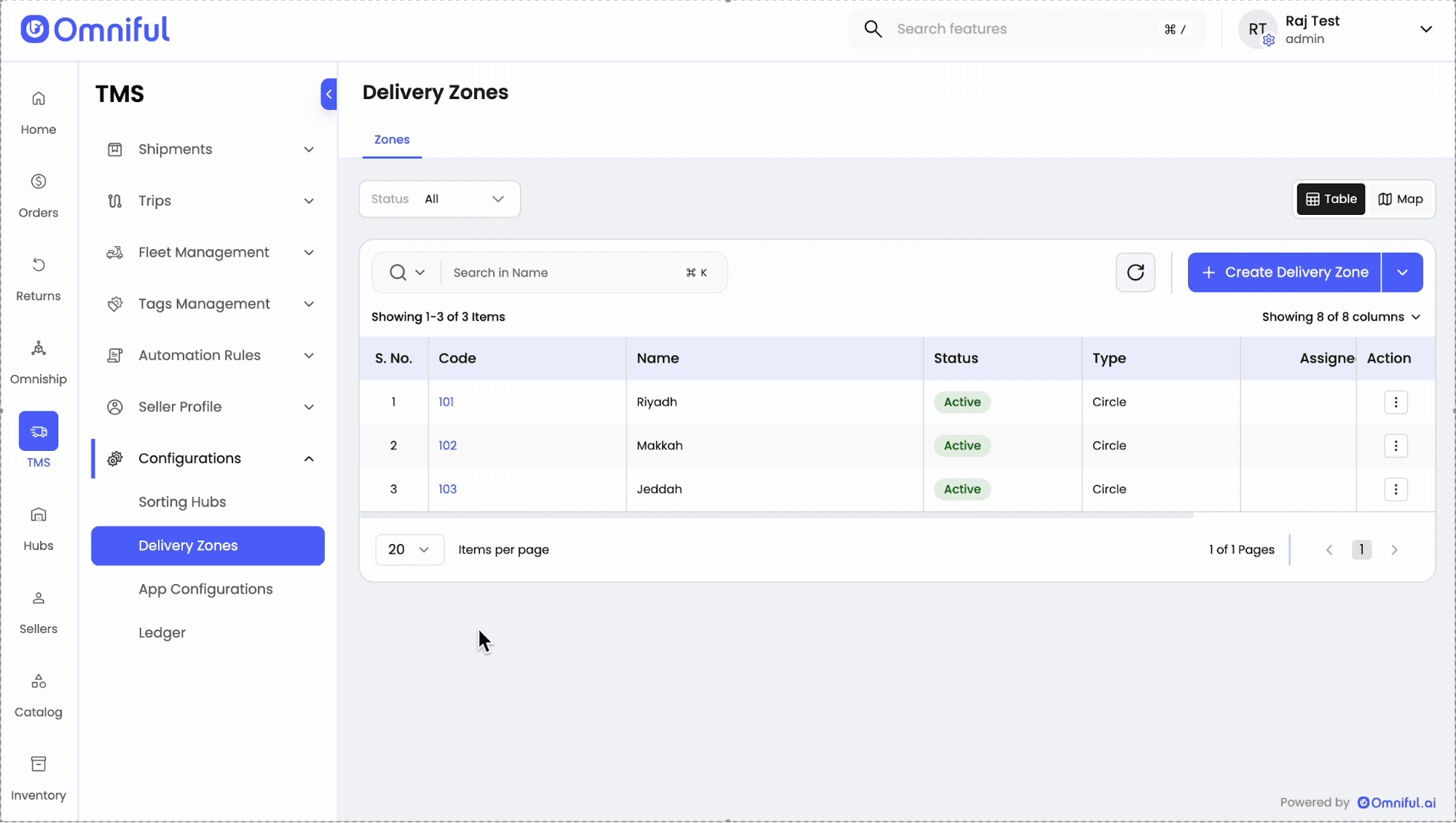
- Click the dropdown next to Create Delivery Zone and select Bulk Upload Delivery Zone.
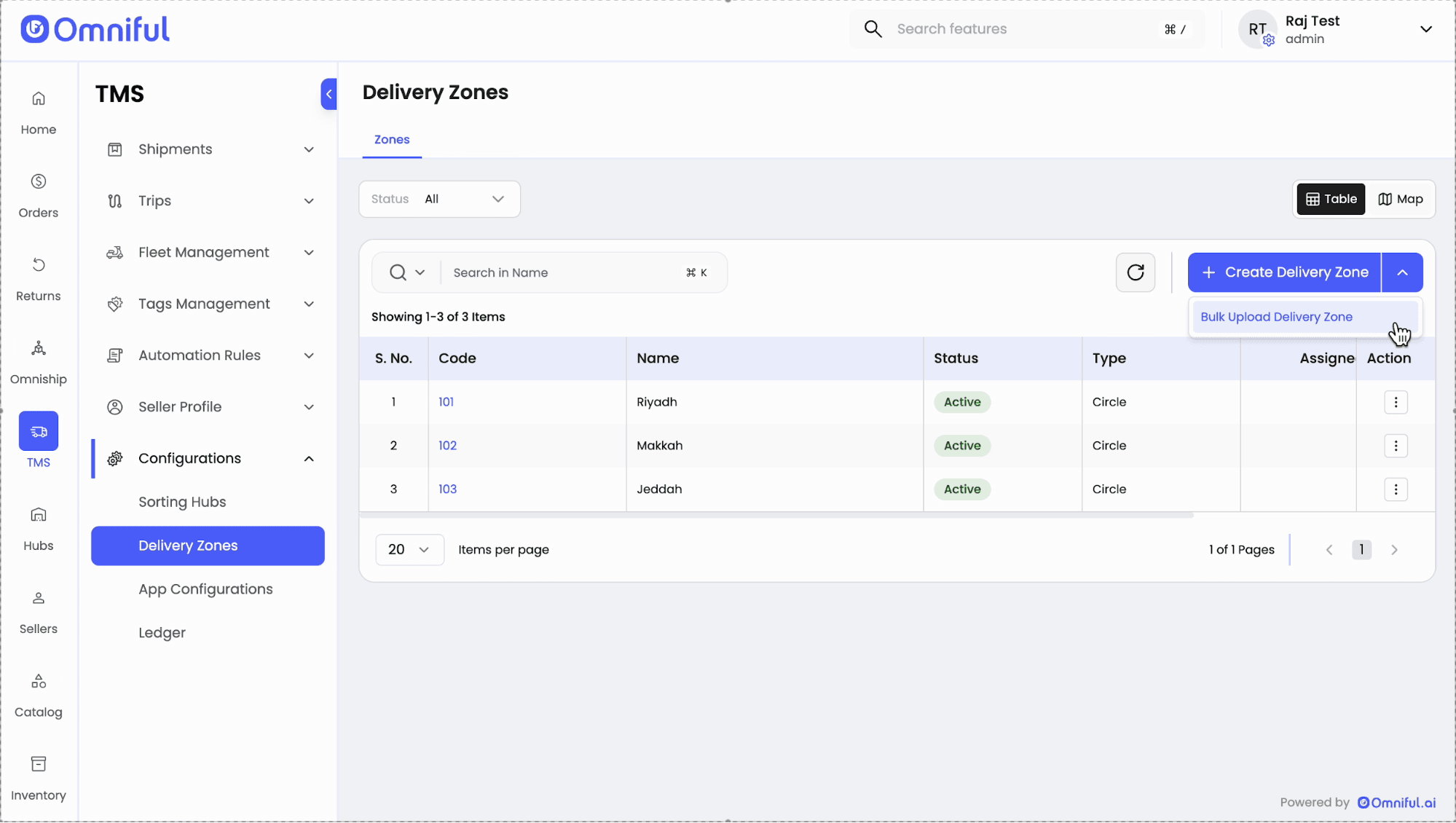
- Upload the KML file and click Create.
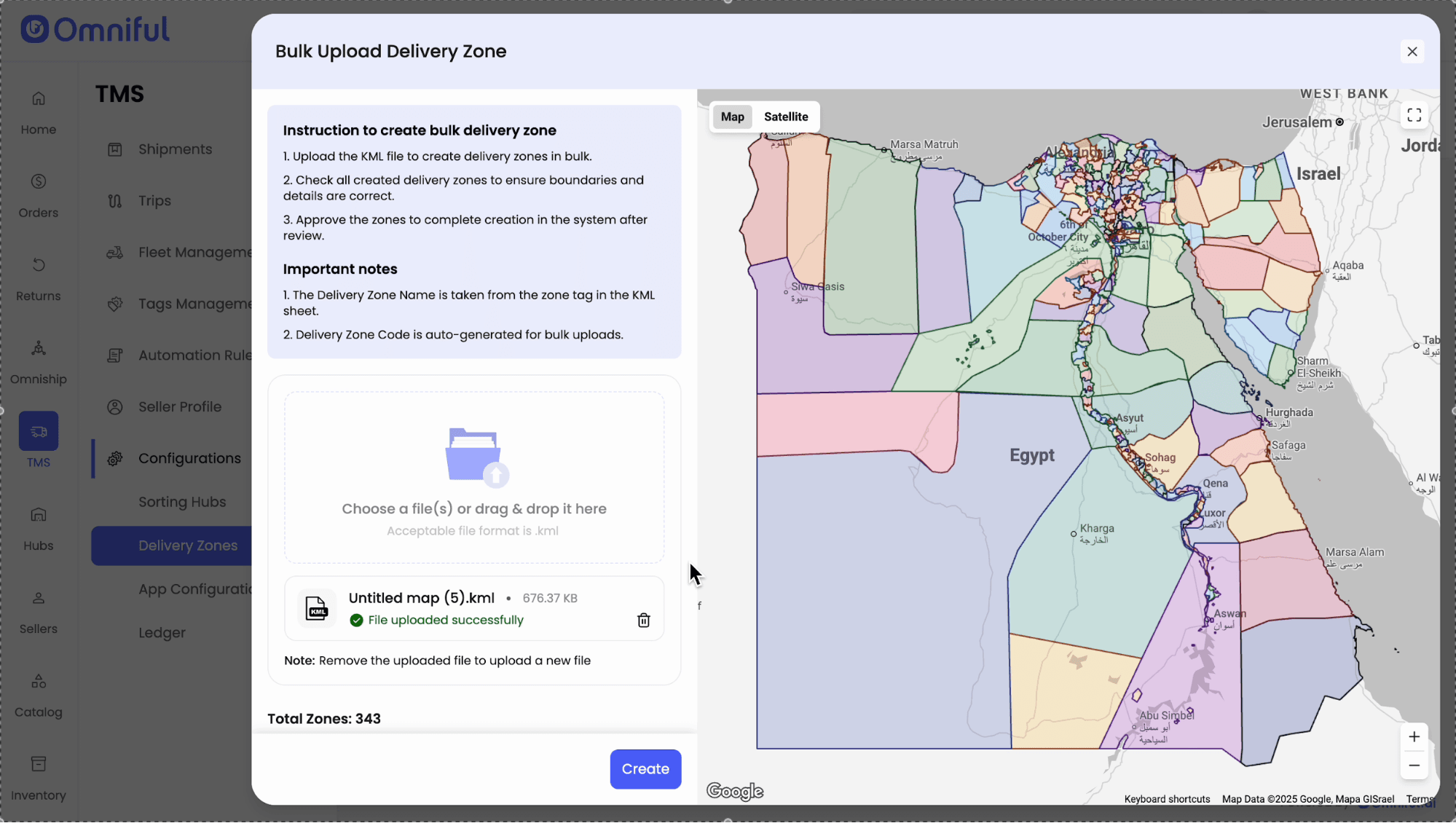
- Review the processing result: valid zones are created, and invalid placemarks are rejected with an error.
- Switch to Map View to visualize the created delivery zones as selectable polygons.
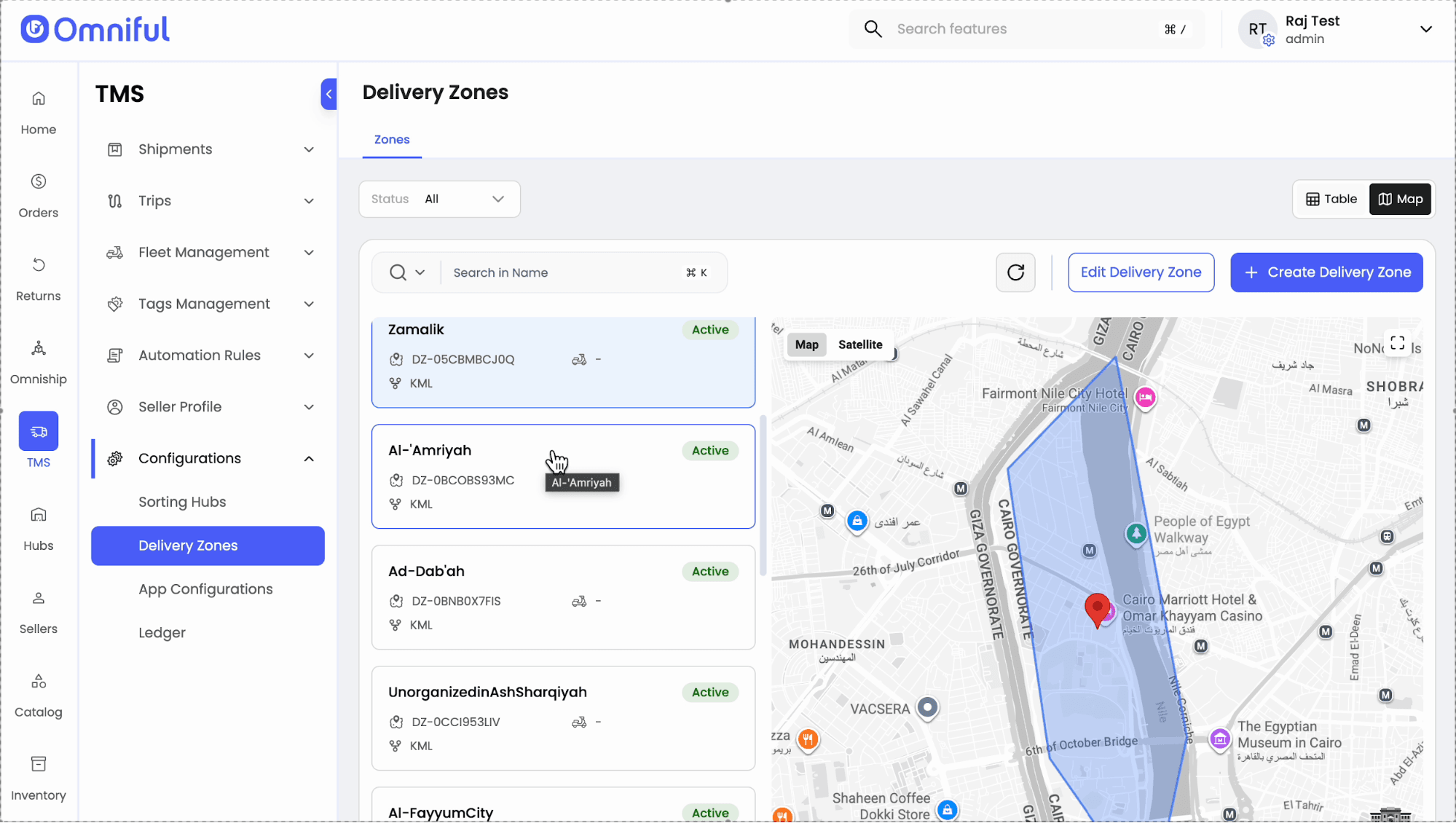
- Select one or multiple delivery zones (from the list). The Edit Delivery Zone action becomes available.
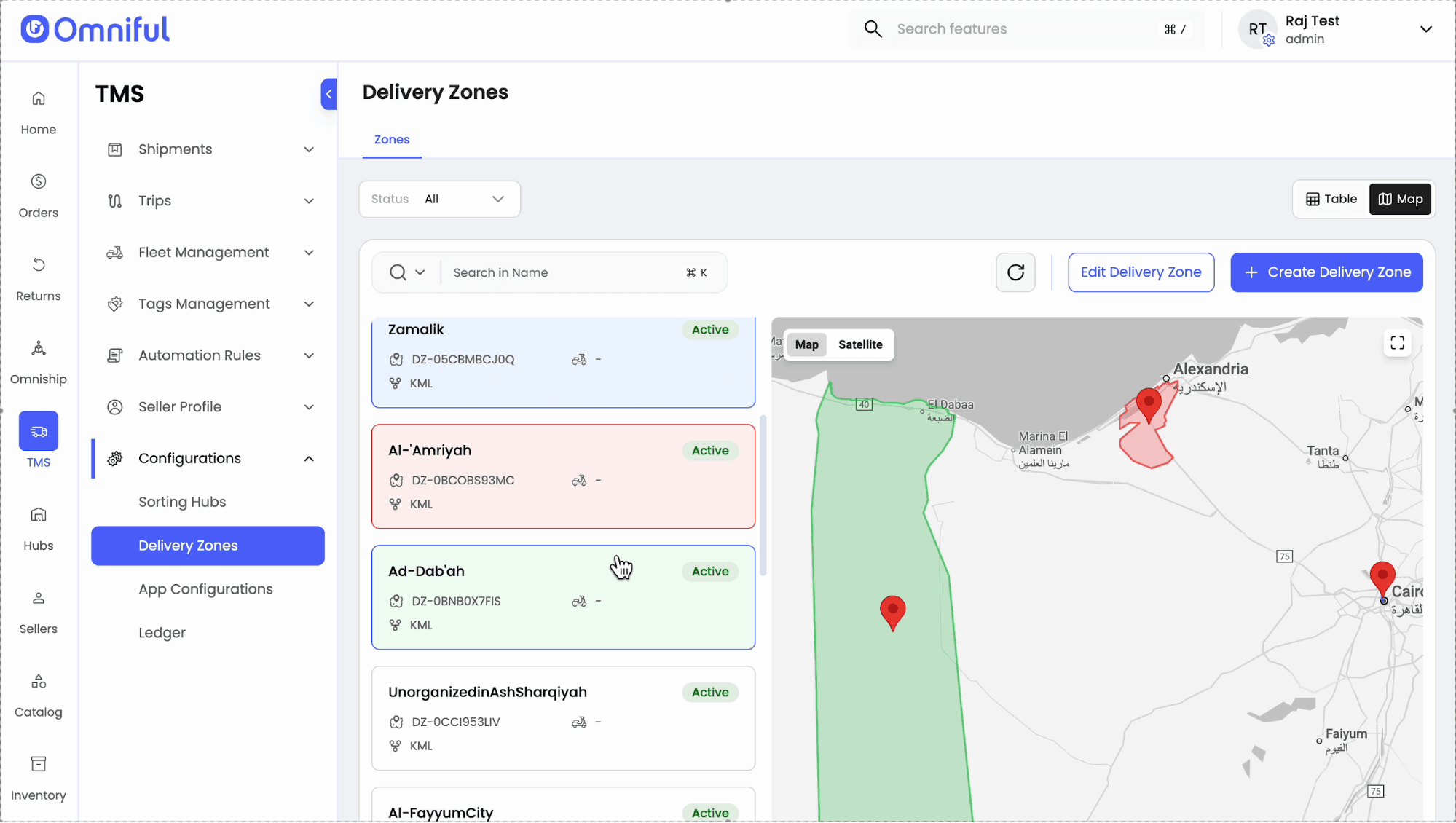
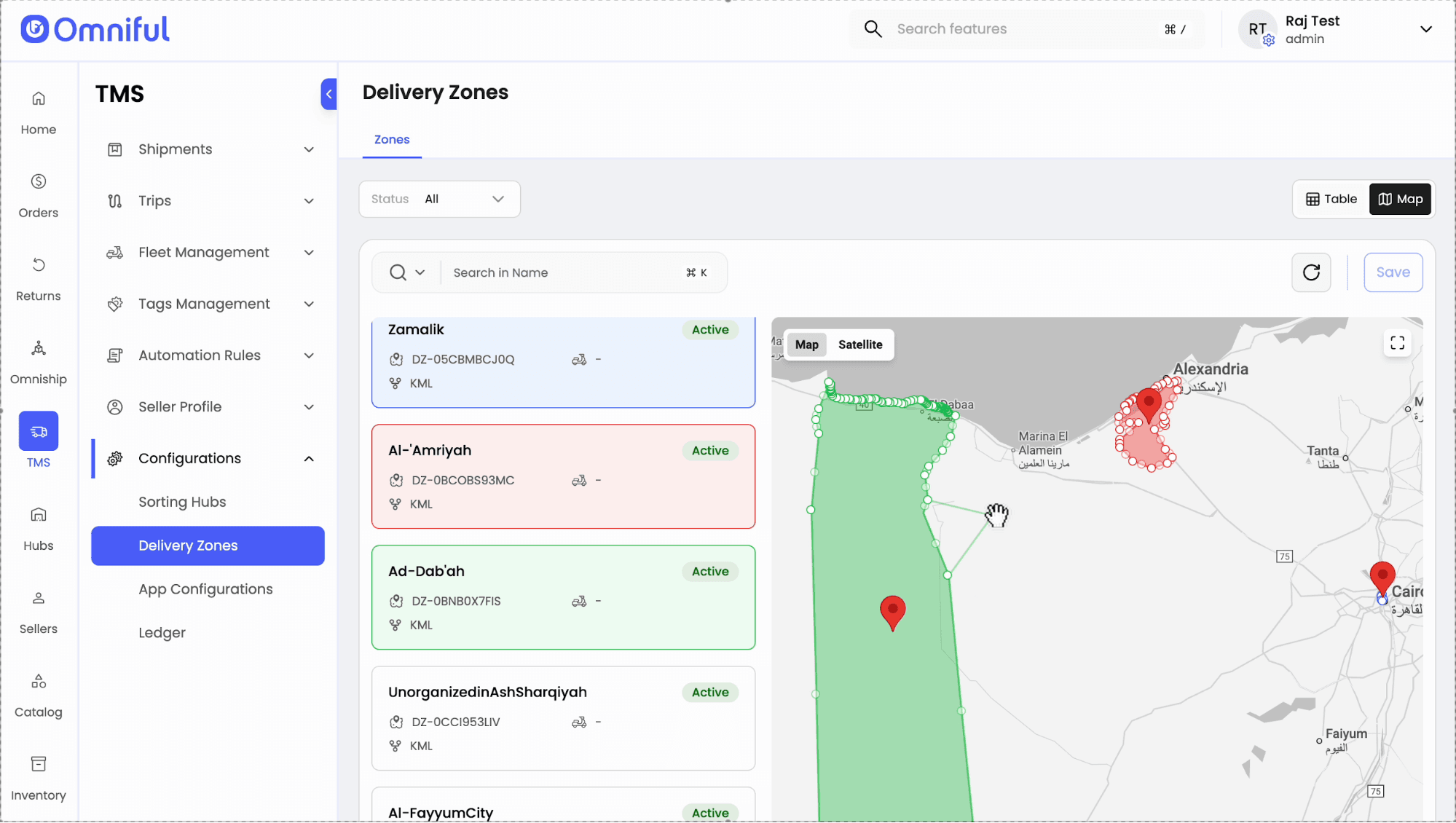
- Update the selected zones and click Save to apply changes.
Technical Details
Input Format
- Acceptable file format:
.kml(KML polygons) - Delivery Zone Name is taken from the zone tag in the KML sheet.
- Delivery Zone Code is auto-generated for bulk uploads.
Validation & Processing
- All valid delivery zones present in the uploaded KML file are created successfully.
- If the system encounters invalid placemarks, those delivery zones are not created and the UI shows an error message, for example:
“Failed to process 35 placemarks. Polygon coordinates not found.”
Bulk Edit Availability
- Bulk selection edit is supported only for delivery zones that are created using KML, Custom, or Bulk Creation methods.
- Delivery zones created through other methods must be edited individually.