

Table of Contents
Share On


Capture Receiver Signature during Manifest Handover
Version: V1
Date: 16th February 2026
Owner: Product Team
Summary
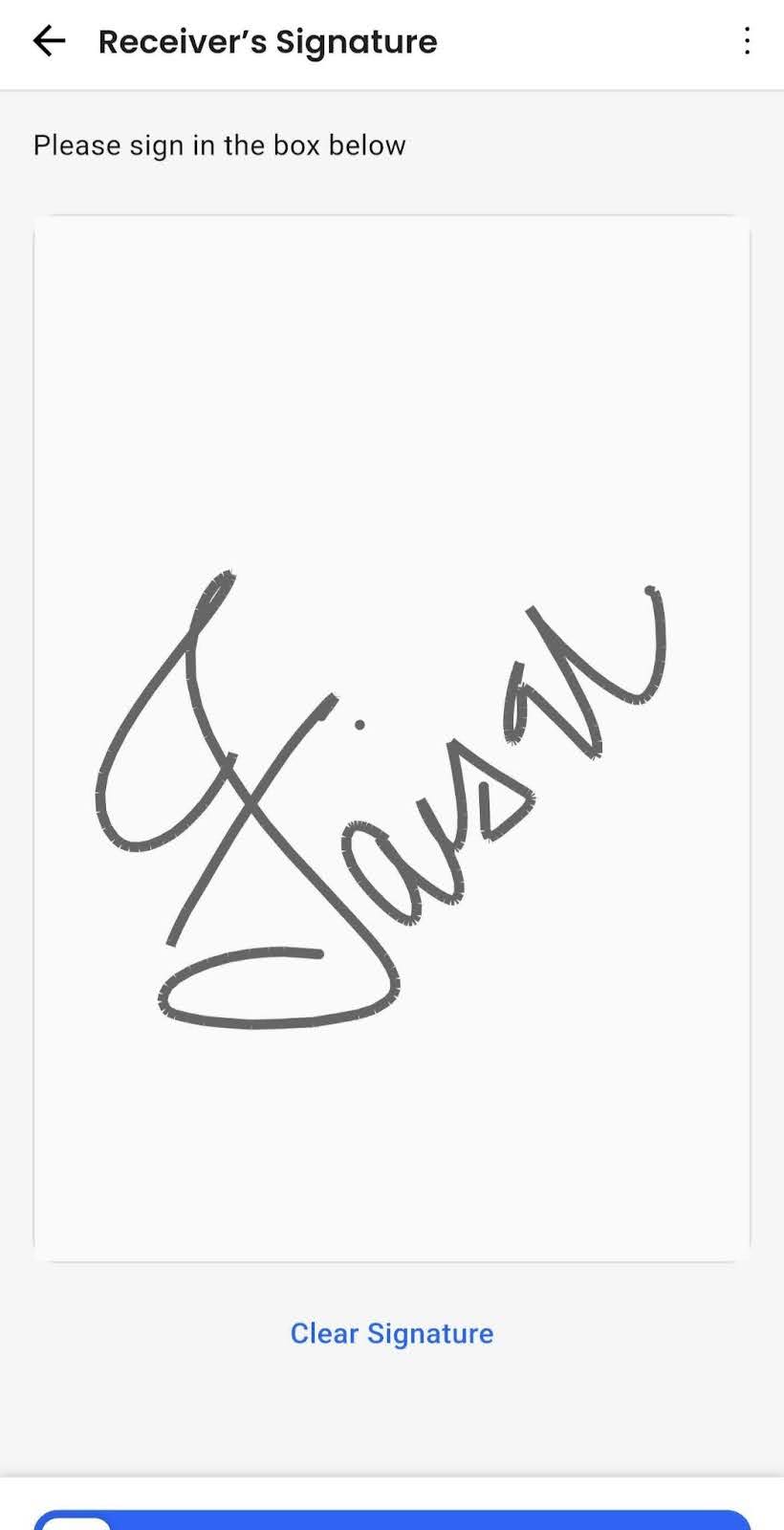
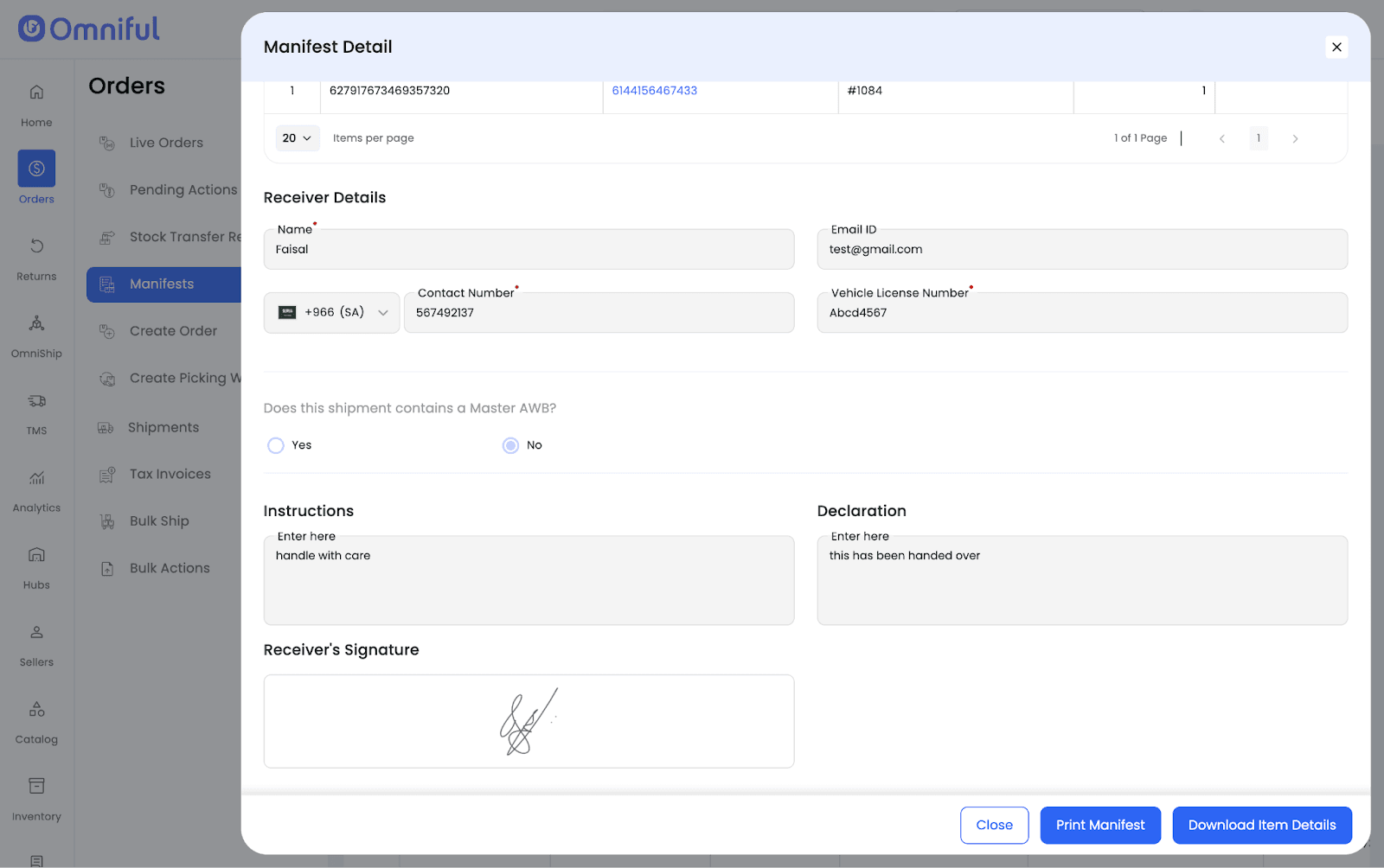
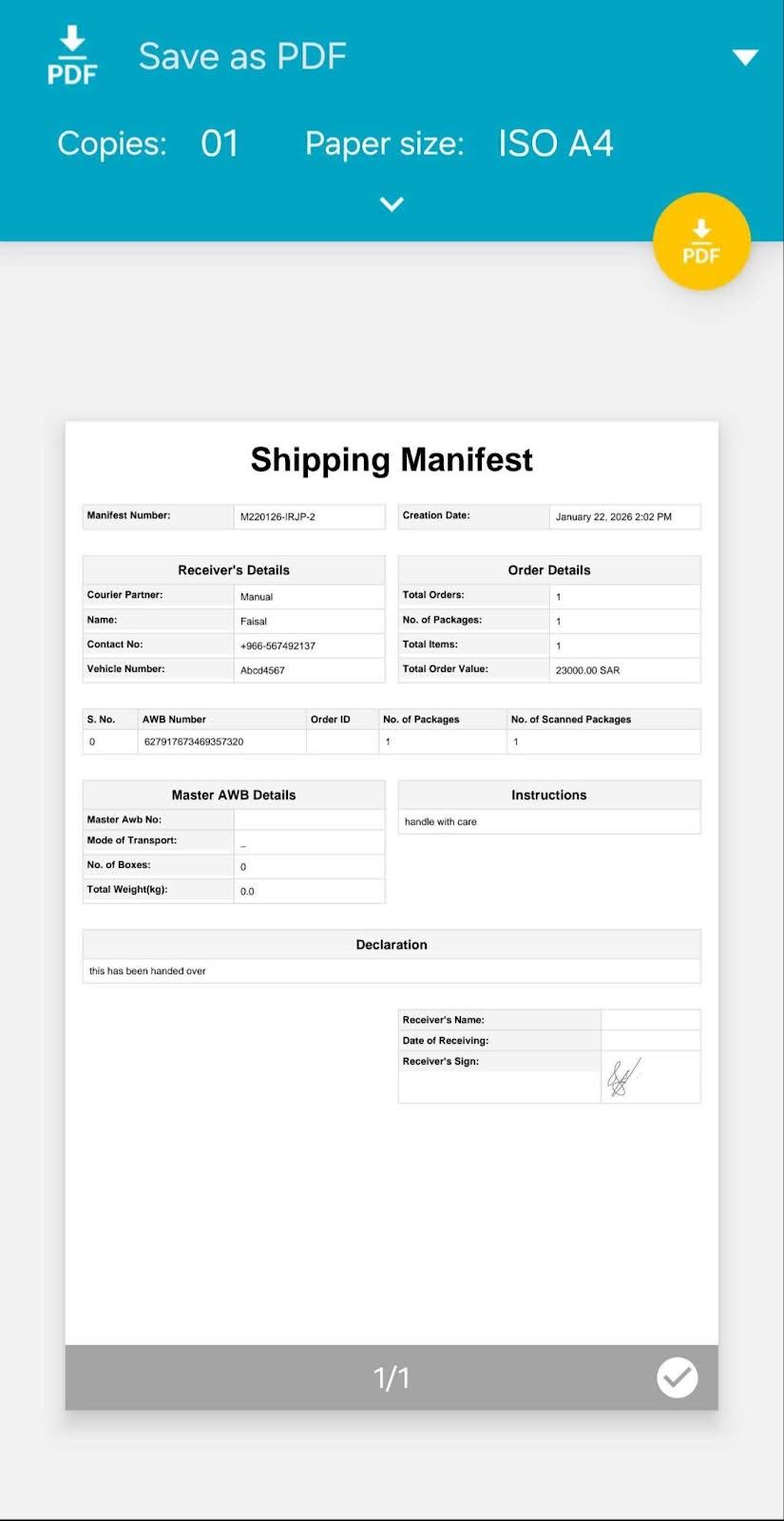
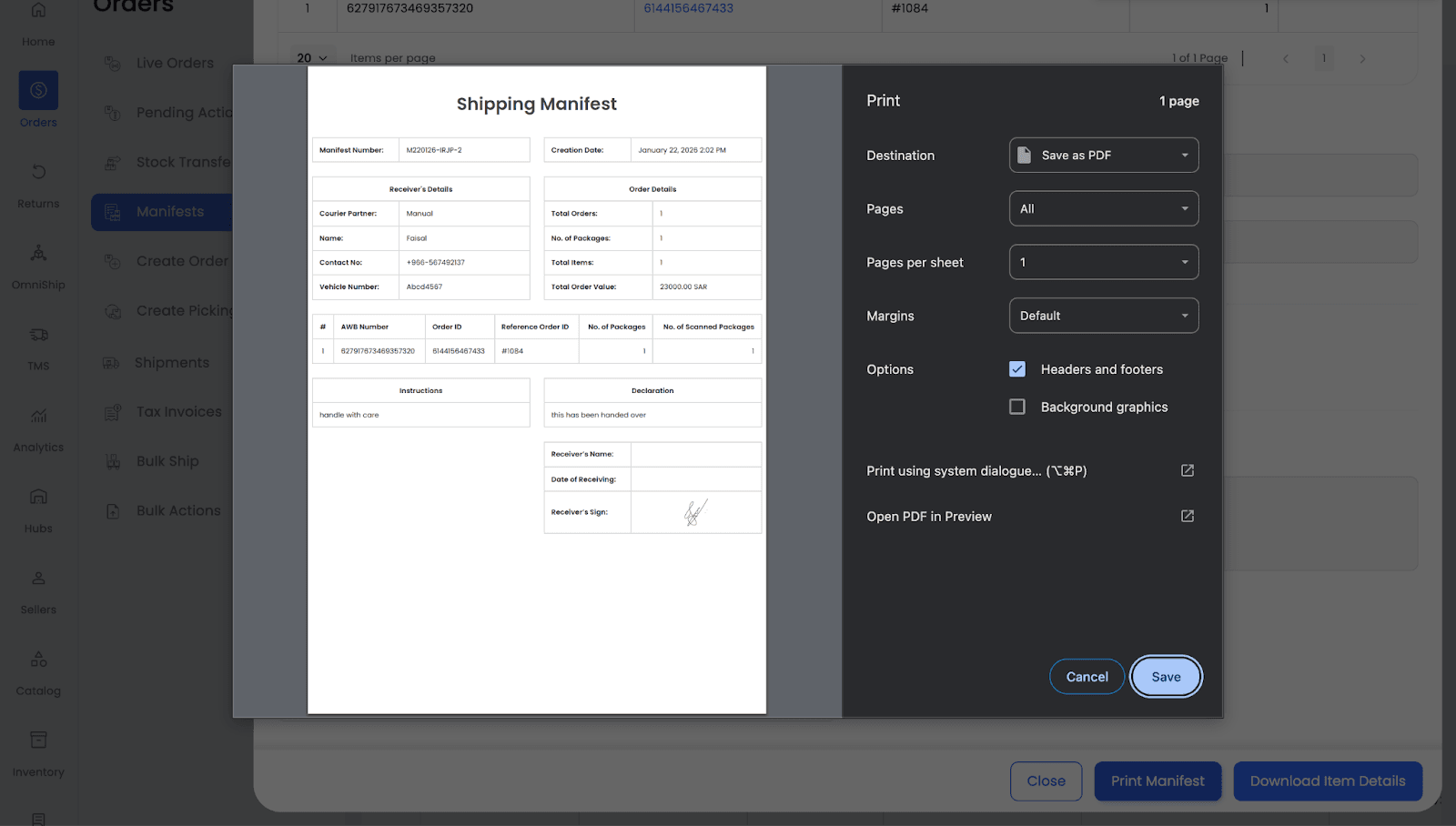
Omniful has enhanced the Manifest Handover flow by enabling users to capture the receiver’s signature directly within the HubOps app at the time of handover. A new Receiver Signature field allows the receiver to sign on-screen before the user confirms the handover. Once completed, the signature is saved with the manifest, visible on the dashboard under Completed, and automatically included in the printed Shipping Manifest PDF.
This ensures consistent proof of handover, reduces dependency on external paperwork, and supports seamless signature capture across all shipment types, vehicles, partners, and tenants.
How it Works
Step 1
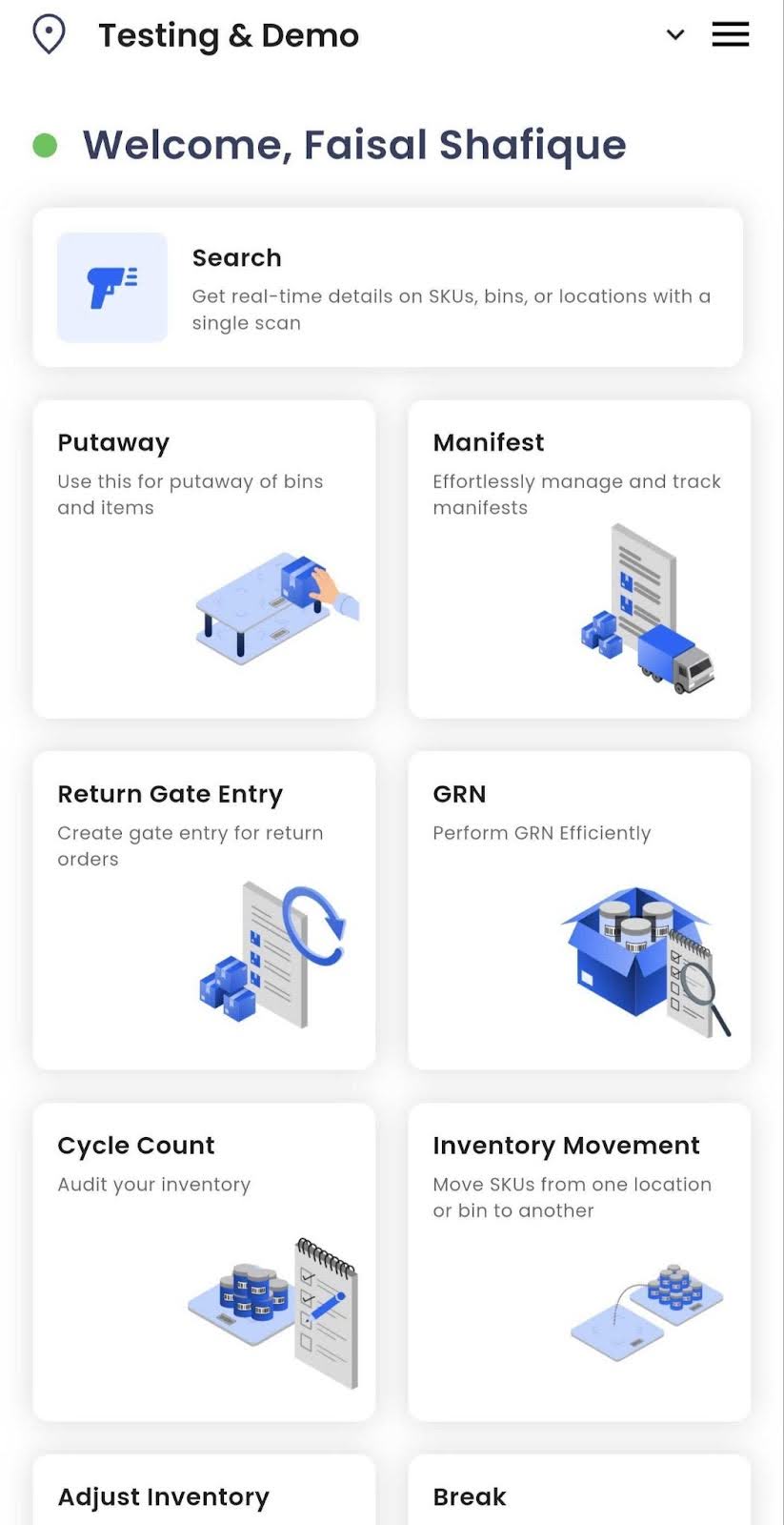
In HubOps App, navigate to Manifest → Ready for Handover.
Step 2
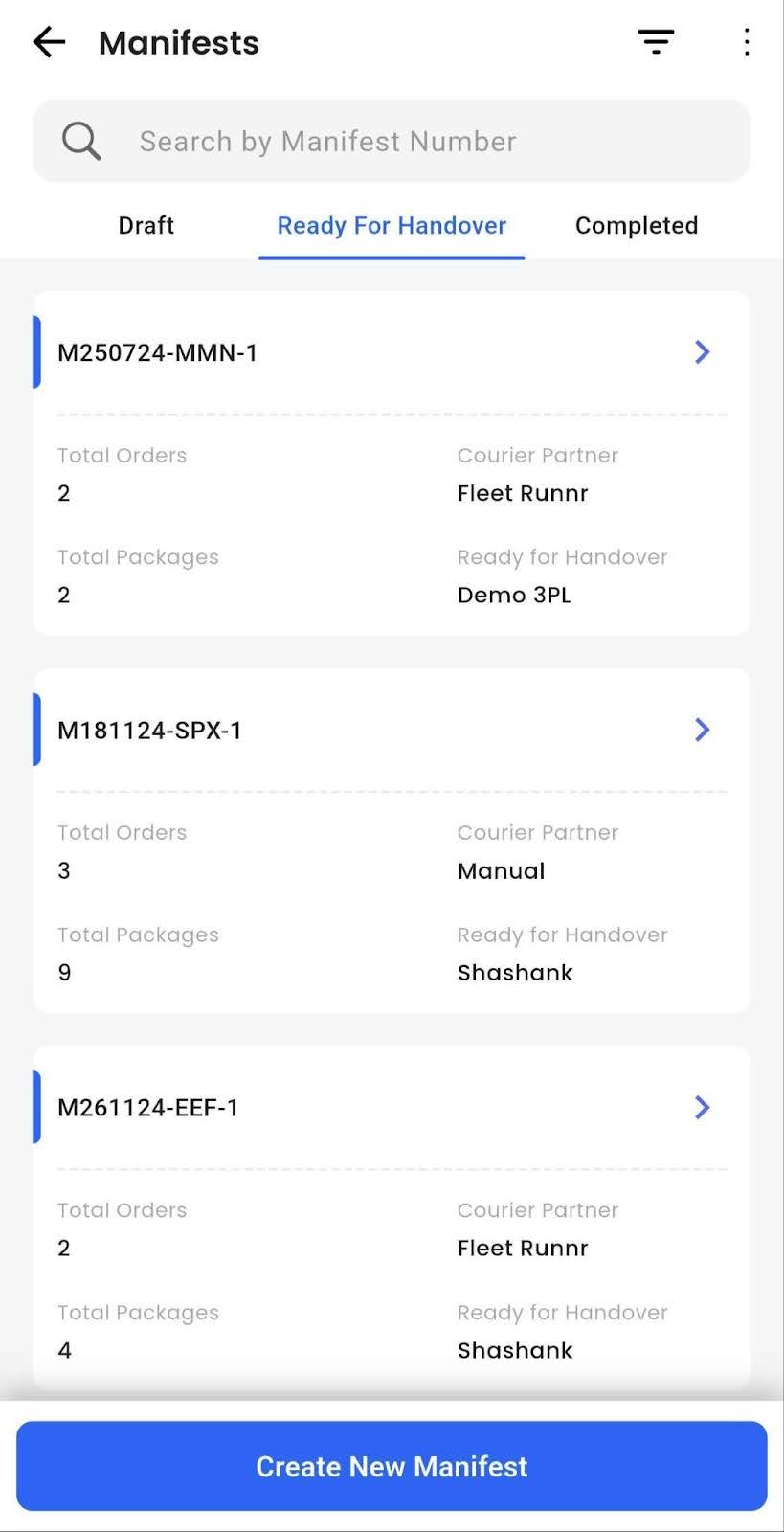
Select the manifest to hand over and click Create New Manifest.
Step 3
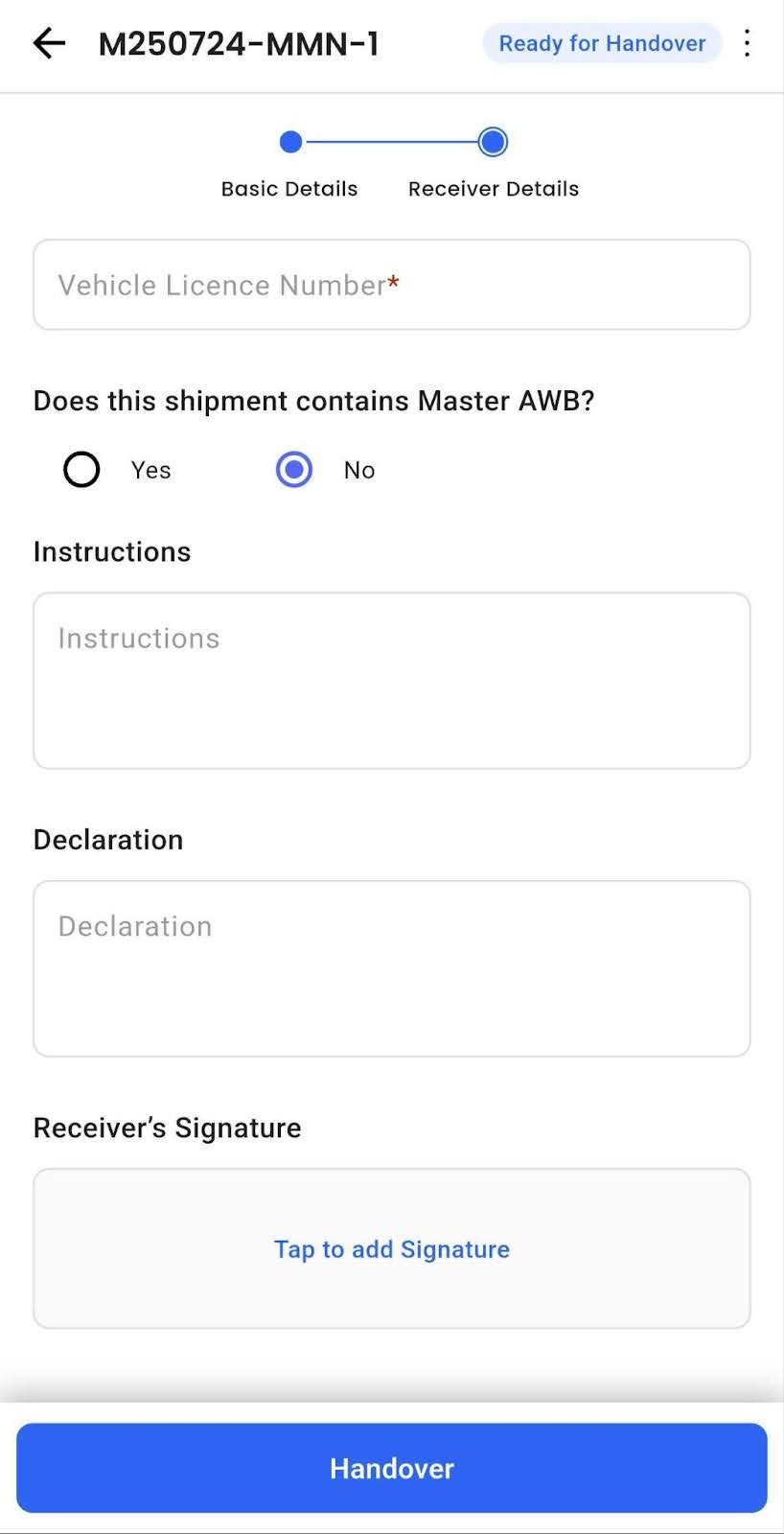
Enter receiver details, vehicle number, instructions, and declaration.
Step 4
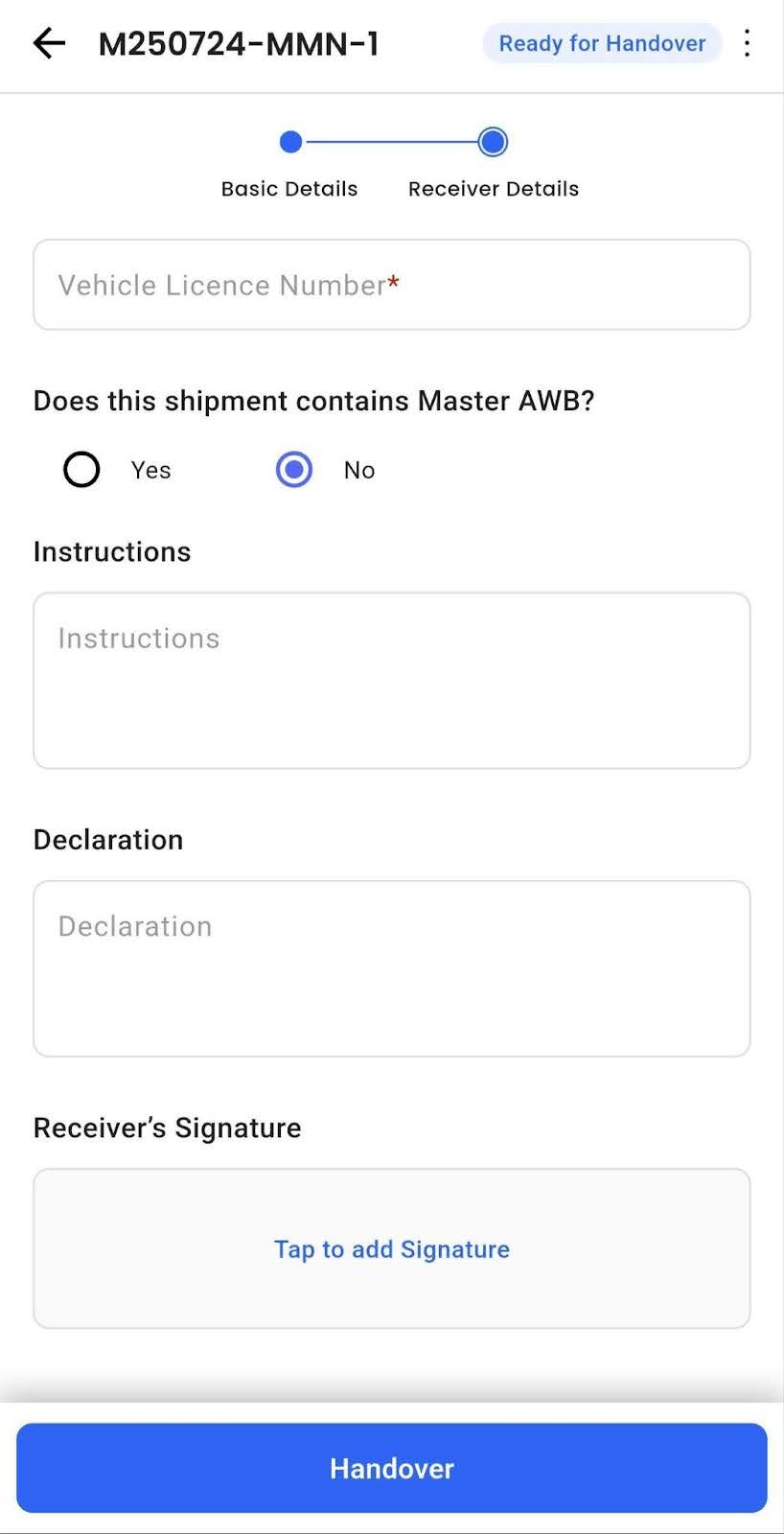
Capture Receiver Signature using the signature input field.
Step 5
Swipe to confirm and complete the handover.
Step 6
Print the manifest — the signature appears on the dashboard under the Completed tab and in Shipping Manifest PDFs.
Technical Details
- Visible in dashboard and printable manifest PDF.
- No additional configuration is required.