

Table of Contents
Share On


Consolidated Trips
Create a single trip using shipments from multiple trip types in TMS.
- Version: 1.0
- Owner: Product Team
Summary
This enhancement introduces Consolidated Trips in TMS, allowing users to create a single trip using shipments from multiple trip types from one Create Trips flow.
Users can filter shipments, select packages across supported trip types — first mile, mid mile, and last mile — optionally assign a driver and vehicle, review the selected packages, and create the trip. If no driver or vehicle is assigned, the trip is created as unassigned. Once created, the trip follows the standard trip life cycle.
How It Works
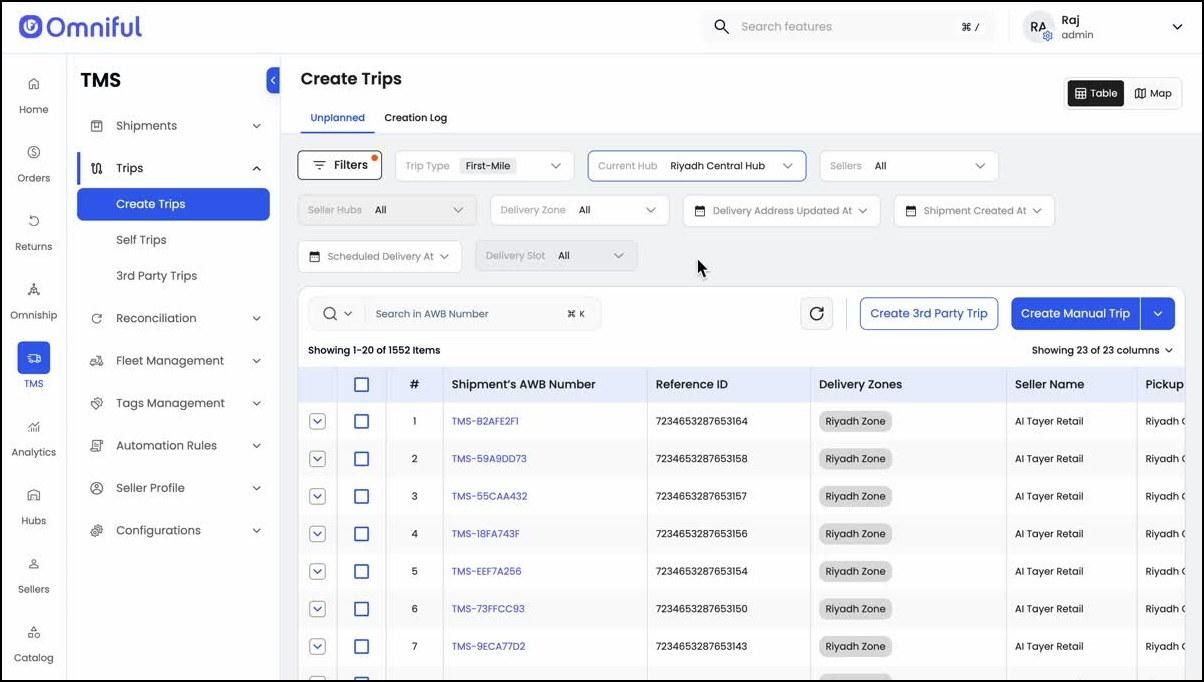
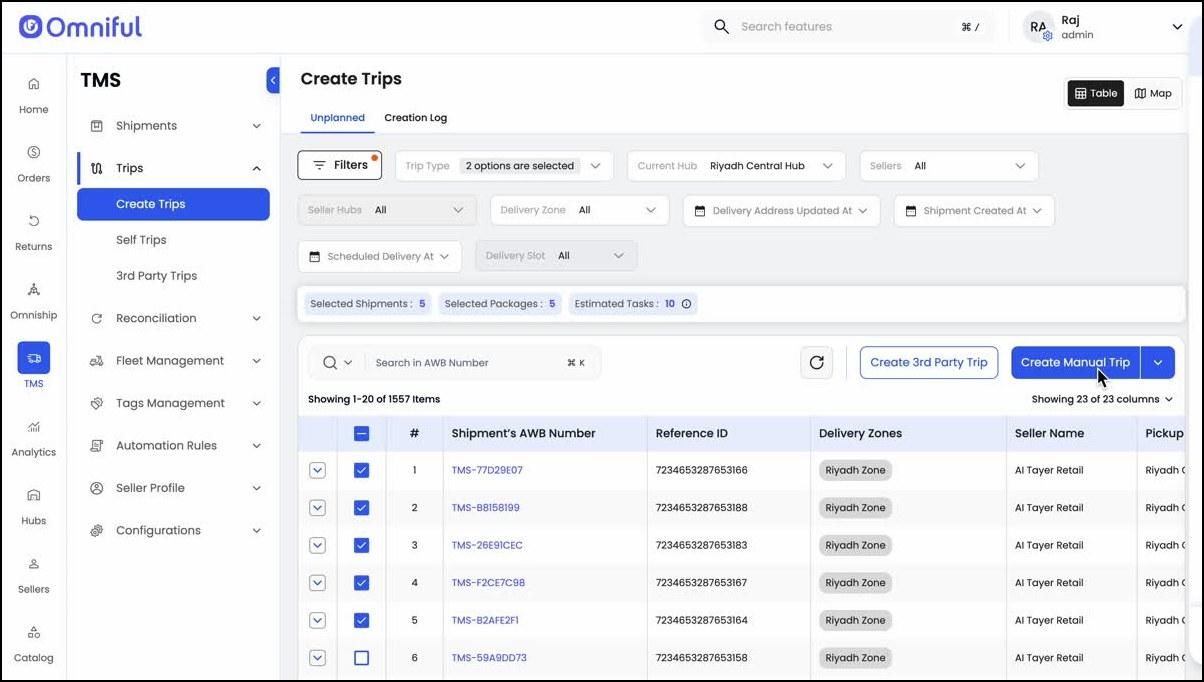
1. Open Create Trips
Navigate to TMS → Trips → Create Trips. The Unplanned tab displays the list of available shipments that can be used for trip creation.
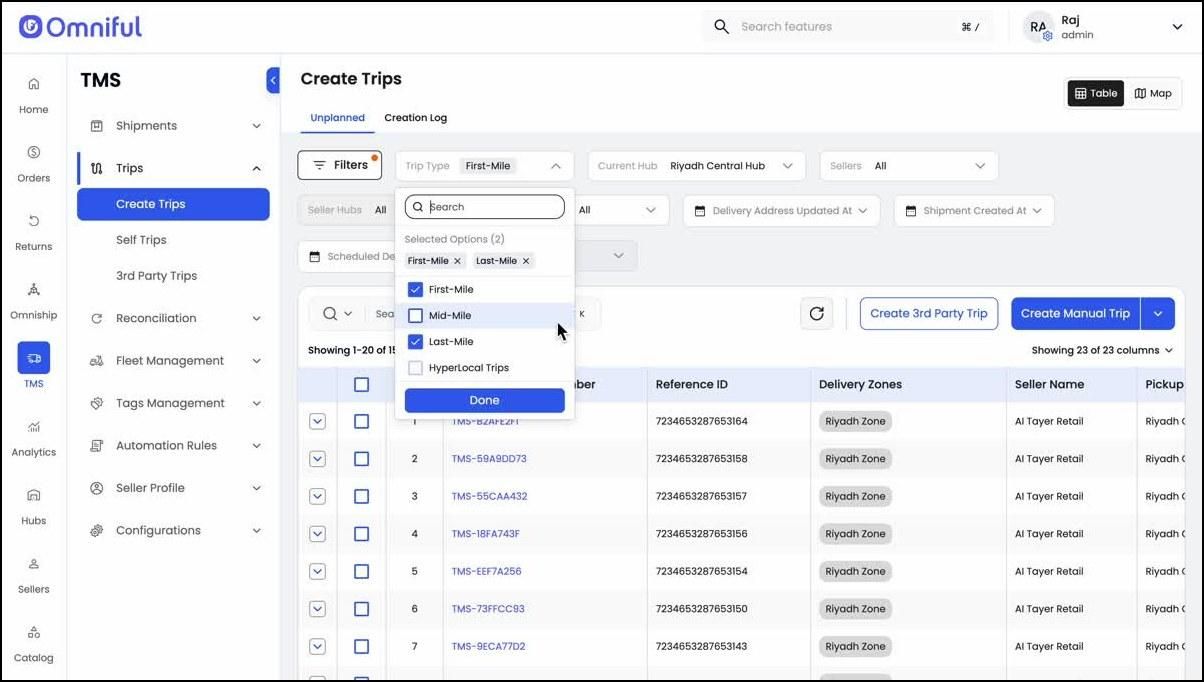
2. Select one or more trip types
Use the Trip Type filter to select one or multiple trip types, such as First-Mile, Mid-Mile, and Last-Mile, before choosing the shipments to be consolidated.
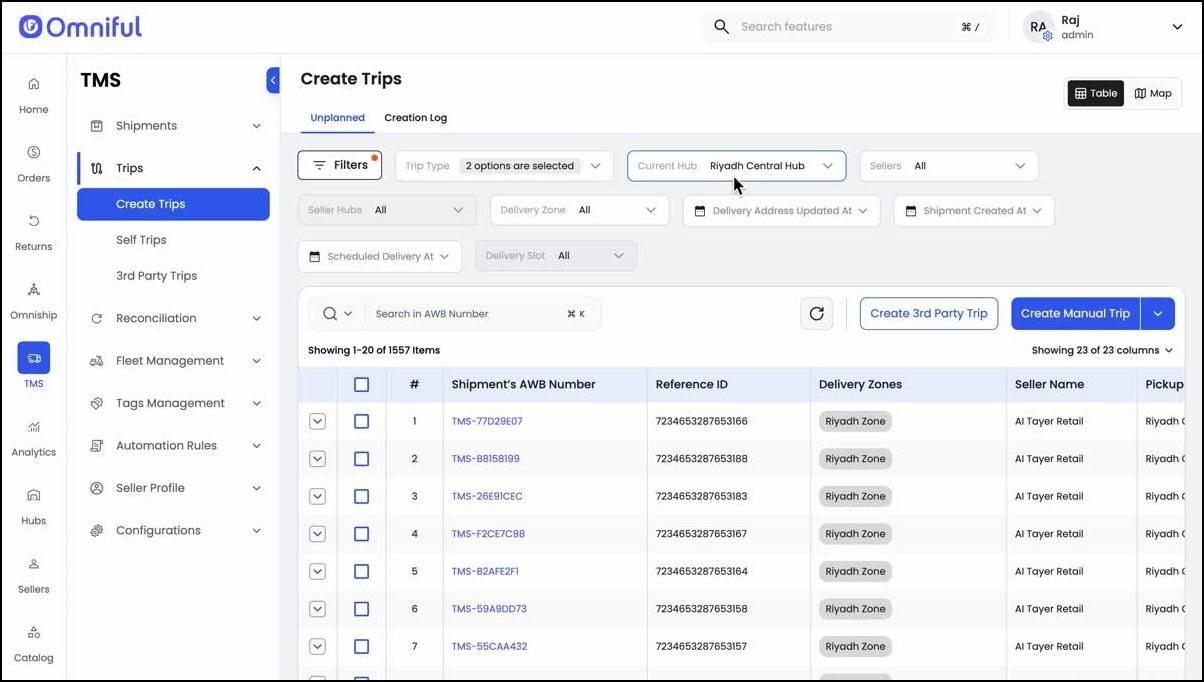
3. Filter shipments by hub
Use the Current Hub filter to view the shipment list at the relevant hub.
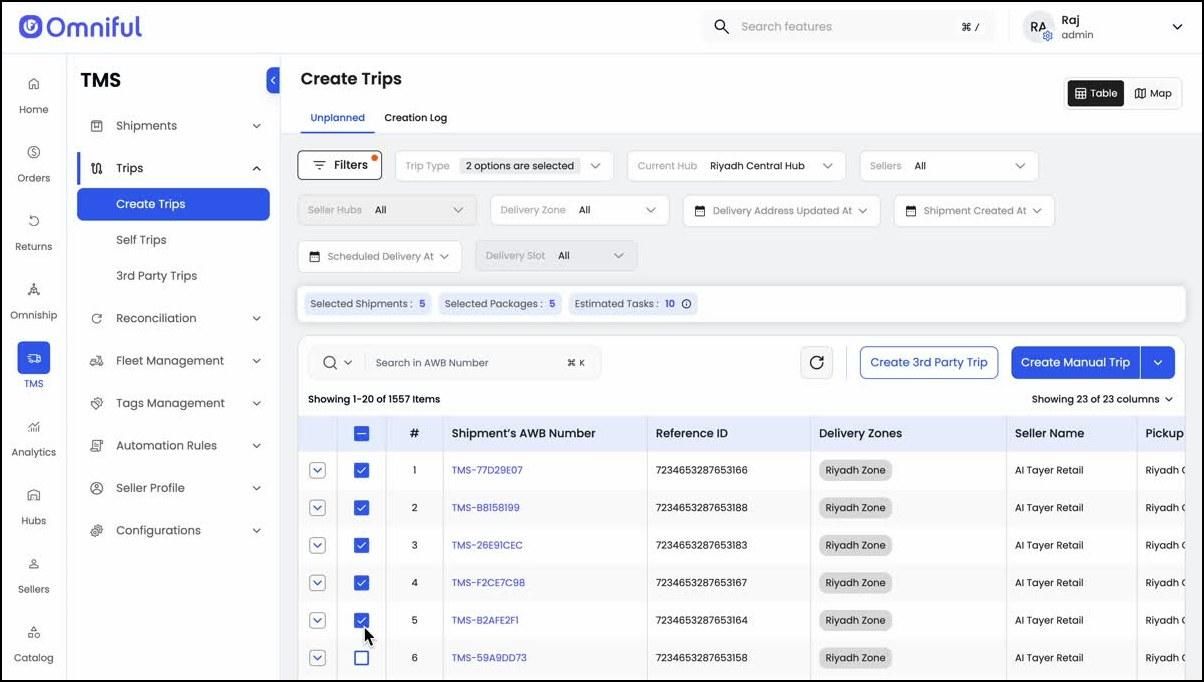
4. Select the shipments to consolidate
From the shipment list, select the shipments that should be included in the trip.
5. Start manual trip creation
After selecting the required shipments, click Create Manual Trip to continue with trip creation.
6. Optionally assign driver and vehicle
In the Create Trip screen, the user can optionally choose a driver and vehicle. If these are not assigned, the trip is created as unassigned.
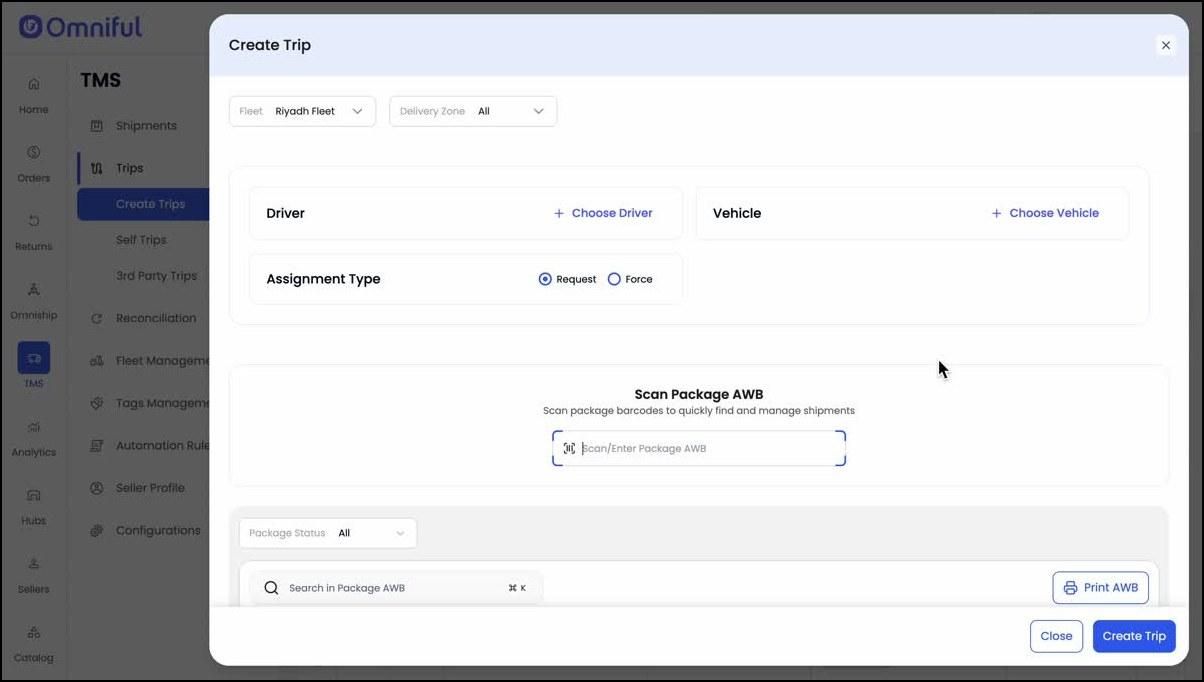
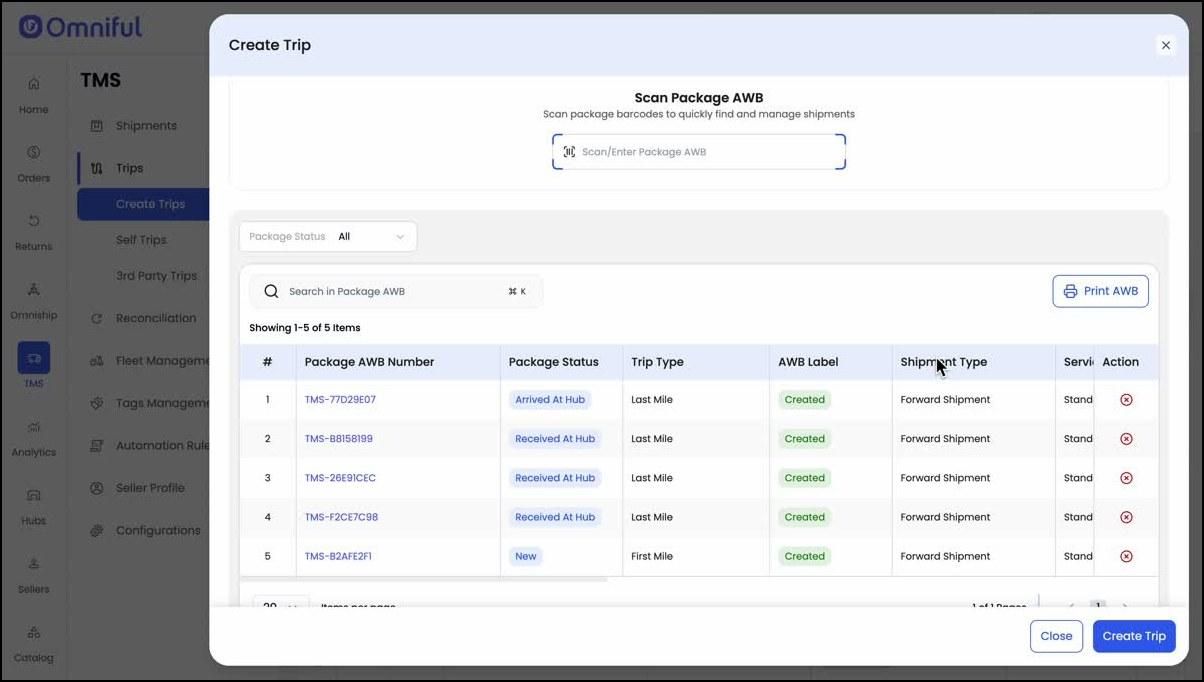
7. Review and manage selected packages
Review the selected packages before creating the trip. Additional packages can be added by scanning or entering the package AWB, and existing packages can be removed if required.
8. Verify details and create the trip
Verify the selected packages and trip details, then click Create Trip to start the trip creation process.
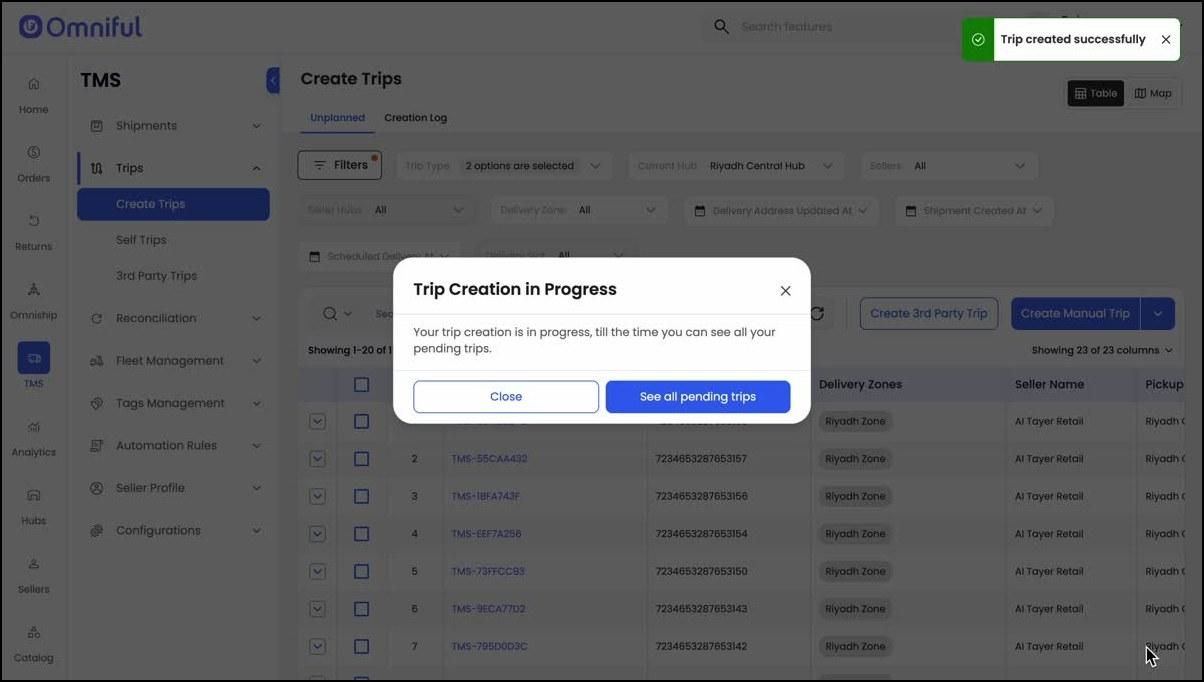
9. Trip creation begins
The system starts the trip creation process and creates a single trip containing the selected shipments, including shipments from multiple trip types. The created trip then follows the standard trip life cycle.
Technical Details
| Area | Details |
|---|---|
| Entry point | TMS → Trips → Create Trips |
| Core capability | Create one trip using shipments selected across multiple trip types — first mile, mid mile, and last mile. |
| Trip type handling | The Trip Type filter supports multi-selection before shipment selection. |
| Hub filtering | The Current Hub filter allows shipment filtering for a specific hub. |
| Driver and vehicle | Both can be assigned during trip creation, but they are optional. |