

Table of Contents
Share On


Courier Trip Creation
Enables per-leg or end-to-end courier partner assignment for faster dispatch, optimizing shipment planning and execution across first, mid, and last-mile movements.
Version: 1.0
Owner: Omniful Product
Summary
Courier Trips in Omniful TMS provide a guided flow to plan and dispatch first-mile, mid-mile, and last-mile movements from the Current Hub. Operators select eligible shipments, choose a grouping strategy — Next Location (per-leg routing) or Same Origin–Destination Pair (single carrier end-to-end) — and assign partners via Auto-Suggest or Manual Select.
You can mix Self (in-house fleet) and Shipping Partners across legs — for example, first mile by Self, mid-mile by a partner, and last mile by Self or another partner — or keep a single partner end-to-end. This flexibility standardizes allocation, speeds dispatch, reduces errors, and optimizes cost and on-time performance.
How It Works
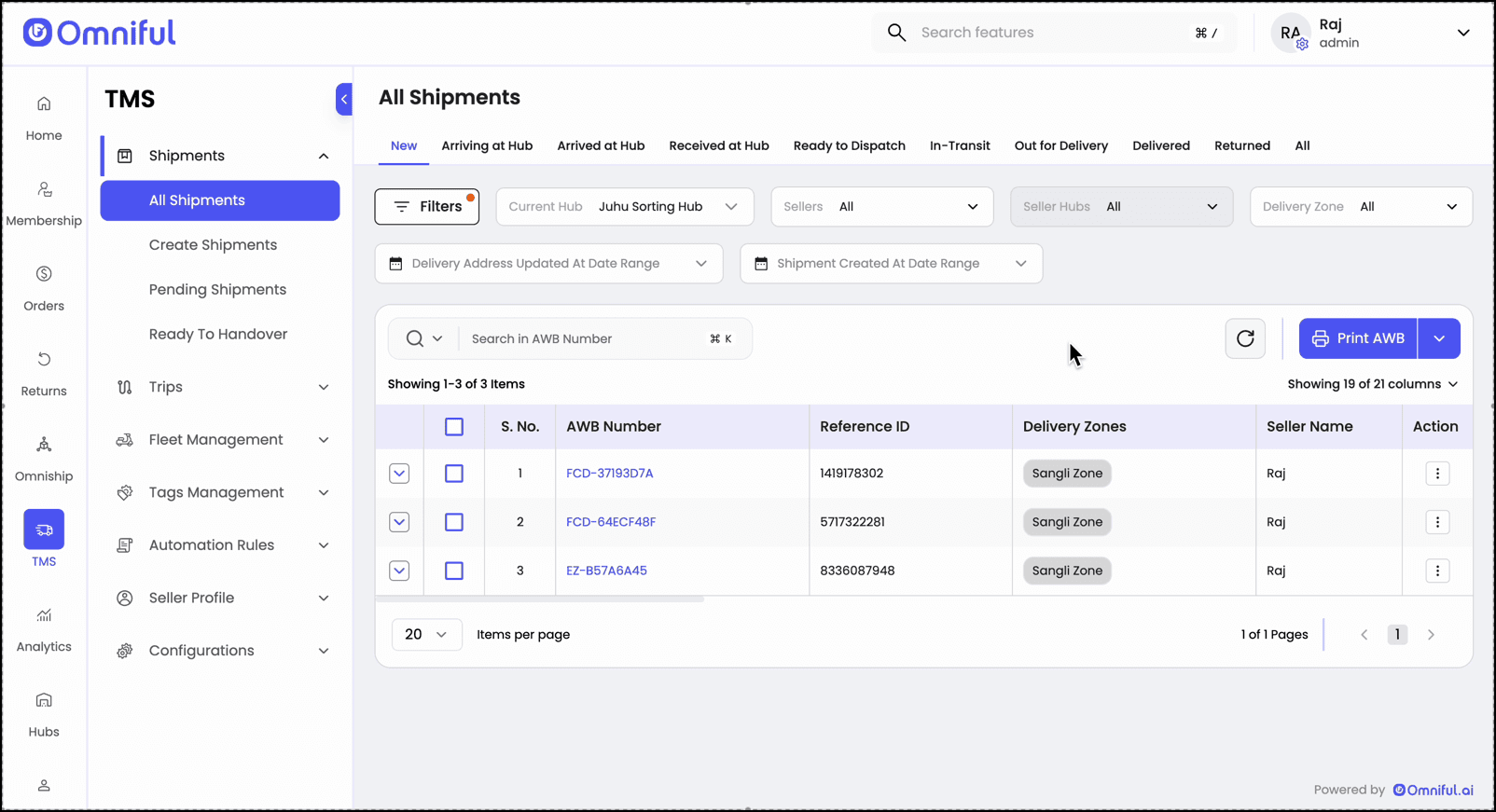
Step 1: Open Shipments List
Ensure the shipments you plan to move are visible in the list.
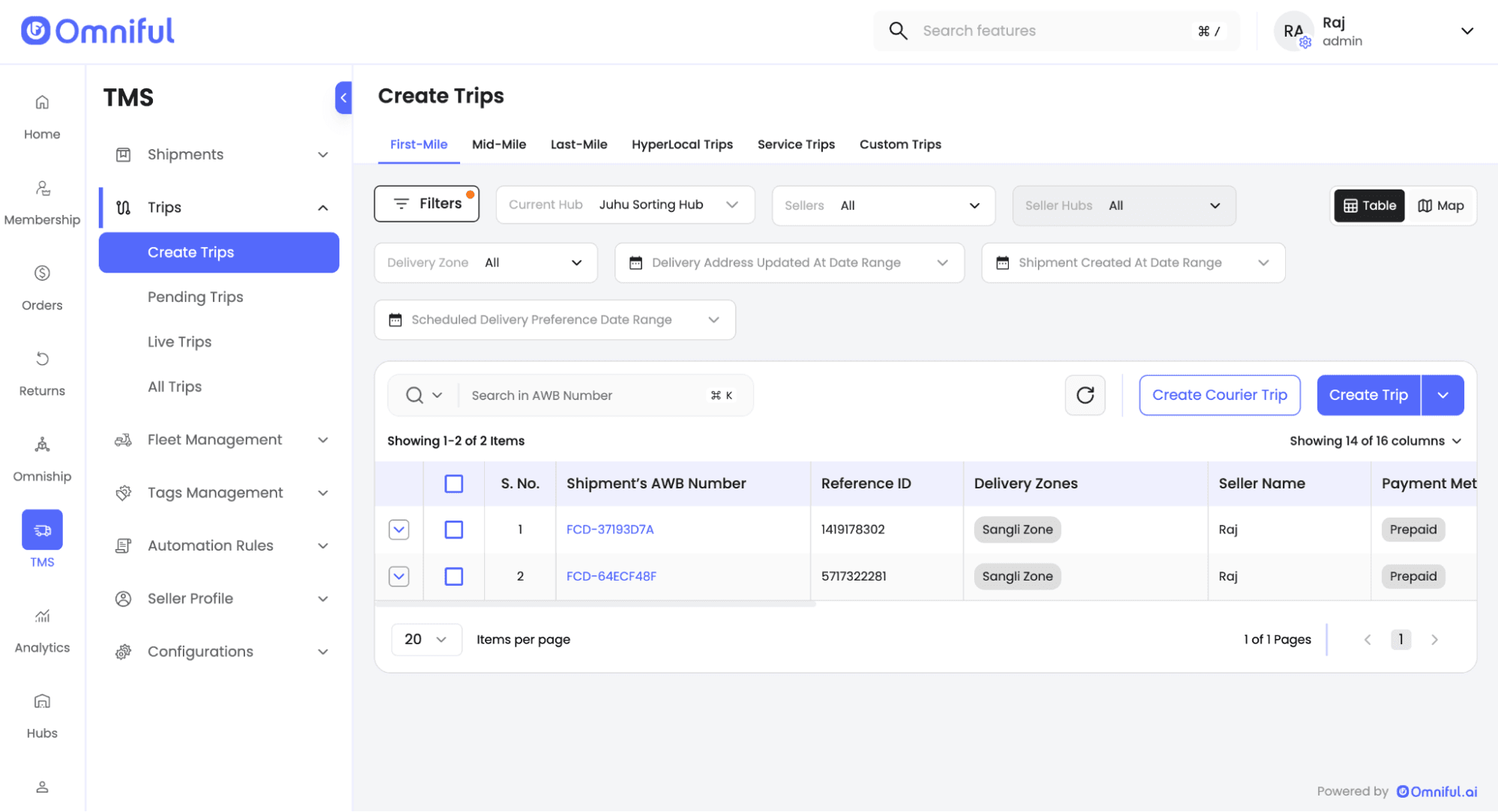
Step 2: Navigate to Trips → Create Trip
Choose the trip type (First-mile, Mid-mile, or Last-mile) and select the Current Hub.
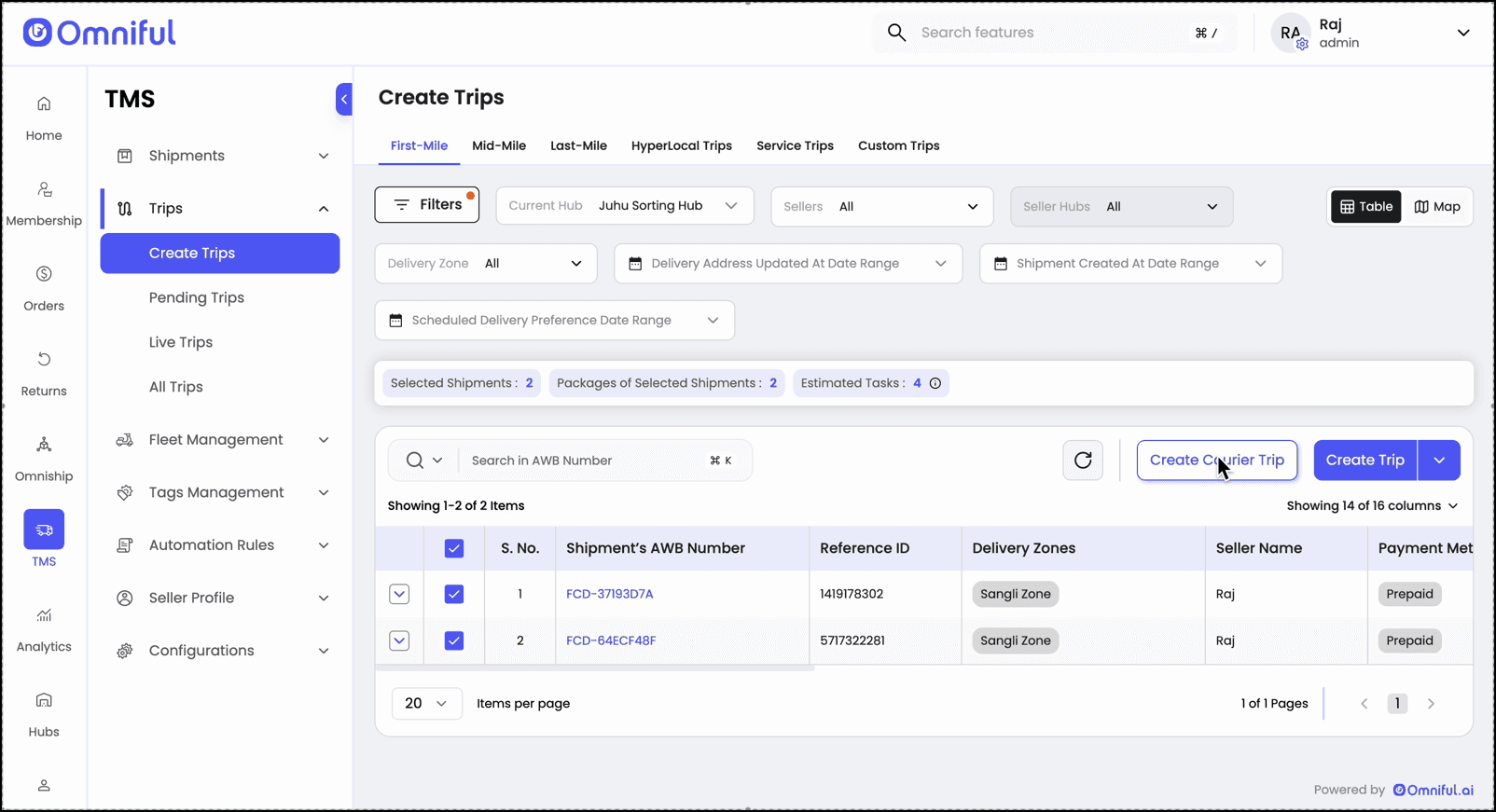
Step 3: Select Shipments
Mark one or more shipments to include in the courier trip.
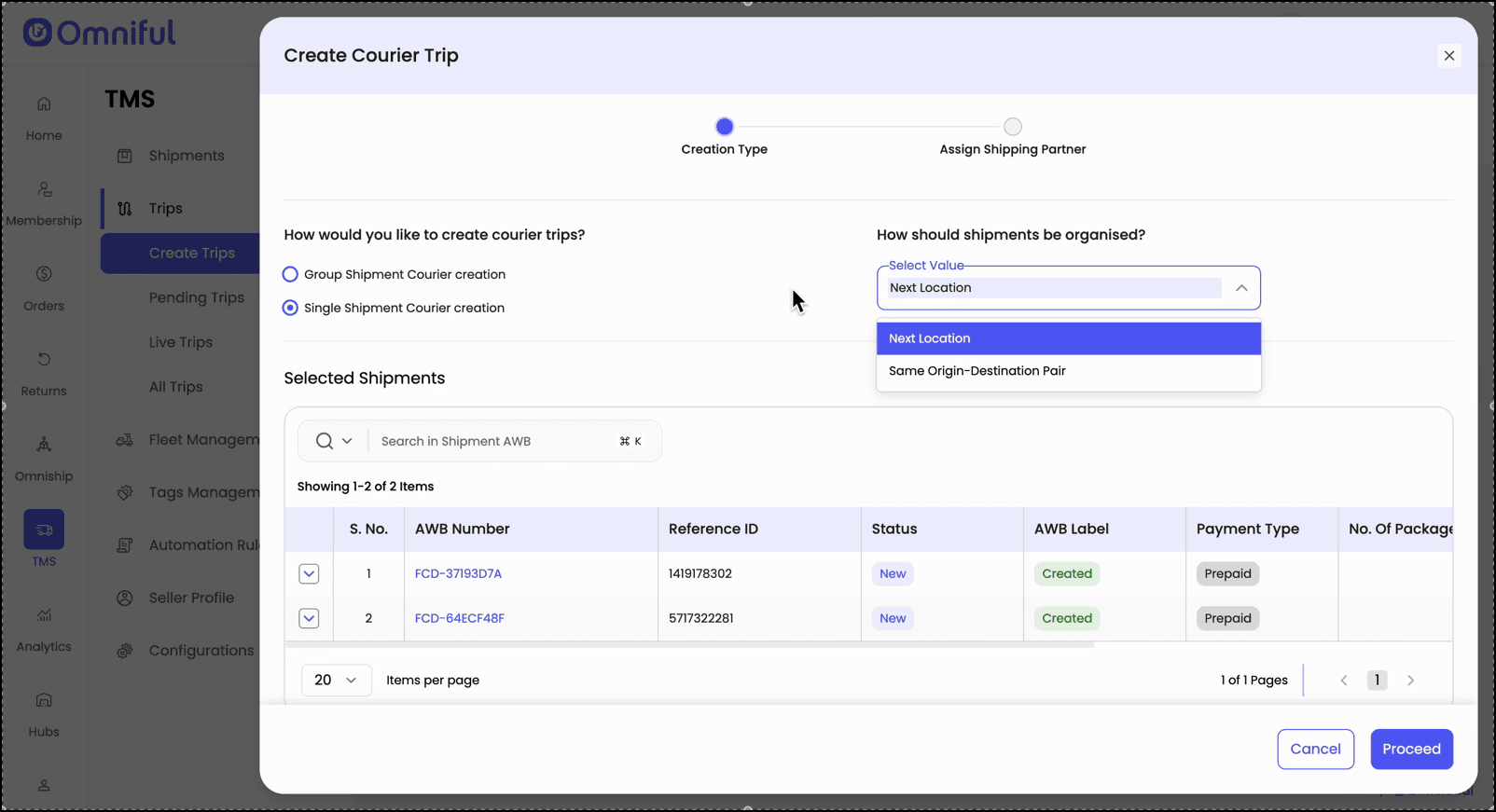
Step 4: Choose Creation Mode
Pick:
- Group Shipment Courier Creation — combine multiple shipments into one trip.
- Single Shipment Courier Creation — create independent trips.
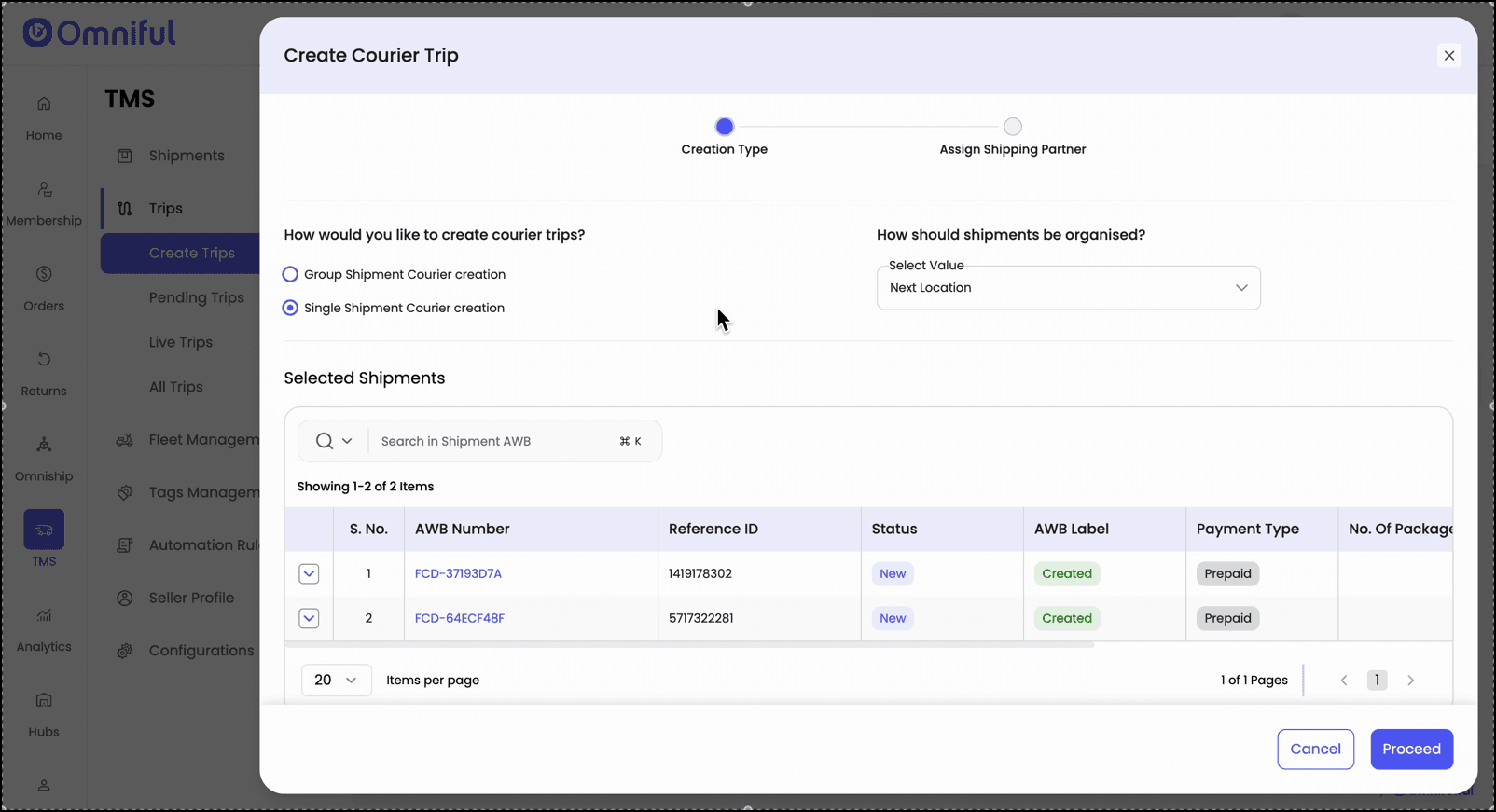
Step 5: Pick Organization Strategy
Choose:
- Next Location — leg-based routing.
- Same Origin–Destination Pair — end-to-end routing.
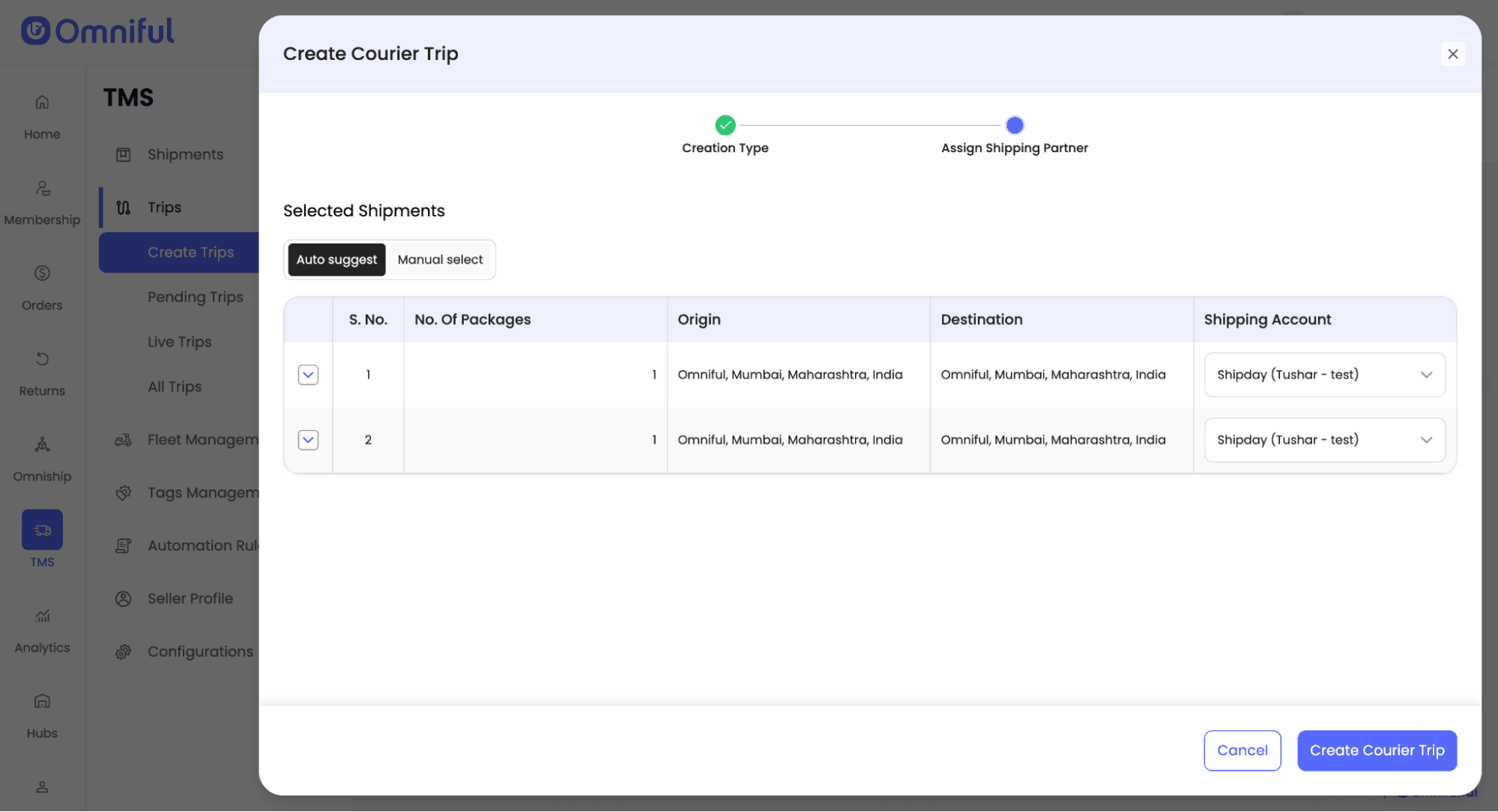
Step 6: Assign Partners
Use:
- Auto-suggest for system recommendations per shipment.
- Manual Select to apply one partner to all.
Step 7: Create the Courier Trip
Confirm selections to generate the trip and proceed with execution.
Technical Details
Grouping Options:
- Next Location — group by the shipment’s next stop to enable distinct partners per leg.
- Same Origin–Destination Pair — group by identical OD pairs for a single partner end-to-end.
Assignment Modes:
- Auto-suggest — system recommends partners for each shipment; operators may override per line.
- Manual Select — operator picks one partner for all selected shipments.