

Table of Contents
Share On


Shipment Creation Automation
Centralizes shipment automation, allowing you to define rules to auto-create shipments based on specific conditions such as order status, hub, store etc...
Version: 1.0
Owner: Omniful Product
Summary
This release introduces Create Shipment Automation, a powerful new rule-based automation. This feature centralizes and significantly expands shipment creation automation, allowing you to define flexible If/Then rules to automatically create shipments based on it. Instead of just one trigger, you can now build rules using a wide range of conditions like Order Status, Hub, Order Source, Destination Country, Sales Channel, and more. This system replaces the previous hub-level "Auto Create Shipment" setting with a more powerful and centralized solution.
How It Works
1.Path: Go to Settings → Automation Rules → Create Shipment.
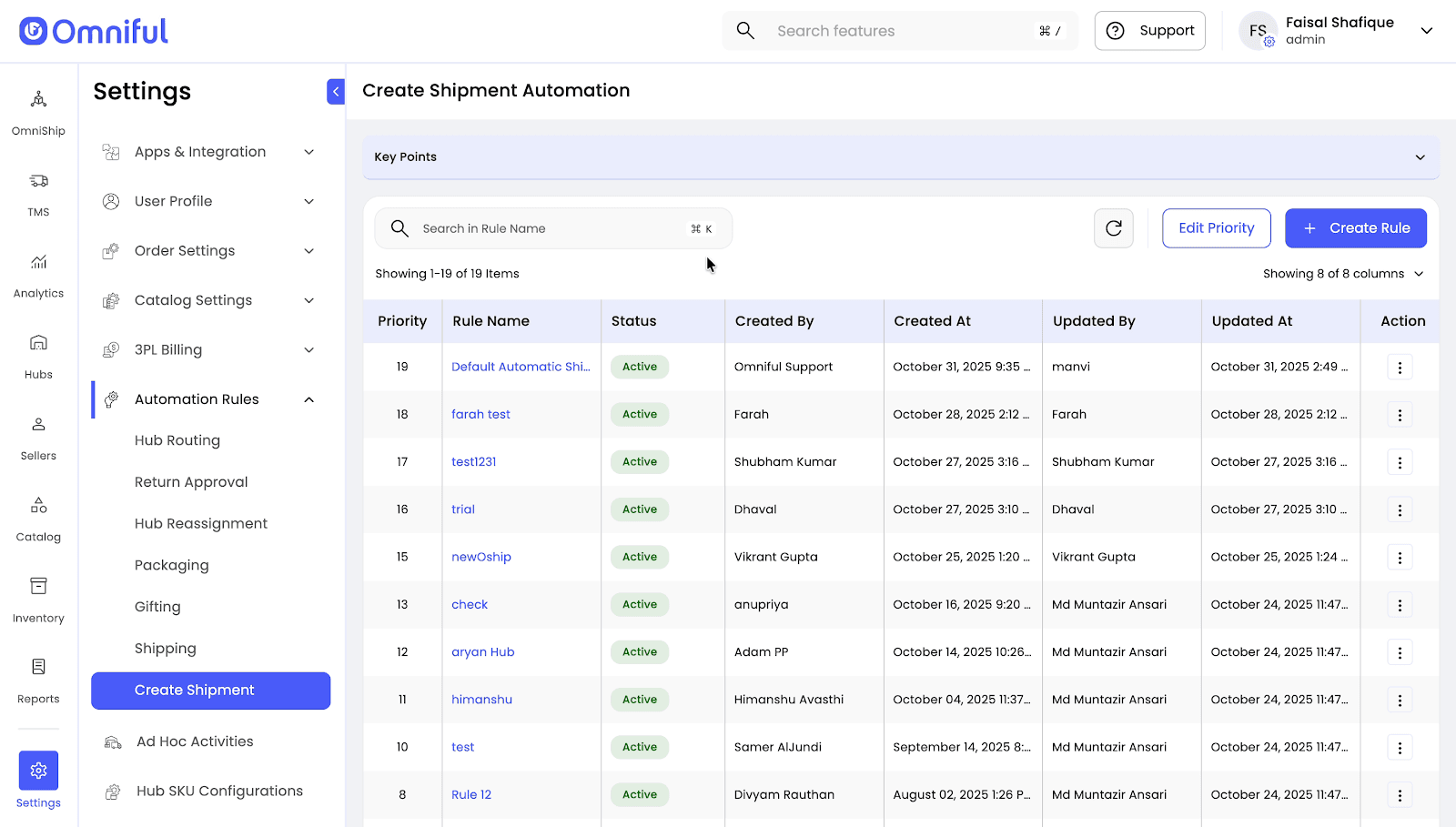 2.Click Create Rule to open the rule builder.
3.If This Happens (Triggers): Define your trigger by adding one or more conditions. You can combine multiple conditions using AND logic for precise control.
- Available Conditions include: Hub, Seller, Sales Channel, Order Type, Payment Status, Order Source, Order Status, Order Total, Destination Country, and Delivery Type and many more.
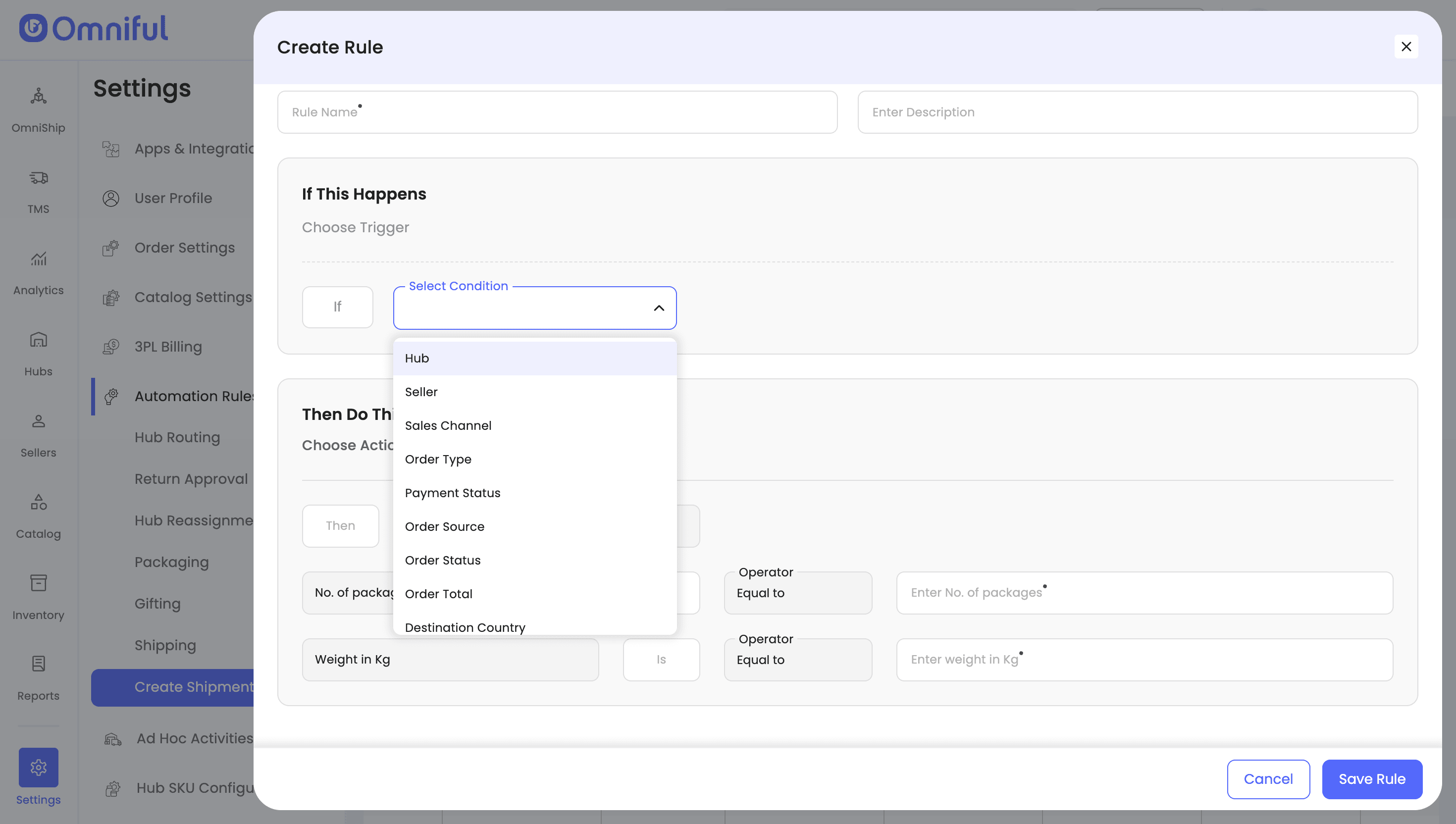
4.Then Do This(Action):
- You can set default values for No. of packages and Weight in Kg.
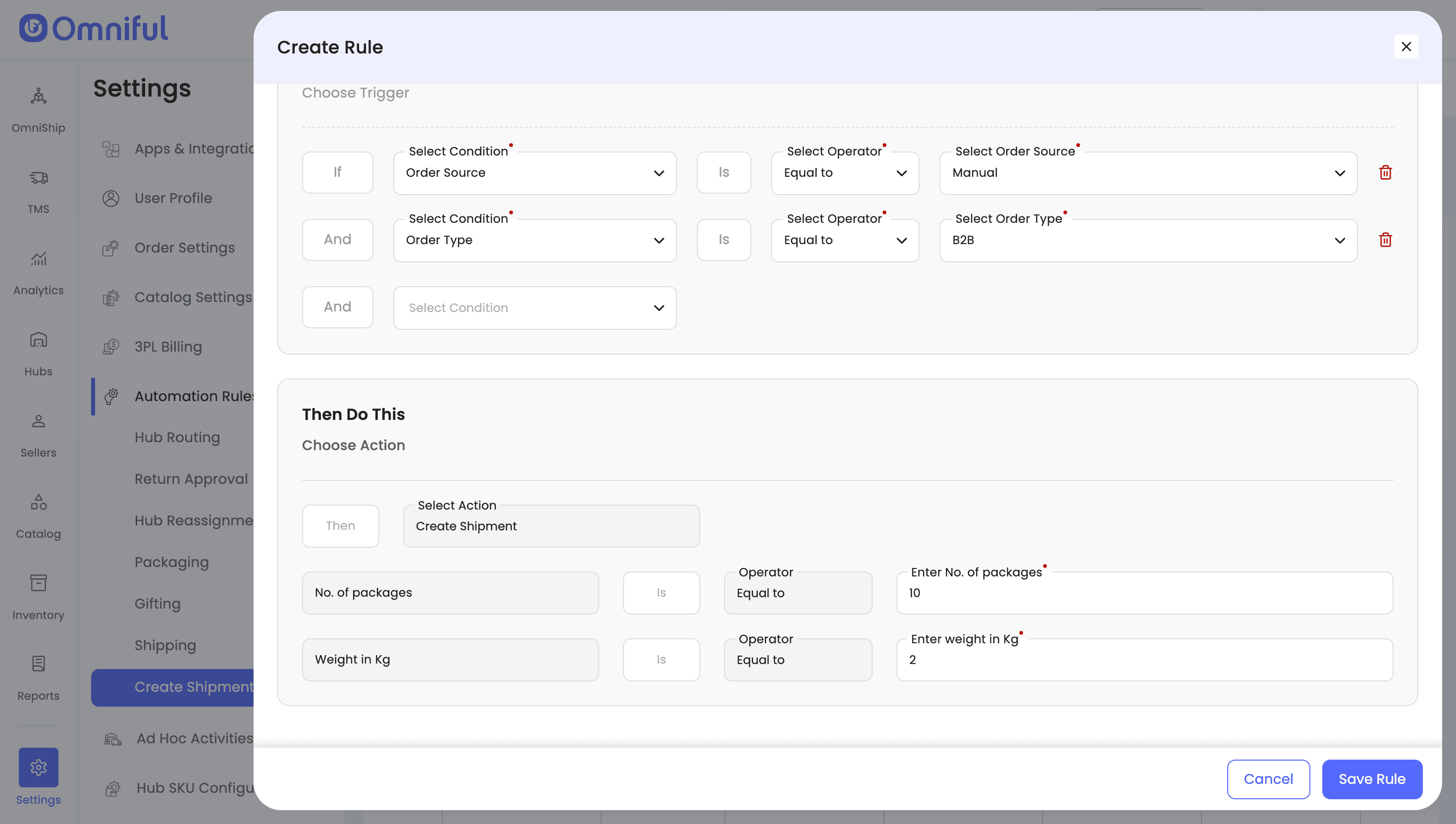
5.Save and prioritize your rule. Rules are processed based on the priority you set.
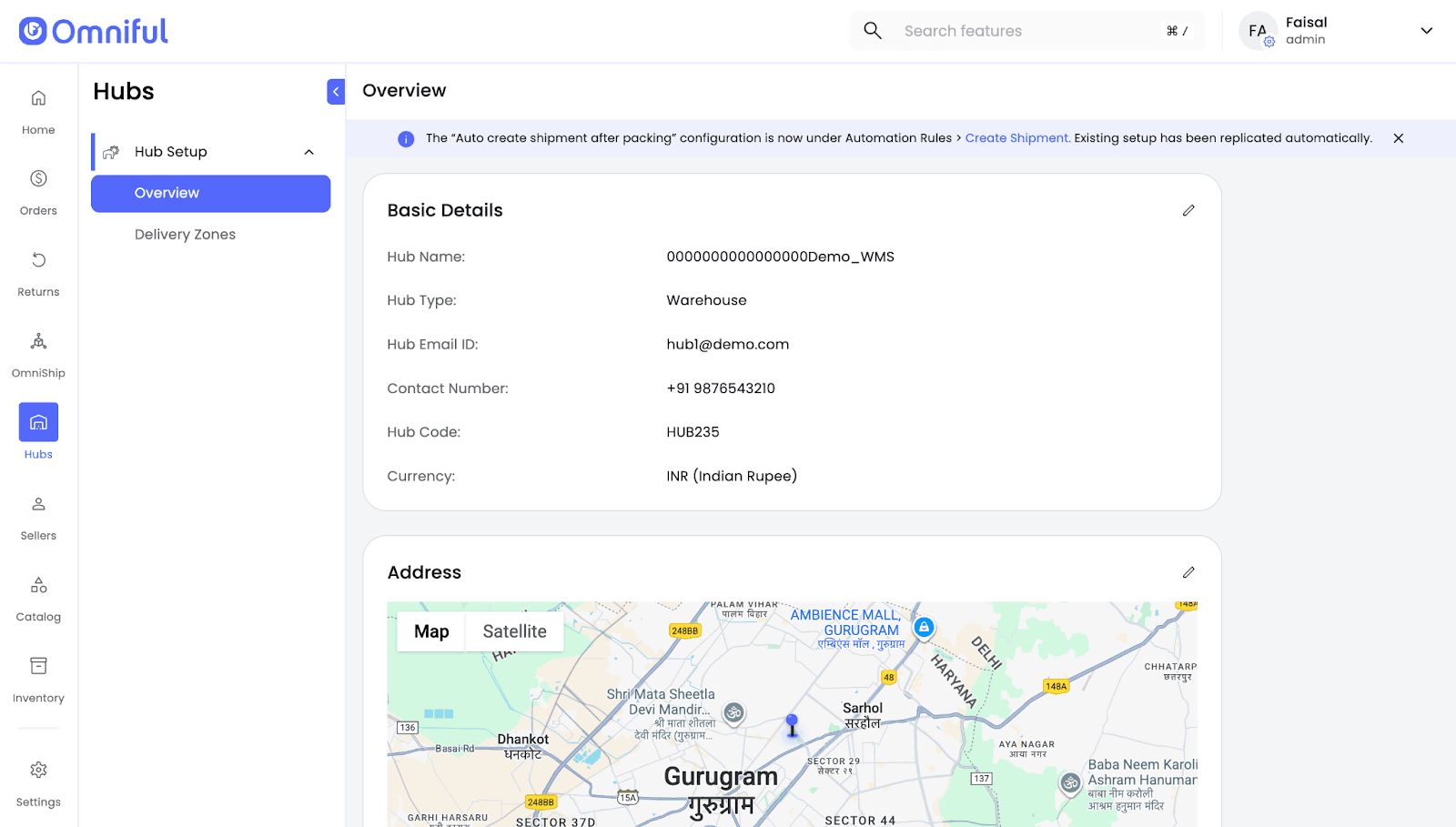
6.The Auto Create Shipment after Packing setting is now managed directly within this rule and is no longer found in Hub-level settings.
Technical Details
-
The hub-level Auto Create Shipment after Packing configuration has been removed.
-
To continue creating shipments automatically at the Packed state, configure a new automation rule:
- Condition:
Order Status = Packed - Scope: Can be set for specific hubs or all hubs.
- Condition:
-
Users using 'Auto Create Shipment after Packing' have been automatically migrated to the new "Create Shipment Automation Rules" section.
-
If no automation rule is configured or applicable for an order, shipment creation must be done manually.
-
If the sales channel updates item details, shipping address, or invoice before the order is packed, any shipment created by Omniful will be automatically cancelled (if supported by the shipping partner).