

Table of Contents
Table of Contents
Share On


Date: 6 November 2025
Handle Orders with Invalid SKUs
Enables users to edit line items in orders with invalid SKUs from sales channels. This helps move orders from pending to fulfillment by replacing invalid SKUs.
Version: 1.0
Owner: Omniful Product
Summary
This release enables users to edit line items of orders that contain Invalid SKU(s) received from a sales channel, so as to move orders from Pending State towards fulfillment which was not possible earlier. Invalid SKUs cannot be used as‑is for fulfillment; they must be removed and may be replaced if need be with a valid SKU from the catalog.
How it works
- Identify the order in Pending Action
Open Orders → Pending Action.
Reason shows “Invalid SKU.”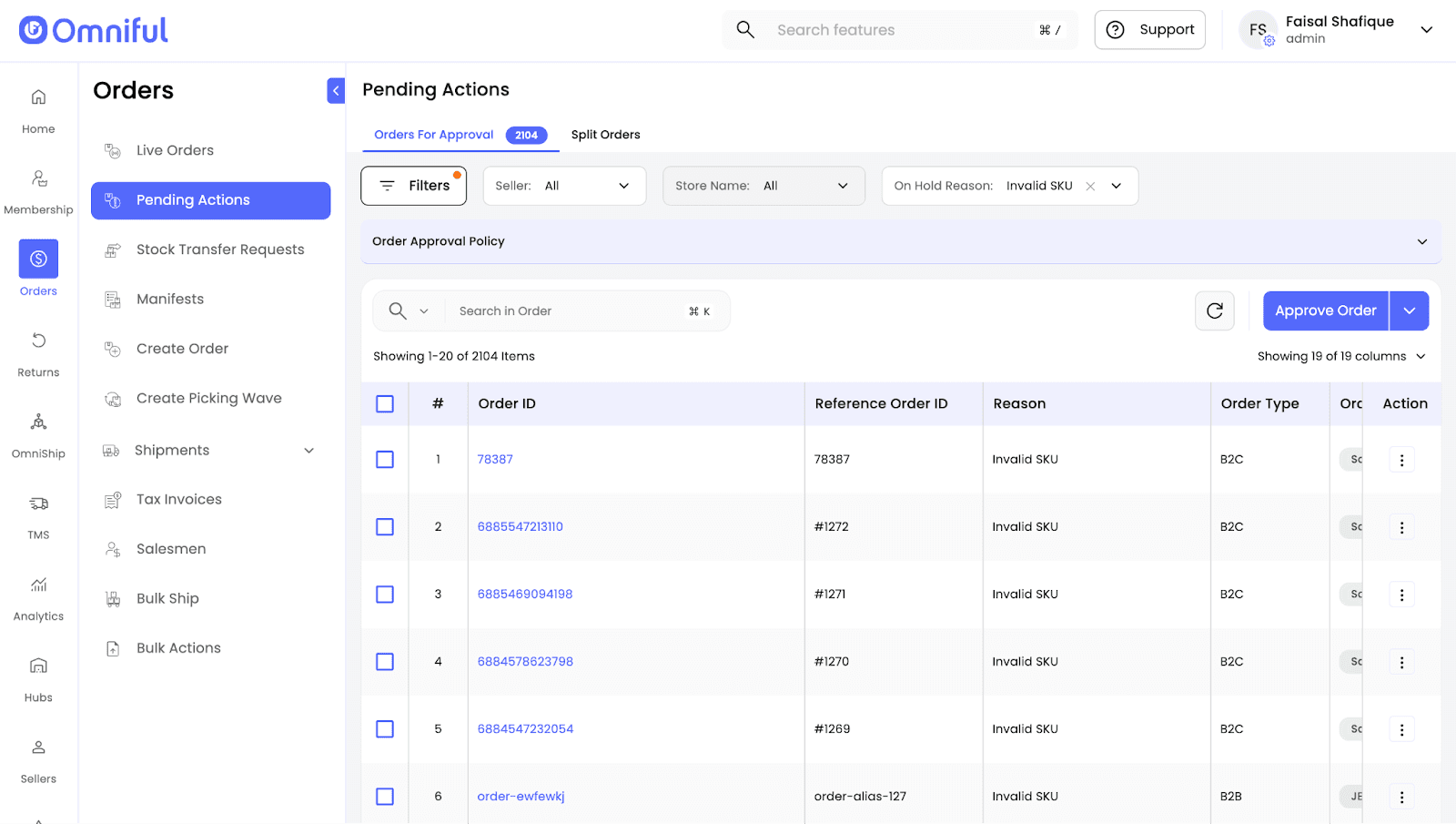
- Open Order Details side sheet
From the order row, open the side sheet and review line items.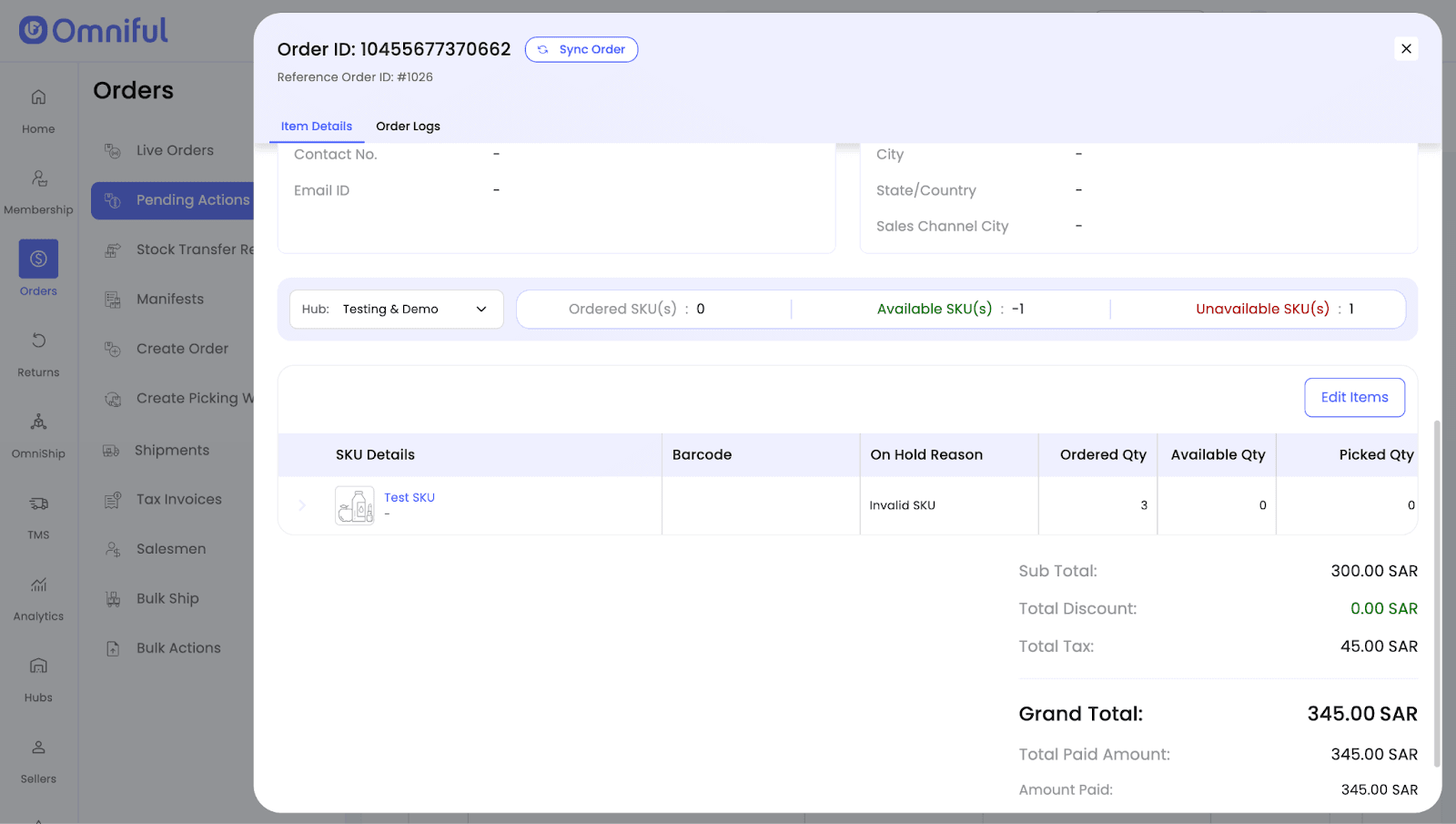
- Edit Items to remove the invalid SKU
Click Edit Items → delete the invalid SKU highlighted, you may add another valid SKU if need be.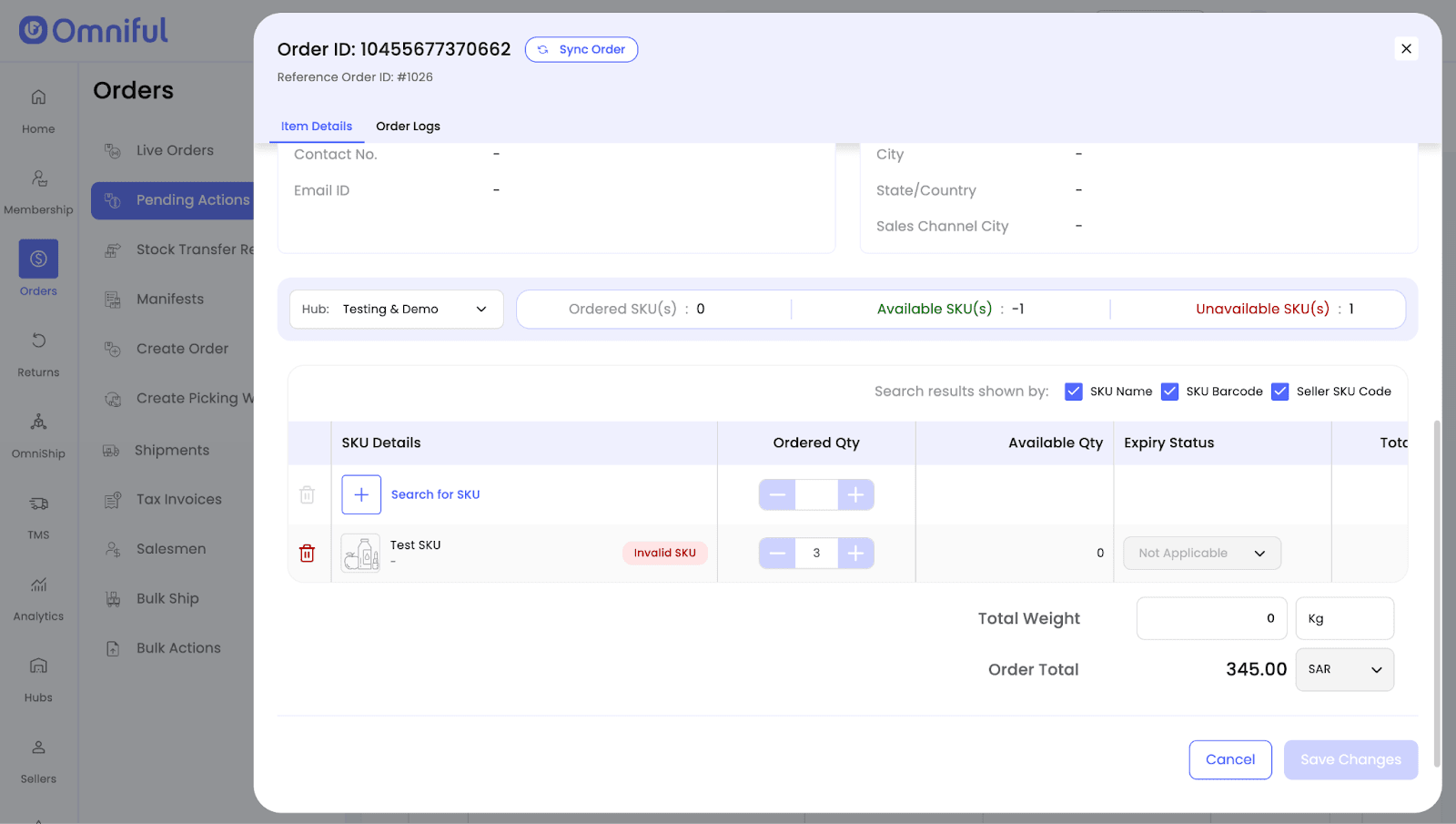
- Order Logs for Tracking changes
You can view all update or change entries by navigating to the Order Logs tab within the Order Details side sheet.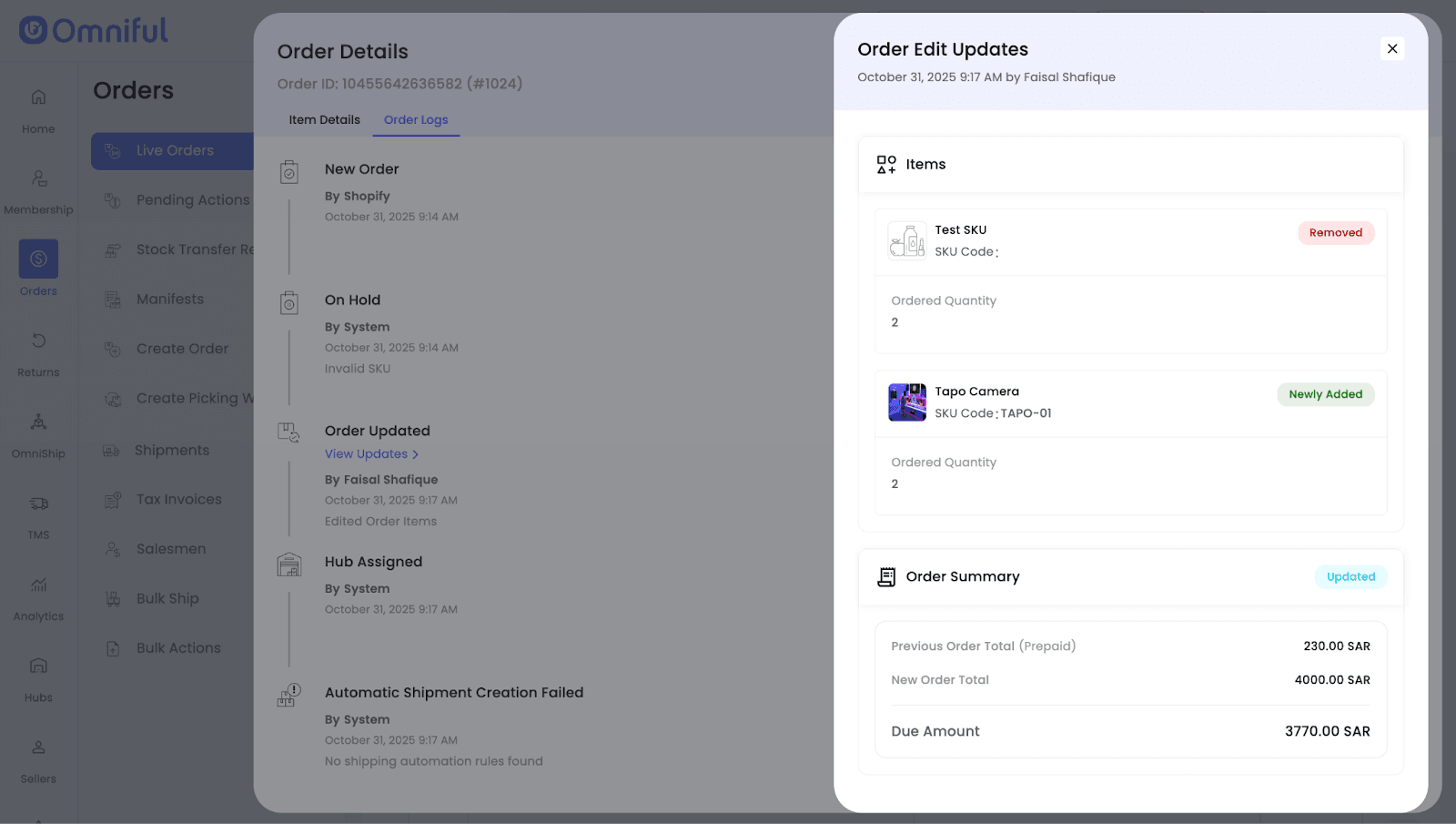
Technical Details
Scope: Orders received from sales channels with Invalid SKU lines when:
- An SKU is not present in the master catalog.
- When no SKU identifier (SKU code, Merchant code etc.) is received from a Sales Channel or Marketplace.
- When SKU identifier is modified or edited after an order is received. Wrong SKU details are referenced every time order sync is done, since there is no option to modify or update SKU identifier in orders that have already been received.
Replacement: Add a valid catalog SKU if needed to replace the Invalid SKU after removal; save to update the order.