

Table of Contents
Share On


Enhanced Role Configuration Flow
This release improves the role configuration process with faster permission search, product tags, and detailed descriptions for each permission group.
Version: 1.0
Owner: Omniful Product Team
Summary
We have revamped the role configuration experience under Settings → Role Settings → Create/Edit Role to make configuration simpler and more intuitive.
The updated flow reduces time spent navigating long permission lists and helps admins understand exactly what access a permission provides.
Key Improvements
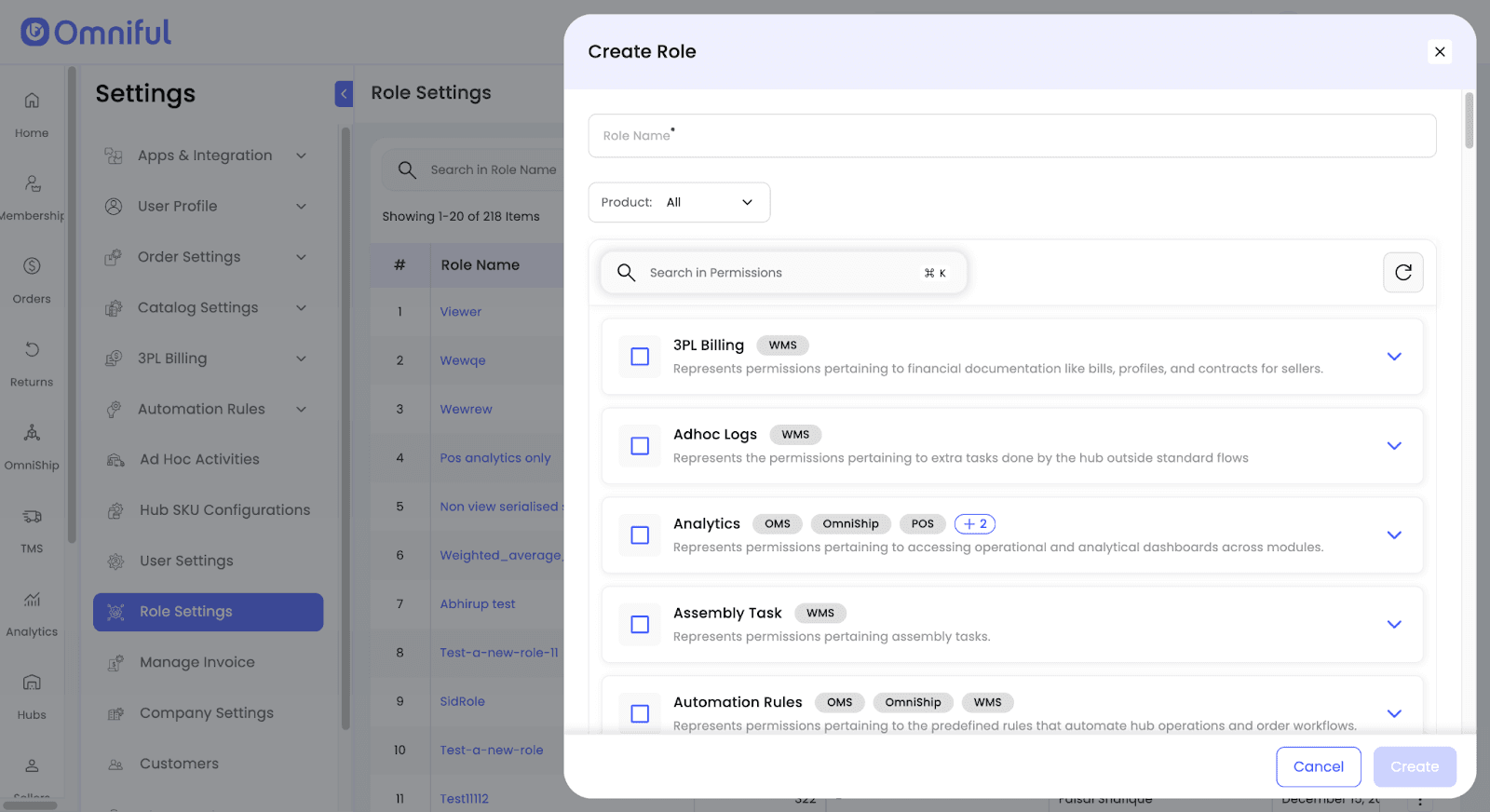
- Search in Permissions to quickly find the required permission groups.
- Product tags on each permission group to show which Omniful products (OMS, WMS, TMS, OmniShip) are impacted.
- Clear descriptions at both the permission group and individual permission levels to reduce ambiguity during setup.
How It Works
-
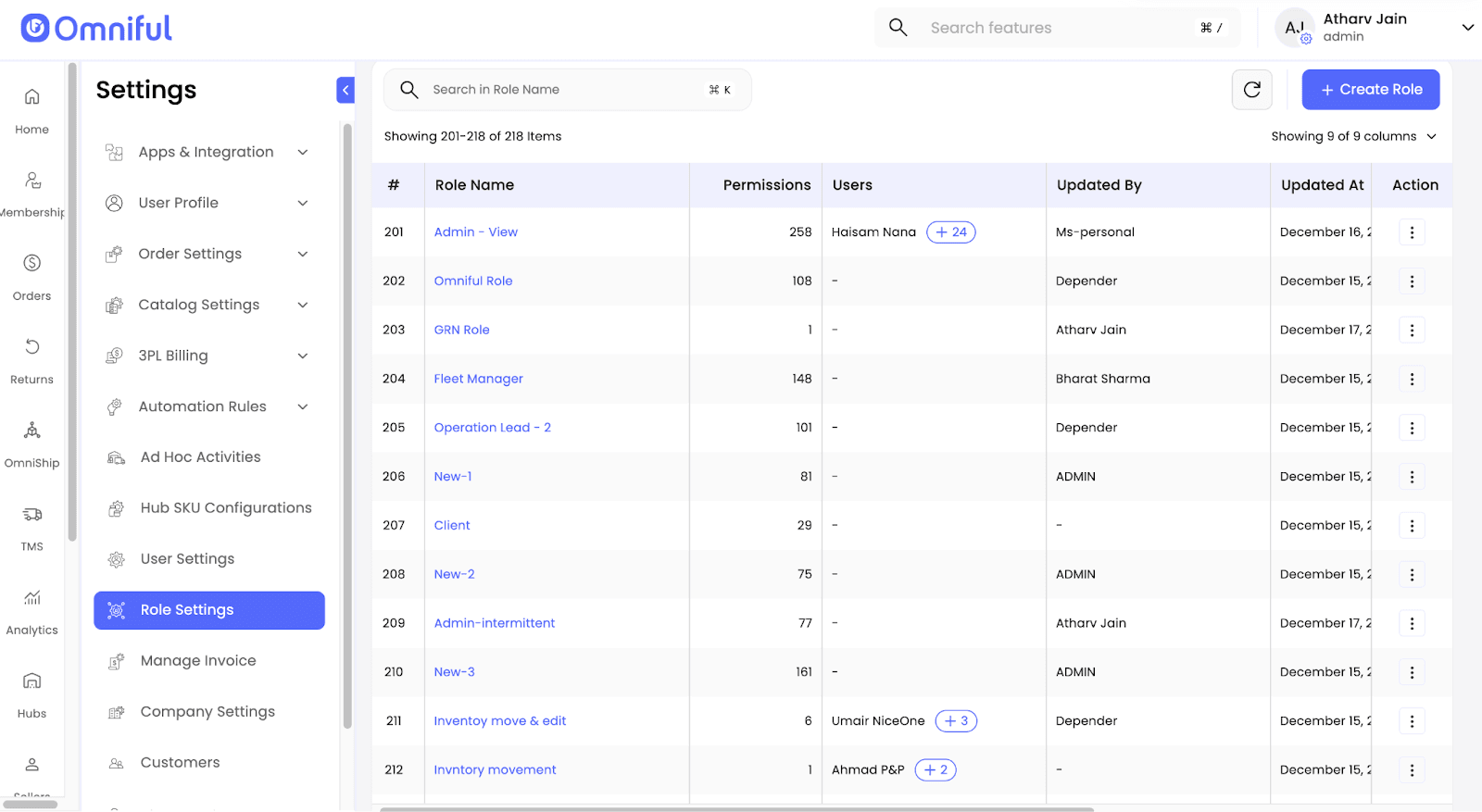
Go to Settings → Role Settings to view existing roles, then click Create Role.
-
In the Create Role modal, enter a Role Name.
- Use the Product filter (e.g., All) or Search in Permissions to quickly locate permissions.
- Product tags on each permission group help clarify scope.
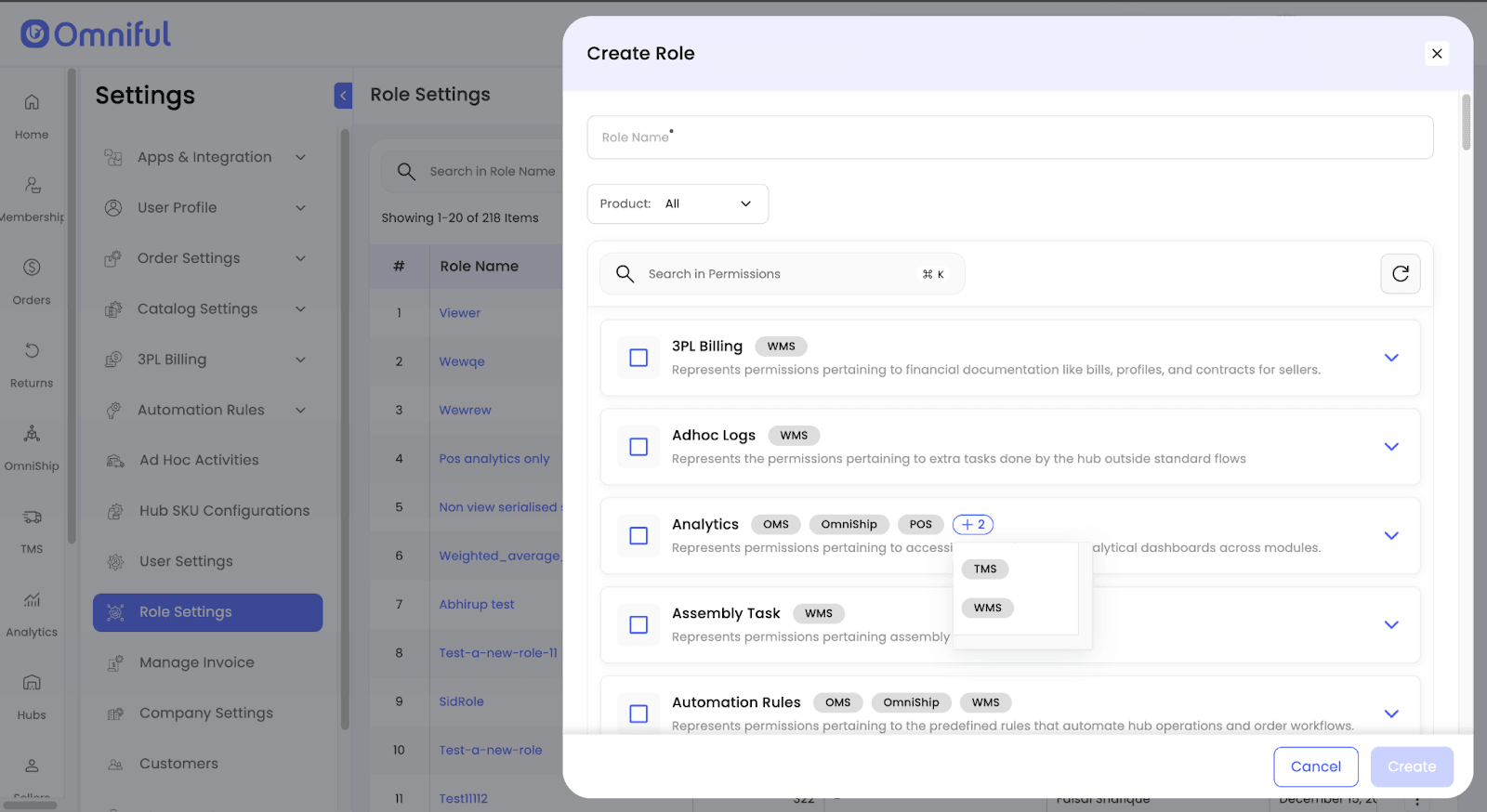
- If a group shows “+N,” expand it to view additional product tags.
-
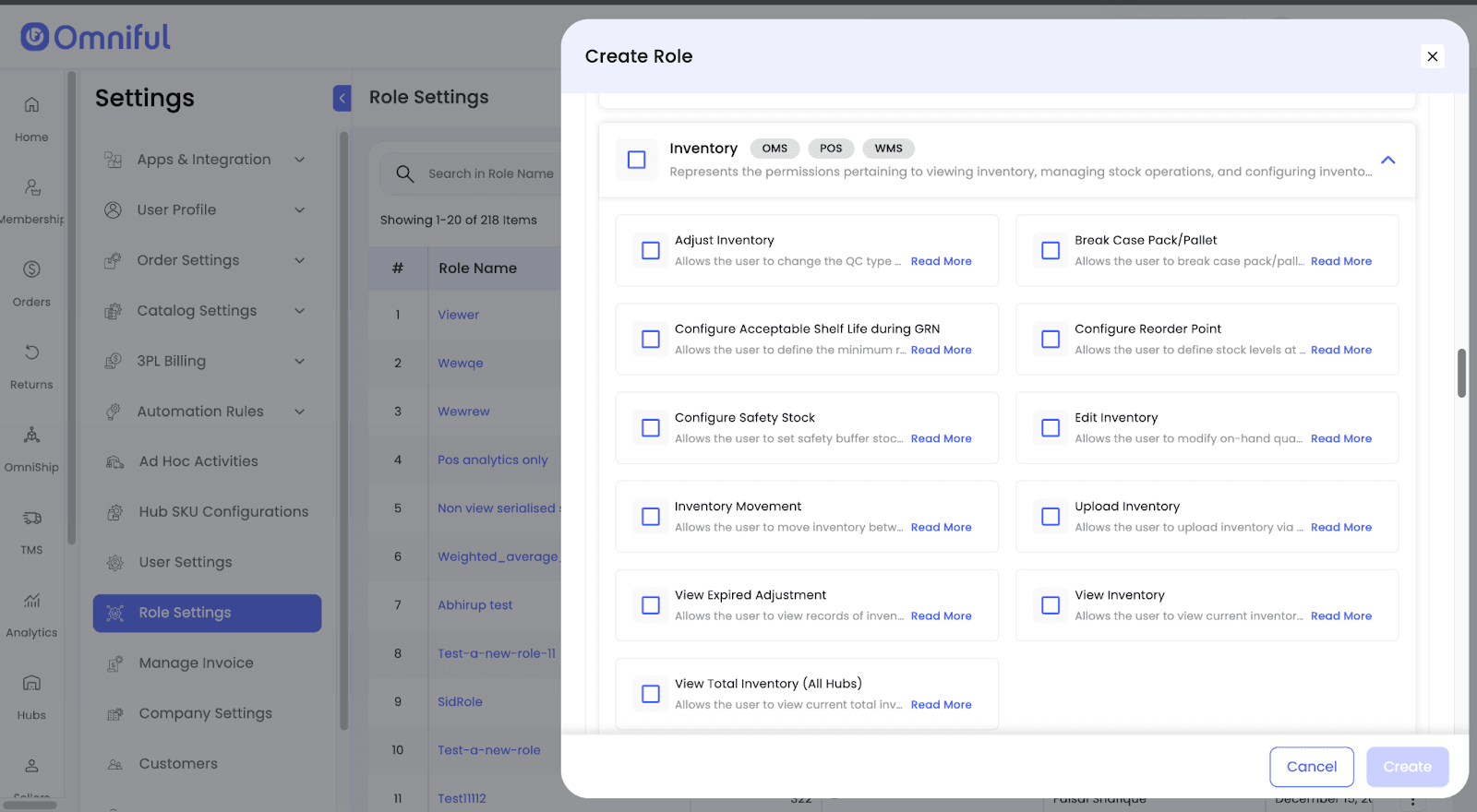
Expand a permission group to see individual permissions.
-
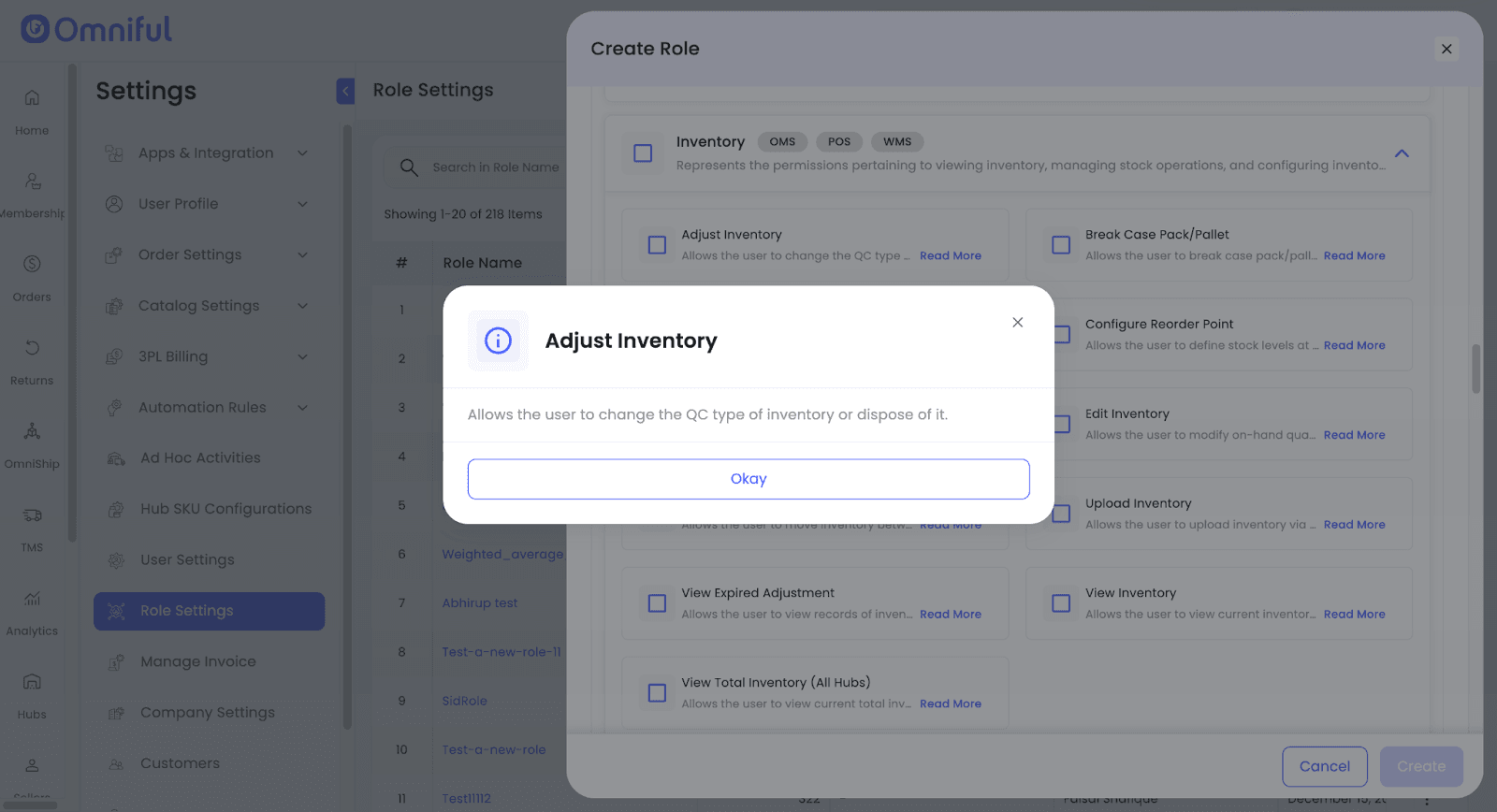
Review detailed permission descriptions in the Read More modal.
-
Click Create to save the role.
Technical Details
UI Changes
- Create Role now includes a dedicated Search in Permissions input for faster discovery across long permission lists.
- Permission groups display product tags (e.g., OMS, WMS, TMS, OmniShip), including a “+N” indicator when more tags exist.
- Both permission groups and individual permissions include descriptive help text for better clarity.
Scope
This update applies to role configuration under Settings → Role Settings.