

Table of Contents
Table of Contents
Share On


Date: 15 April 2026
Filters in Seller Master Catalog
Enable audits across SKUs, Kits, and Assembled Kits using specific parameters.
Version: V1.0
Owner: Catalog Product Team
Summary
Seller Master Catalog now supports filtering across SKUs, Kits, and Assembled Kits. Users can filter records by selected fields specifically.
To improve catalog price visibility and make it easier for users to review detail completeness, narrow catalog results, and identify records that require setup.
How it works
- Navigate to Catalog > Seller Master Catalog.
- Open one of the supported tabs: SKUs, Kits, or Assembled Kits.
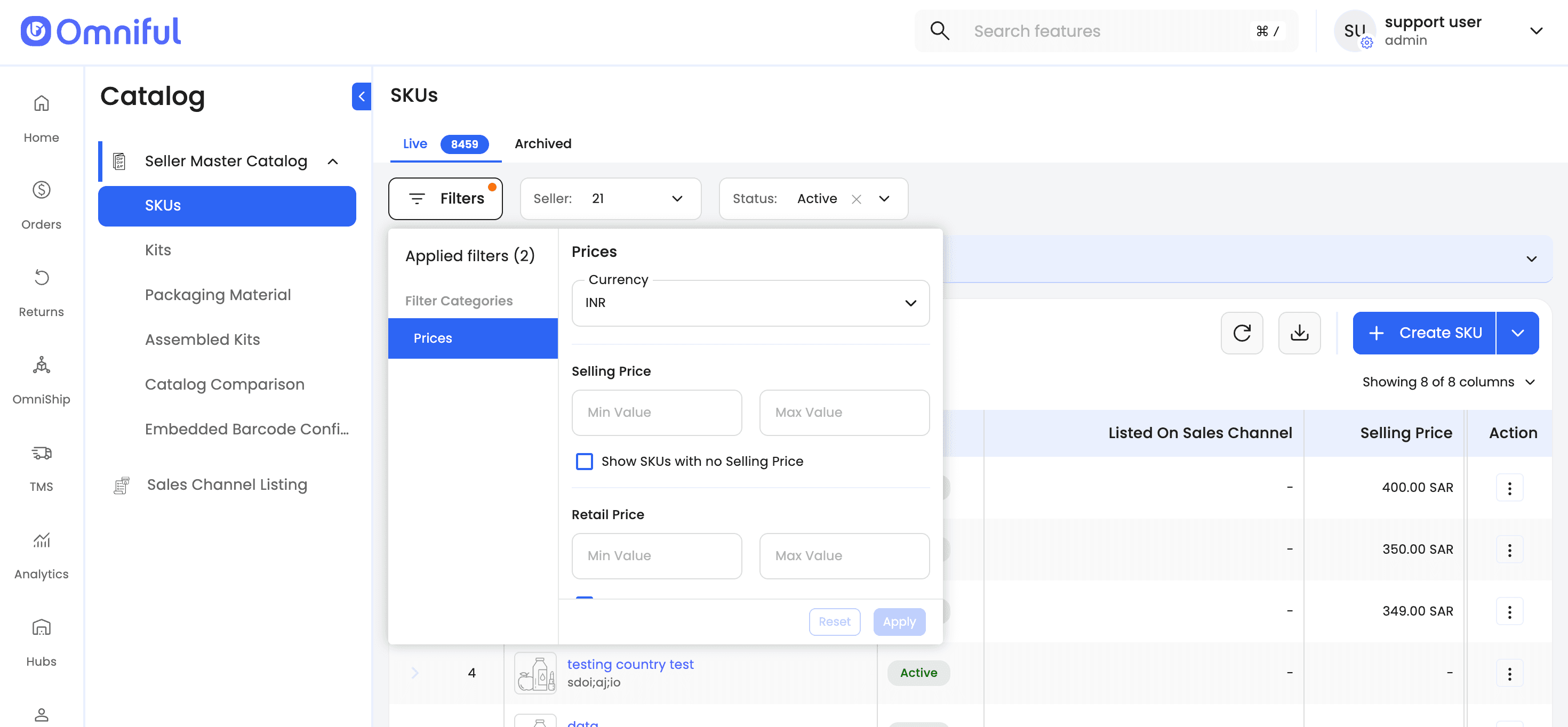
- Click Filters.
a. Prices Filter
- i. Select the currency.
- ii. Enter the minimum and maximum values for one or more supported price types.
- iii. Alternatively, use the option to find items with no price set for the selected price type.
Notes and Limitations
- Price Filters are currently available only within the on-screen catalog listing experience.
- Applied Price Filters are not yet reflected in the exported catalog sheet.