

Table of Contents
Share On


Hub-Level Reason Configuration in WMS
Enabling hub-specific reason management for more flexible configuration at the hub level.
Version: 1.0
Owner: Product Team
Summary
Earlier, reasons were managed at the tenant level and could only be added after creating a hub by editing it. Now, Omniful WMS supports managing reasons at the hub level, allowing users to add, review, and configure them directly during hub creation. Additionally, when a hub is cloned, its reasons are copied to the new hub. This simplifies setup and ensures each hub has reasons relevant to its workflows.
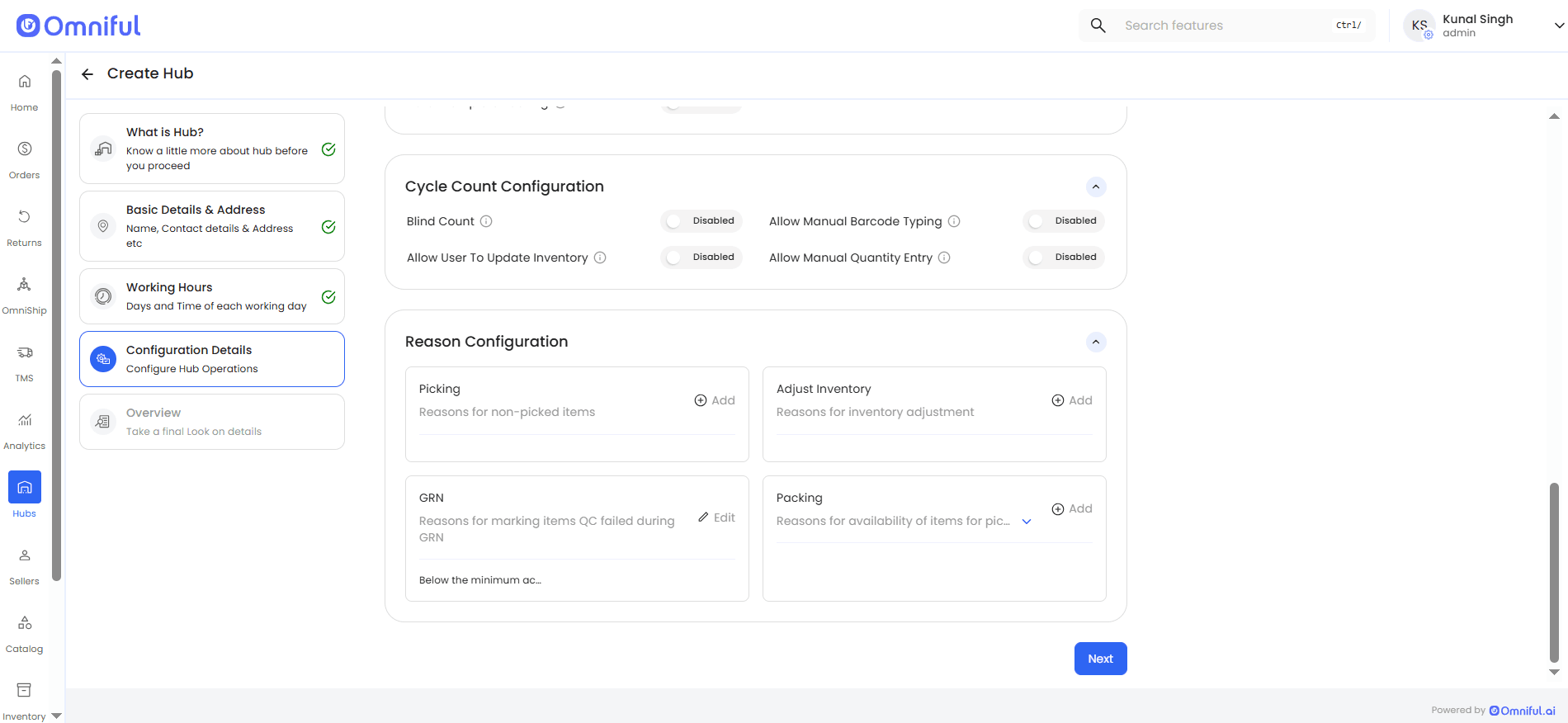
Enhancement Overview
- Reasons are now maintained separately for each hub.
- Users can add, edit, remove reasons, and save them during hub setup.
- When a hub is cloned, its configured reasons are carried forward to the new hub.
- Reasons remain specific to their process, such as packing or GRN item handling.
How It Works
Earlier, reasons were managed at the tenant level and could only be added by editing a hub after its creation. With this enhancement, reasons are now managed at the hub level, allowing users to review and configure them directly during the hub setup flow.
Reasons can be configured from Configuration Details → Reason Configuration while creating the hub.
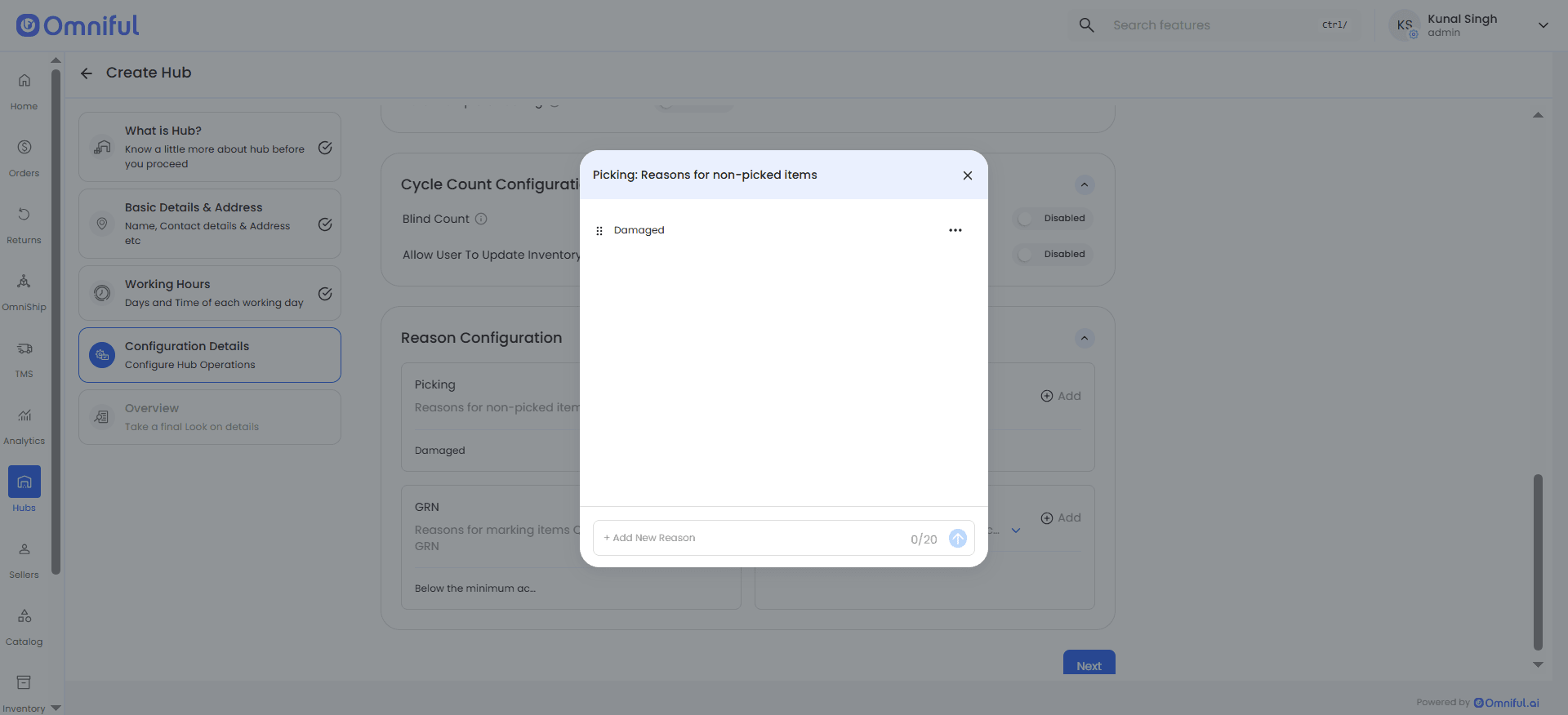
System-defined reasons are already visible, giving users a ready starting point without requiring manual creation from scratch.
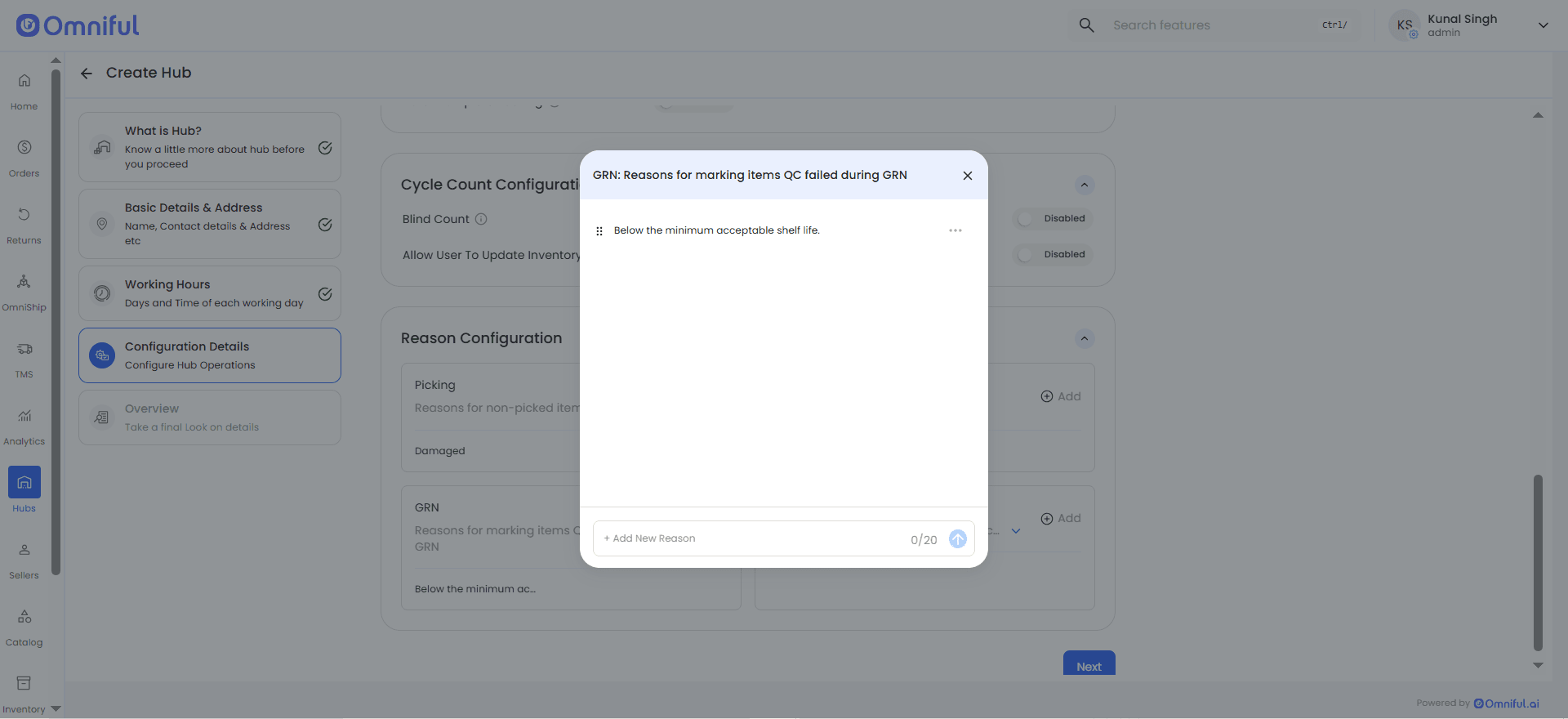
Users can add custom reasons, update existing ones, or remove unwanted reasons before saving the hub.
When a hub is cloned, the configured reasons are copied to the new hub to reduce repeated setup effort.
Reasons remain tied to their applicable operational type, so users continue to see relevant reasons in the right process context.
Business Impact
- Provides greater flexibility by enabling hub-specific reason configuration tailored to local operations.
- Improves consistency with a unified experience across Create Hub and Edit Hub flows.
- Reduces setup time and operational friction by allowing in-flow configuration during hub creation.
- Speeds up onboarding and setup of new hubs with clone-based setup.