

Table of Contents
Table of Contents
Share On


Date: 30 March 2026
Off-System Hub Creation and Its Visibility
Enable stock transfers to external reference addresses by creating and using Off-System Hubs directly within OMS.
Summary
This enhancement introduces Off-System Hub creation and its visibility within the Stock Transfers module in OMS, enabling users to manage stock transfers involving external addresses. Off-System Hubs are centrally stored reference addresses that are visible across the system but do not support any operational activities such as inventory handling or processing. Users can create these hubs from the dashboard and utilize them while raising Stock Transfer Requests.
Note: Off-System Hubs and pickup addresses are external addresses which, once created, are available everywhere in the system wherever necessary and required.
How It Works
- Navigate to Stock Transfers → Off-System Hub.
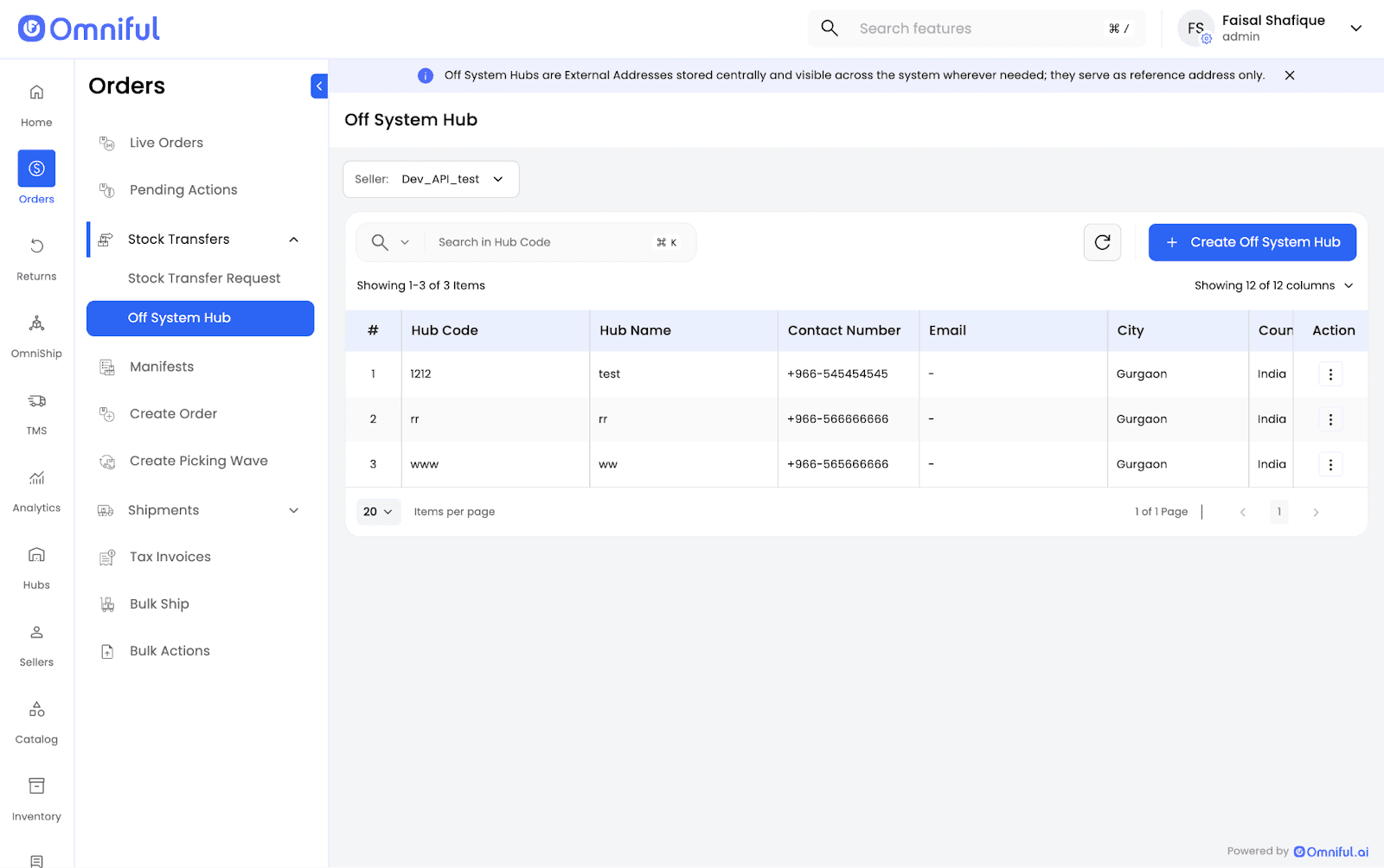
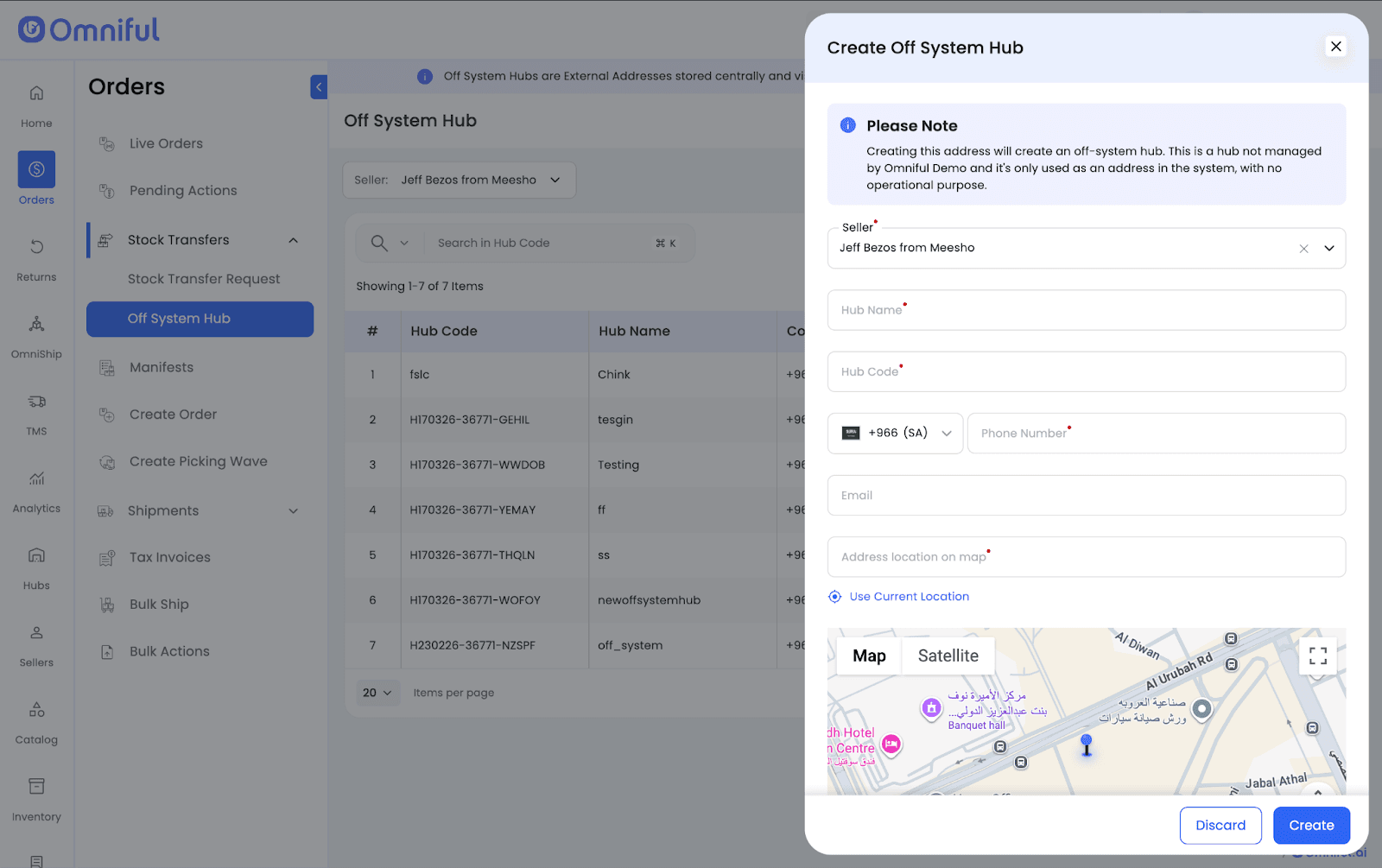
- Click Create Off-System Hub and add the required details.
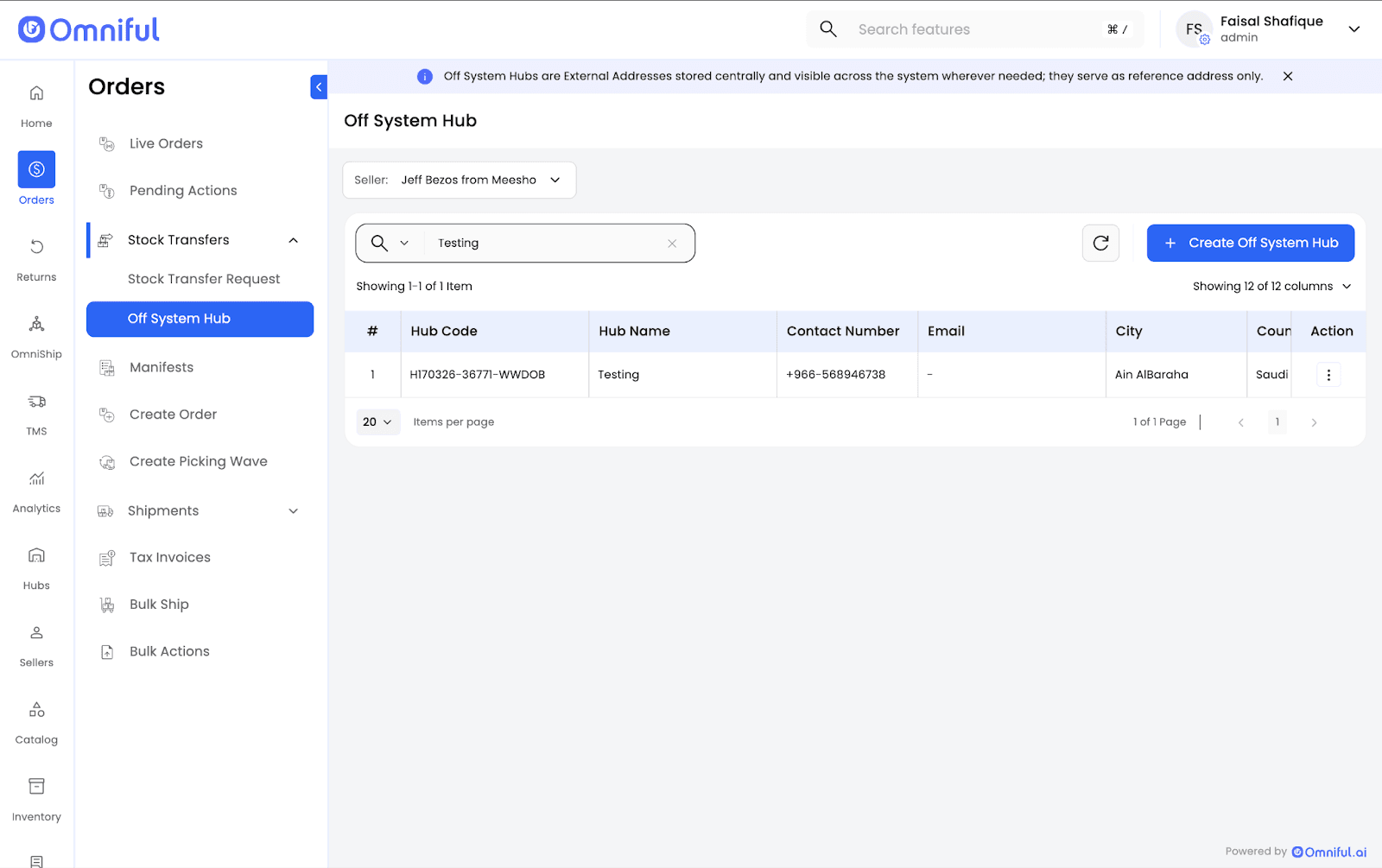
- Return to Off-System Hub and search for your newly created Off-System Hub.
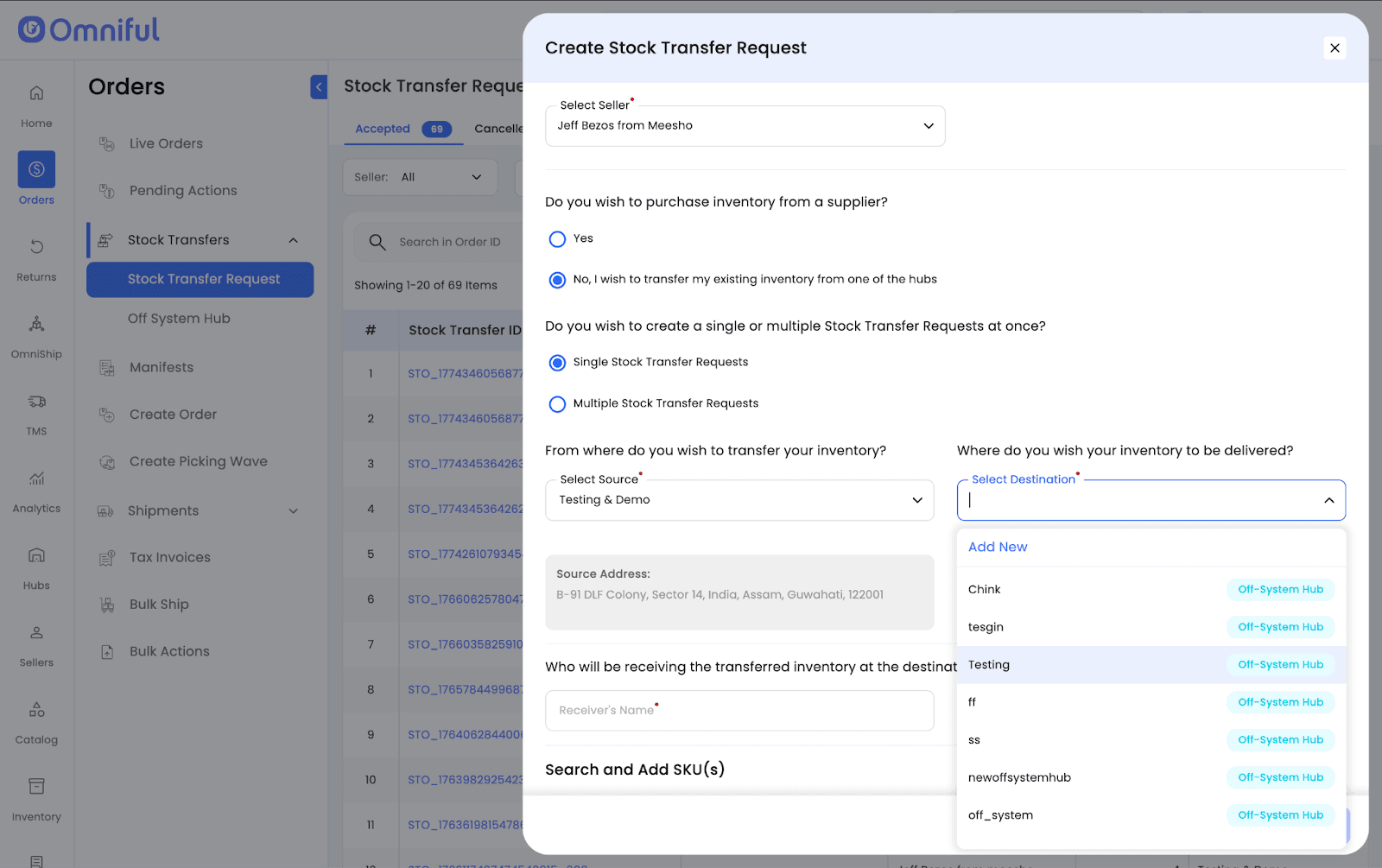
- The hub will now be visible while creating a Stock Transfer Request, under the Source Hub and Destination Hub dropdowns.
Technical Details
- Off-System Hubs do not support operational workflows such as picking, packing, or inventory tracking.
- Stock transfers require at least one internal (system) hub.
- Off-System Hubs are created per seller.