

Table of Contents
Share On


OmniShip Manual Dispatch Shipment Creation
Version: 1.0
Owner: Omniful Product Team
Summary
OmniShip now supports Manual Dispatch during shipment creation. This allows users to create and manage shipments even when they are handled manually or outside an integrated shipping partner.
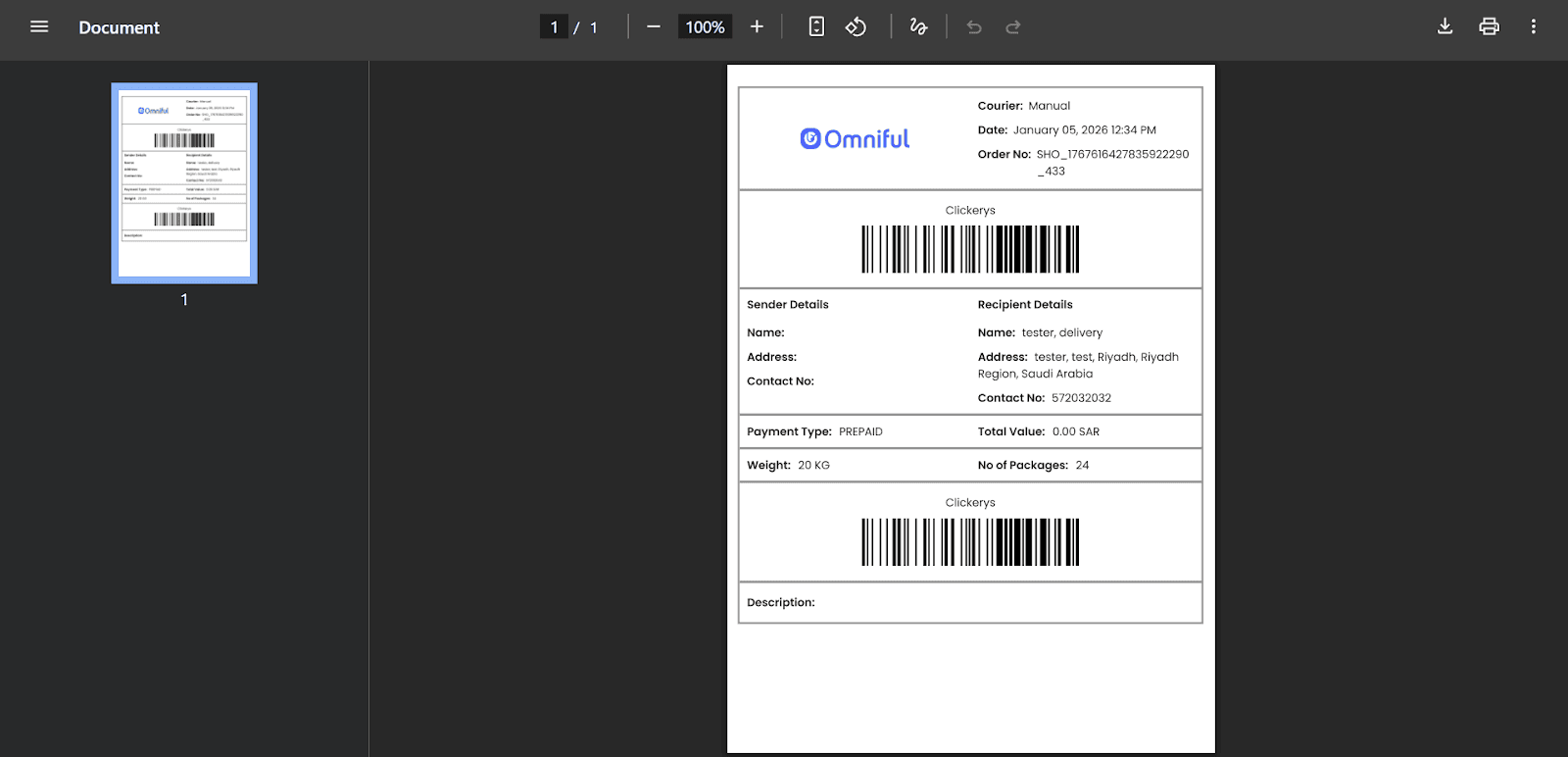
During creation, you can capture package count, shipment weight, AWB number, and an external tracking URL. Once created, the shipment moves to Ready to Ship, and an AWB label can be printed.
How It Works
-
Go to
OmniShip > Shipment Ordersand open the shipment order you want to create a manual shipment for in New Orders.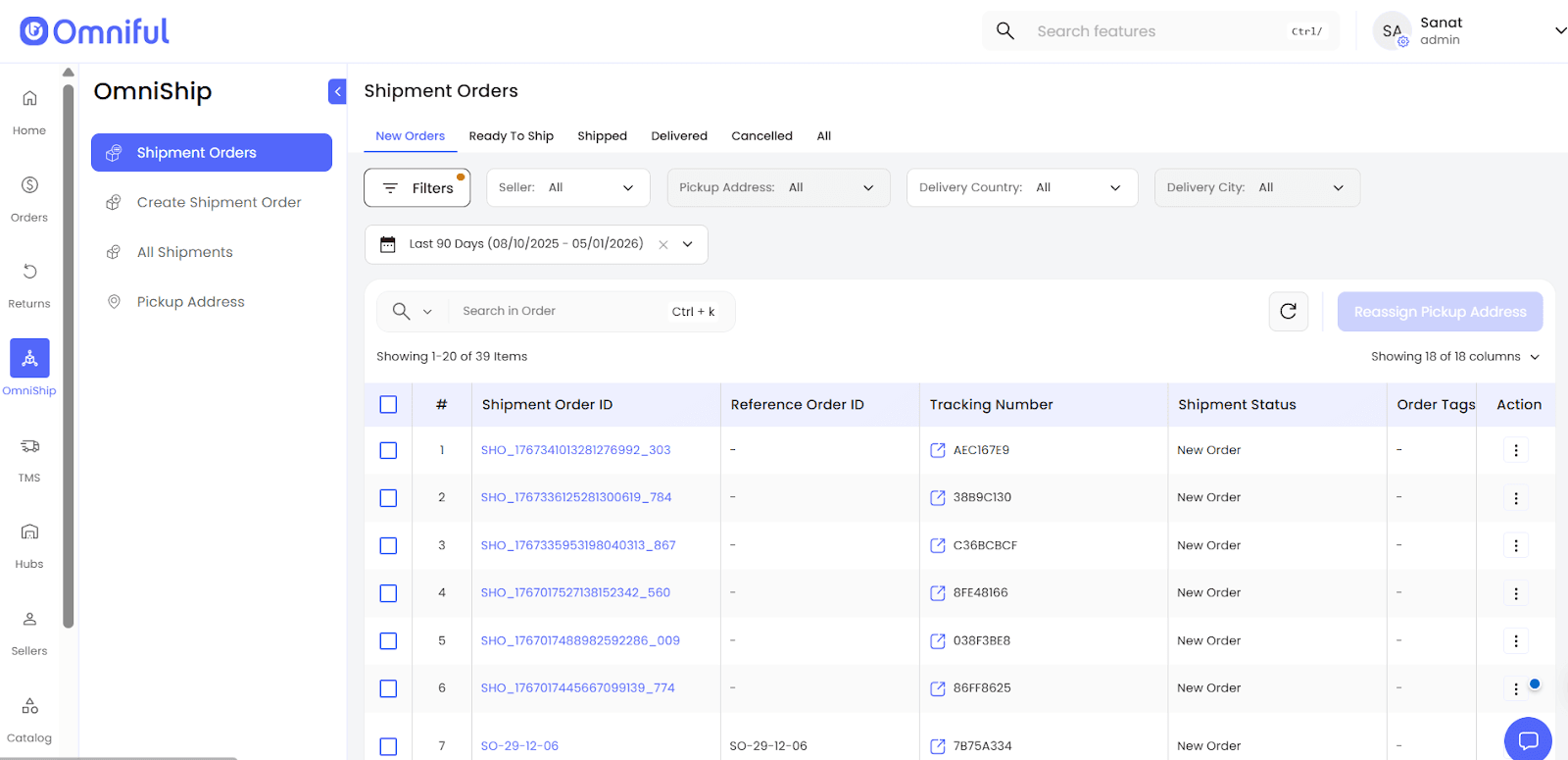
-
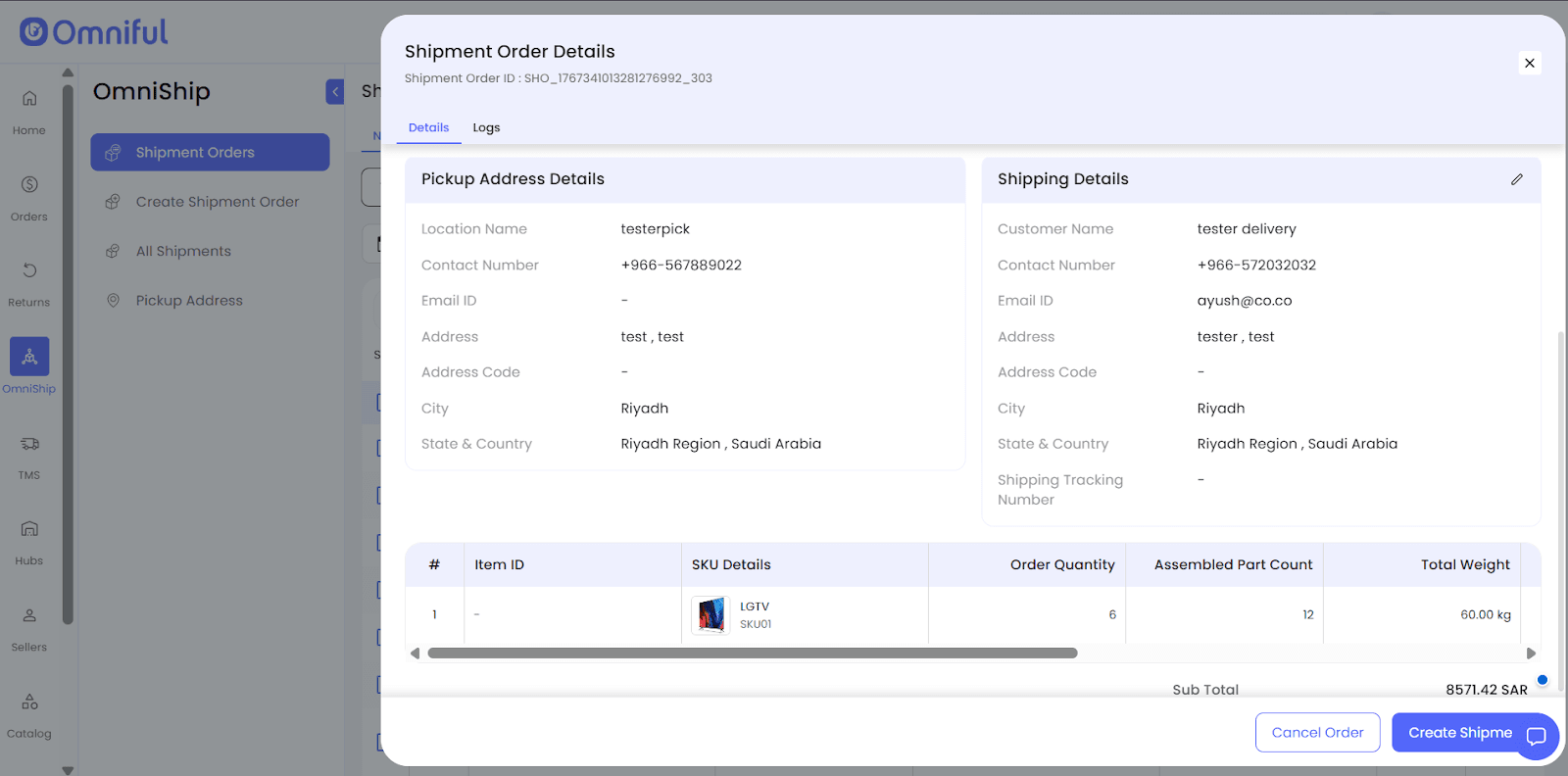
Open Shipment Order Details and click Create Shipment.
-
In Create Shipment, select Shipment Order Fulfilment by: Manual Dispatch.
- Review Pickup Address Details and Shipping Address Details.
- Verify No of Packages.
- Verify Weight in KG (auto-populated from the Shipment Order; editable if required).
- Courier Partner is set to Manual.
- Enter AWB and Tracking URL (if available).
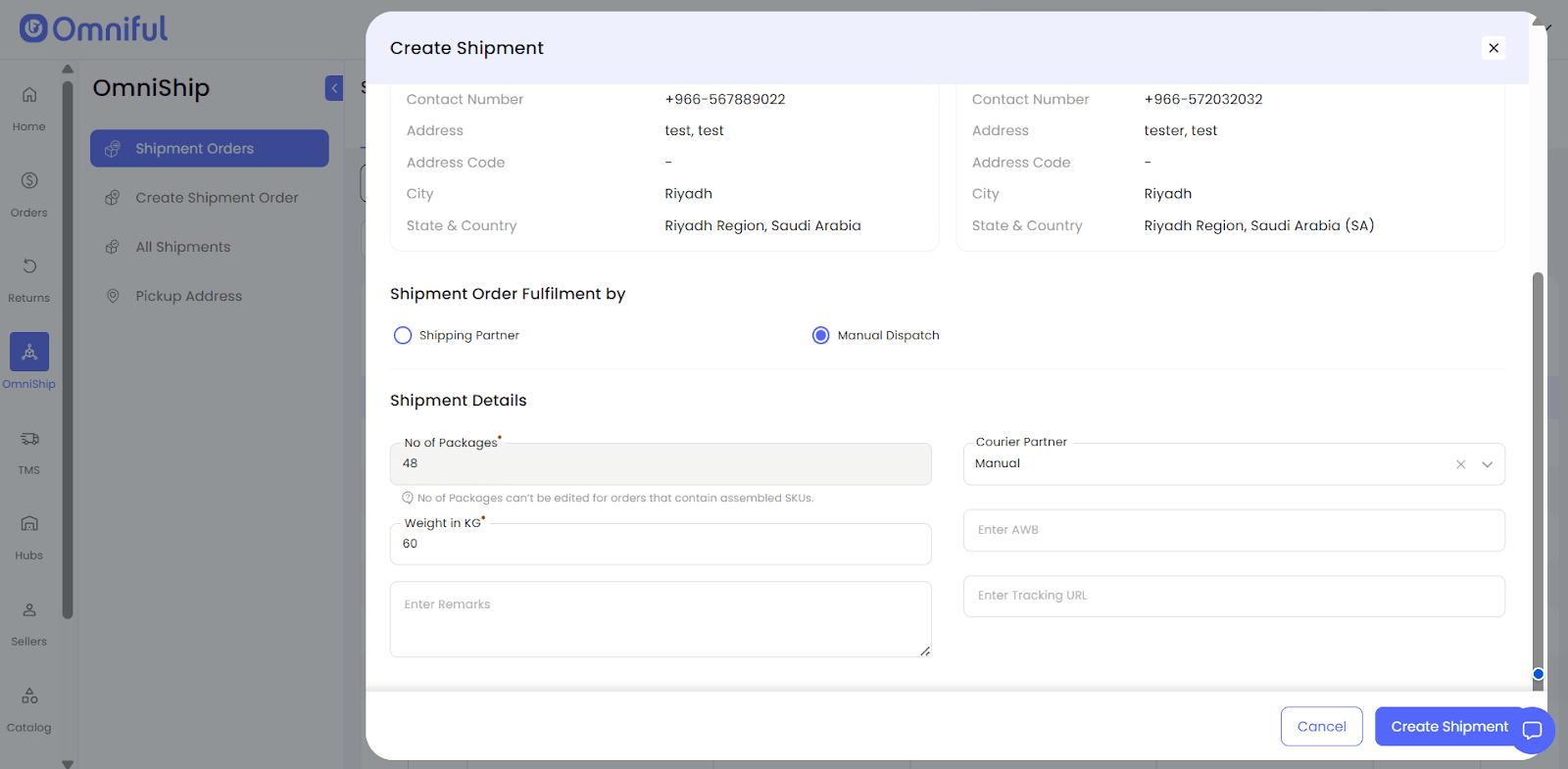 4. Click Create Shipment to generate the shipment.
After creation, Shipment Details show the captured AWB, courier partner, and delivery status.
Use Print AWB to download or print the label.
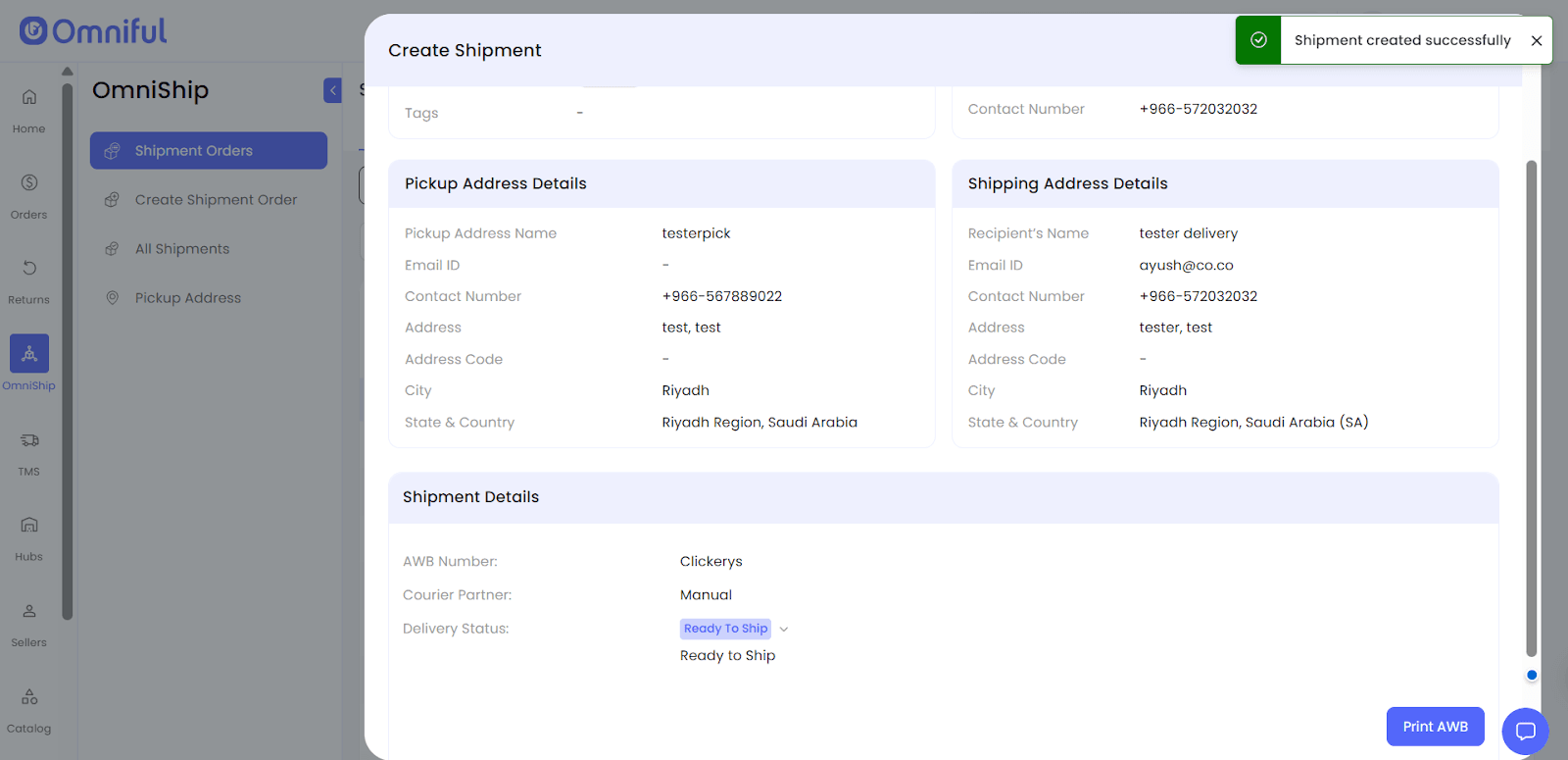
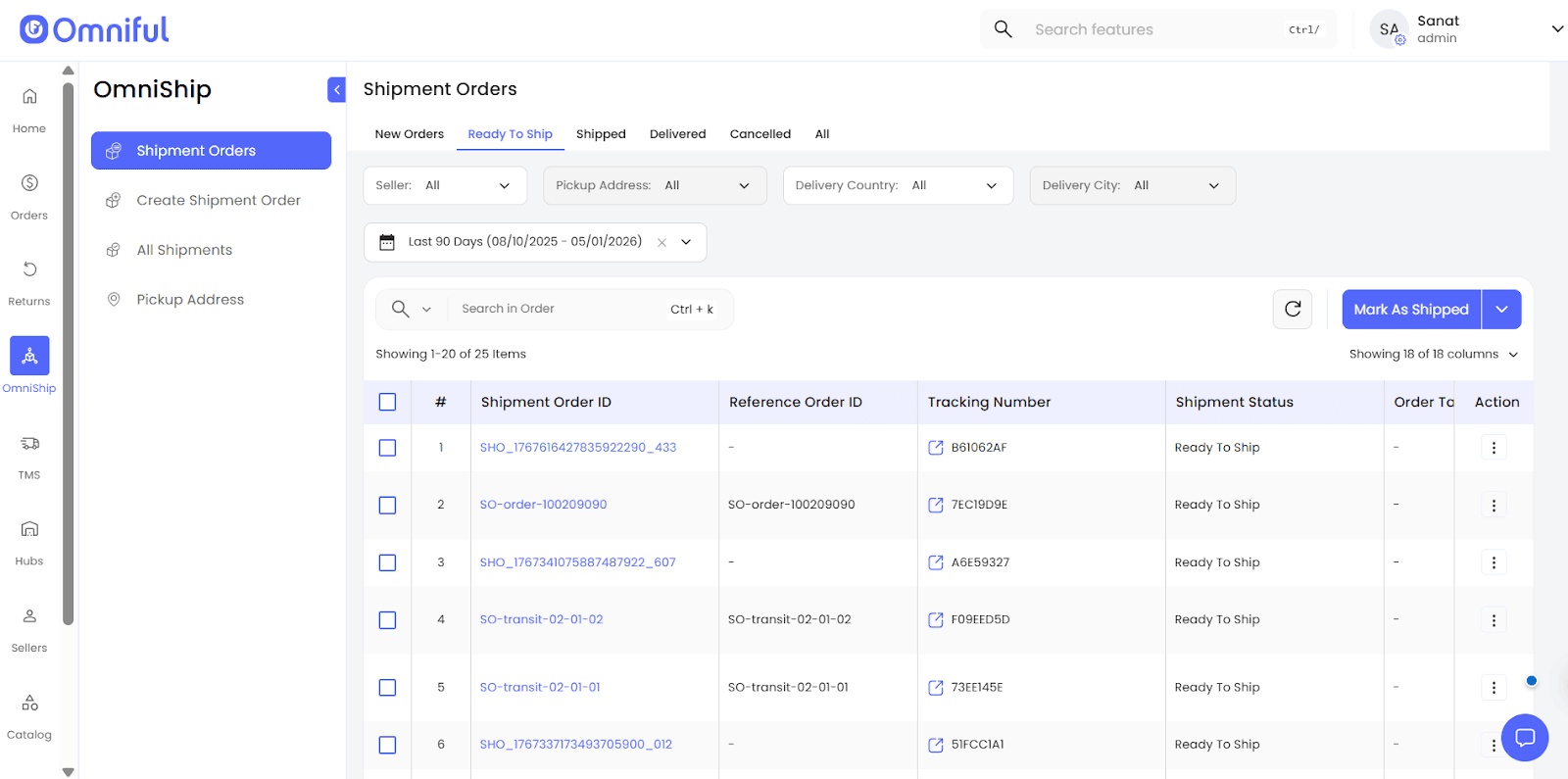
 5. The shipment moves to the Ready To Ship tab under Shipment Orders.
Technical Details
Manual Dispatch is introduced as a shipment creation mode alongside Shipping Partner under Shipment Order Fulfilment by.
For Manual Dispatch shipments, courier details and AWB data are captured in OmniShip and used for label generation.
Captured Fields (Manual Dispatch)
| Field | Description |
|---|---|
| Shipment Order Fulfilment by | Choose Shipping Partner or Manual Dispatch. |
| No of Packages | Number of packages in the shipment. Note: This field is immutable for Transit Hub. To change the number of packages, update the value of Assembled Part Count for the SKU. |
| Weight in KG | Auto-populated based on the Shipment Order; editable before creating the shipment. |
| Courier Partner | Set to Manual when using Manual Dispatch. |
| AWB | To print an AWB label, either provide the AWB number, or it will be auto-generated by the system. |
| Tracking URL | External tracking link (if available). |