

Table of Contents
Table of Contents
Share On


Date: 9 December 2025
Pickup Address Routing Automation
Describes the OMS enhancement that automates pickup address assignment based on rule conditions to improve routing accuracy and reduce manual effort.
Version: v1
Owner: Product Team
Summary
Pickup Address Routing Automation is a new OMS enhancement that automatically assigns the correct pickup address for each order based on predefined conditions such as order source, sales channel, delivery type, destination, and item details.
Instead of relying on manual selection or a static default pickup address, users can now create rules that either route orders to the nearest pickup address or forcefully assign a specific one.
How It Works
- Navigate to Settings → Automation Rules → Pickup Address Routing.
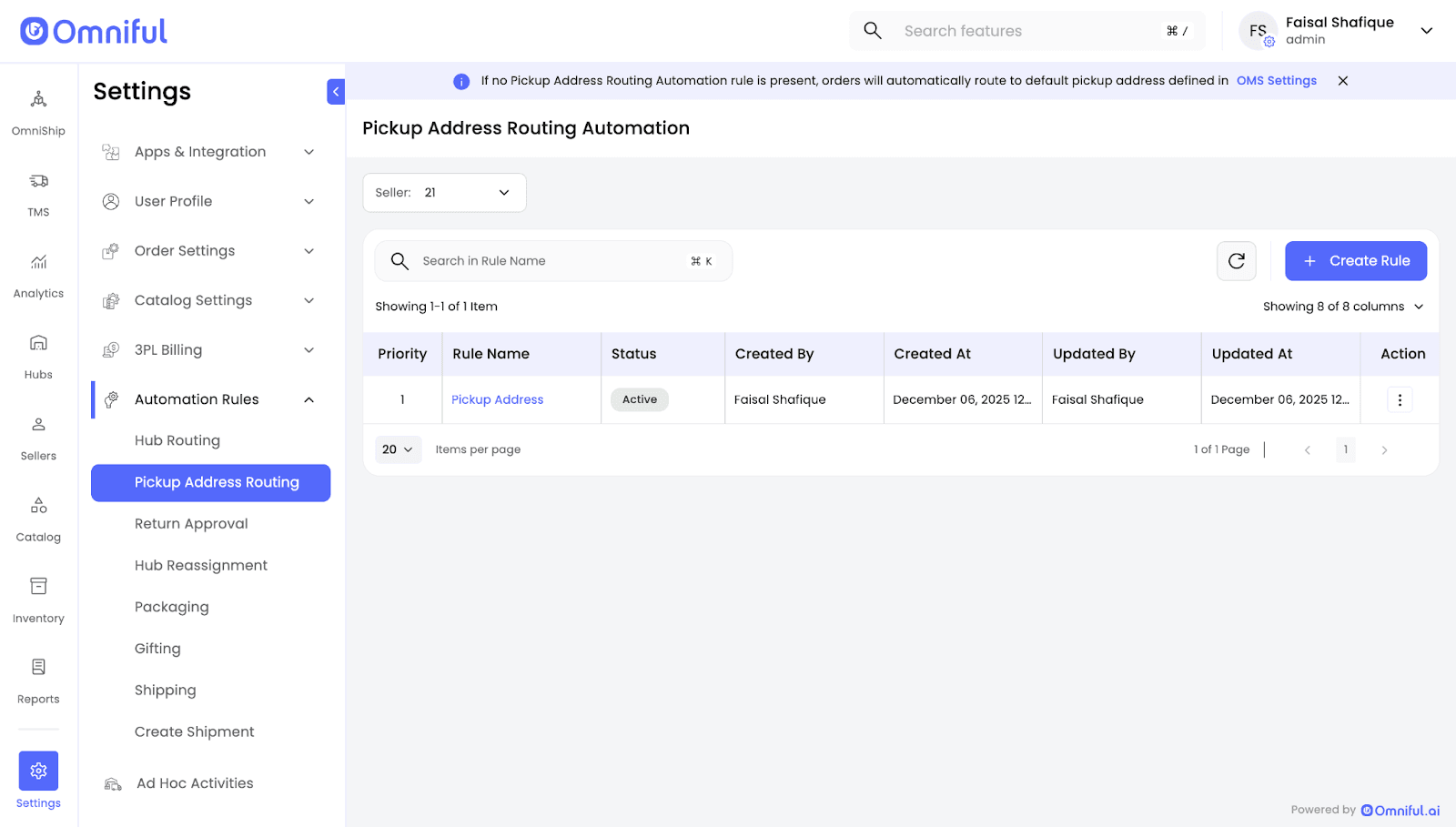
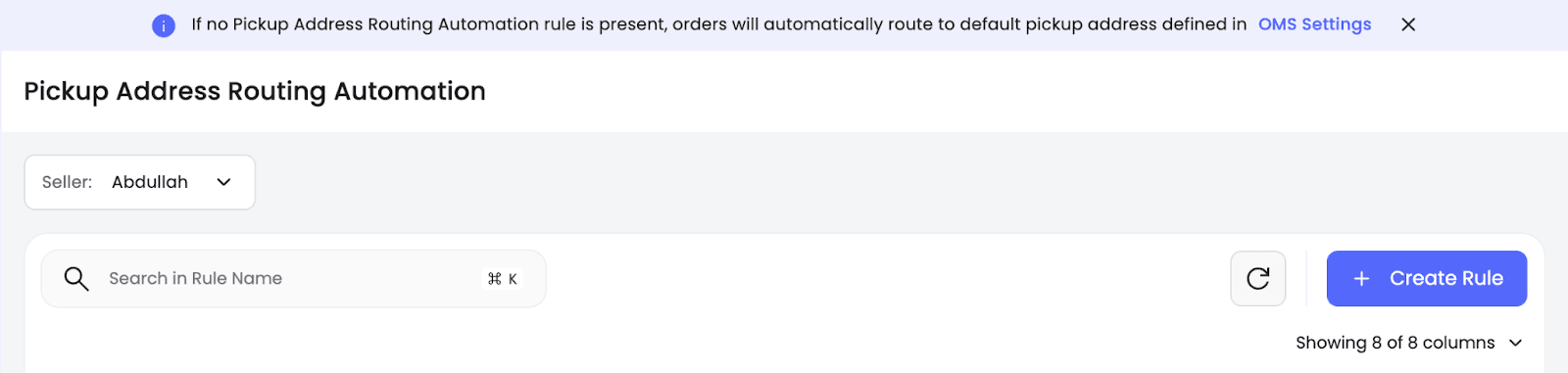
- Select the Seller and click Create Rule.
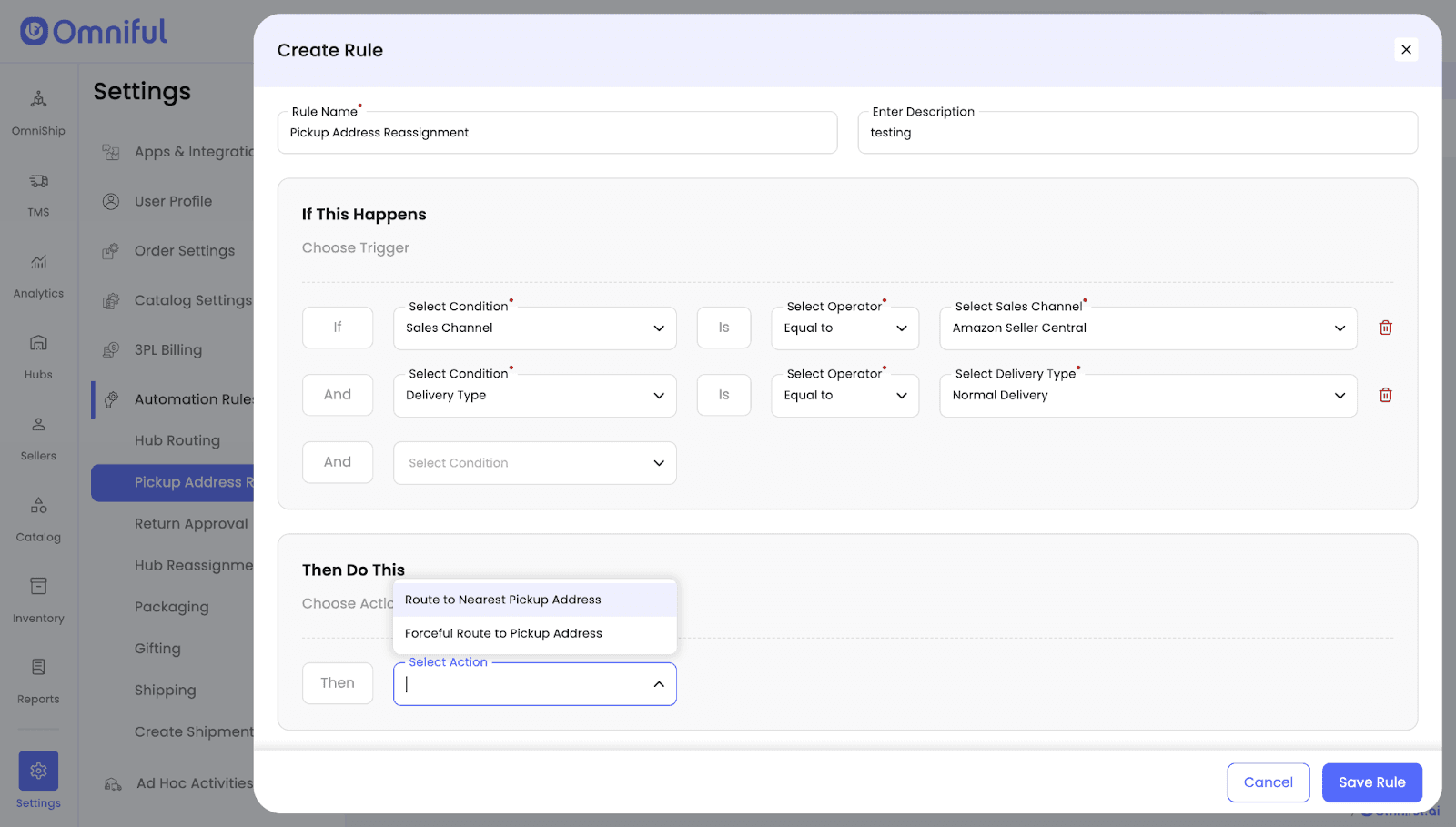
- Choose a trigger and define the routing action.
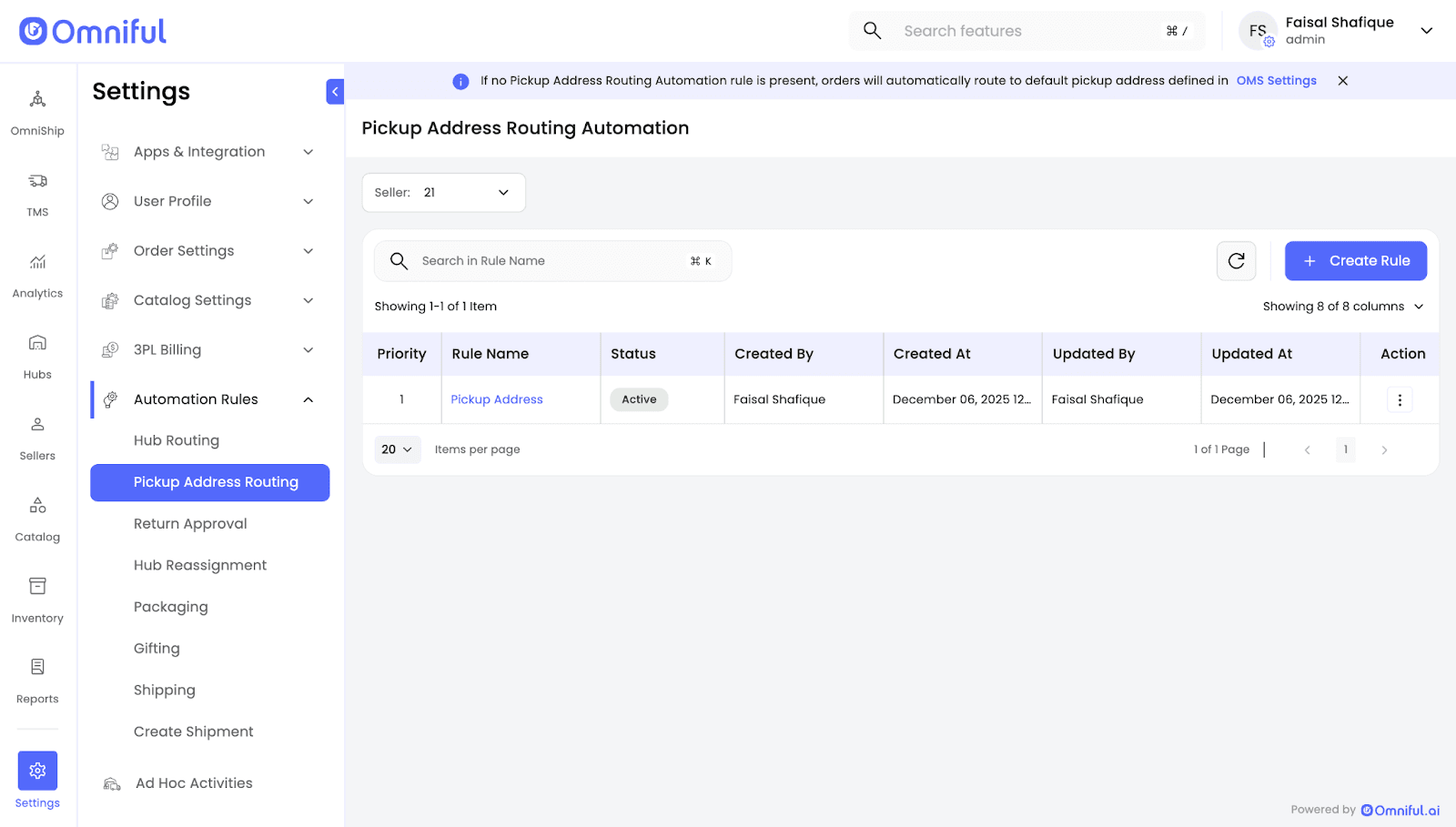
- Click Save Rule.
Technical Details
- If no Pickup Address Routing rule exists, OMS routes to the default pickup address configured in OMS Settings.
- If no pickup addresses are configured for a seller, the seller must configure Pickup Addresses from OmniShip → Pickup Address.
- Supported actions:
- Route to Nearest Pickup Address
- Forceful Route to Pickup Address