

Table of Contents
Share On


Roles and Permissions Enhancement
Version: V1
Owner: Omniful Product Team
Summary
This release introduces granular, report-level permissions in the Role Settings, allowing admins to control access to reports at an individual level instead of giving blanket access to the entire Reports section.
A role can now be configured to let a user view or download only specific reports while restricting all others, improving data security and reducing unnecessary visibility.
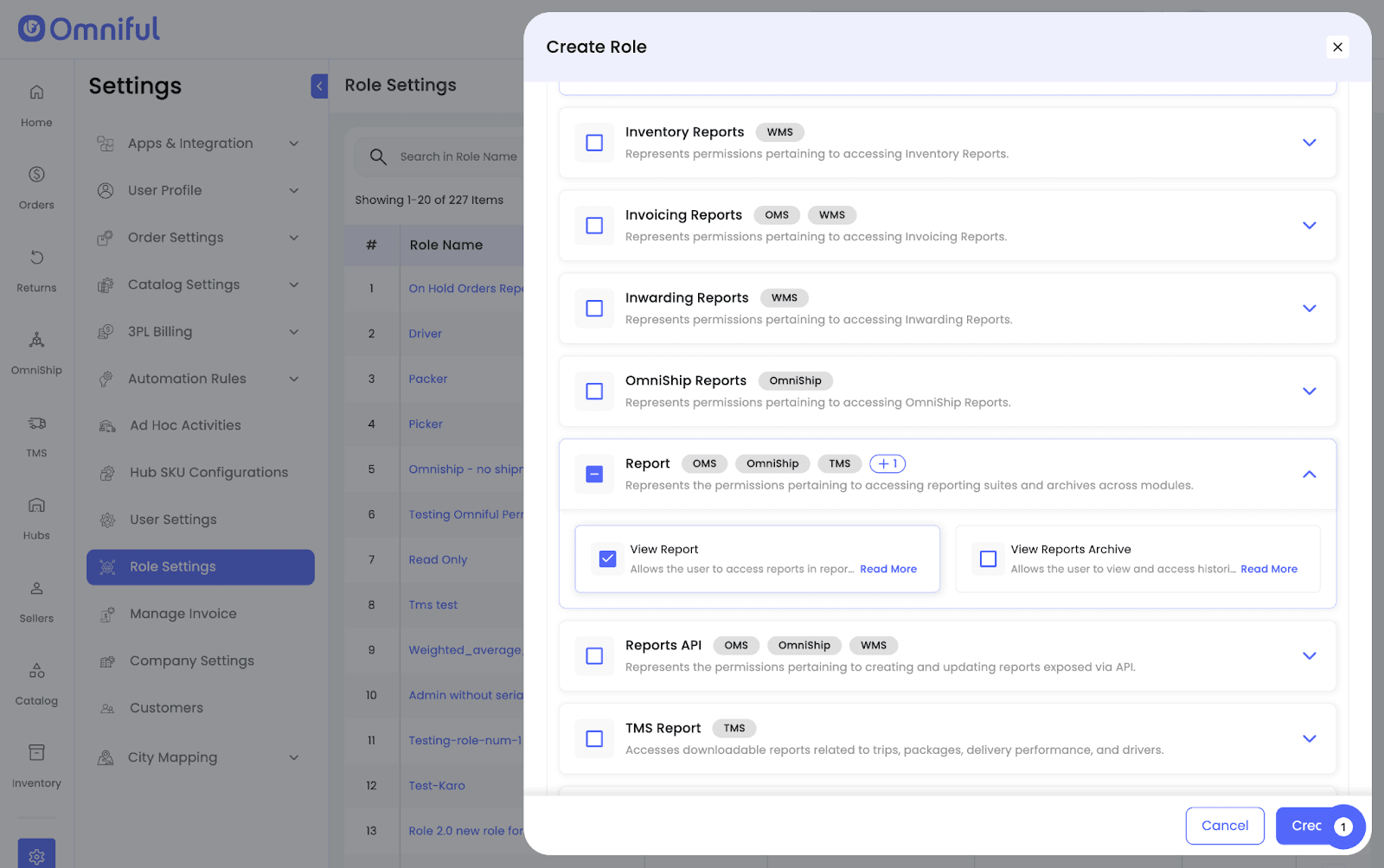
Note: To access any report, users must have both the specific report permission and the View Report (module access) permission enabled in their assigned role.
How It Works
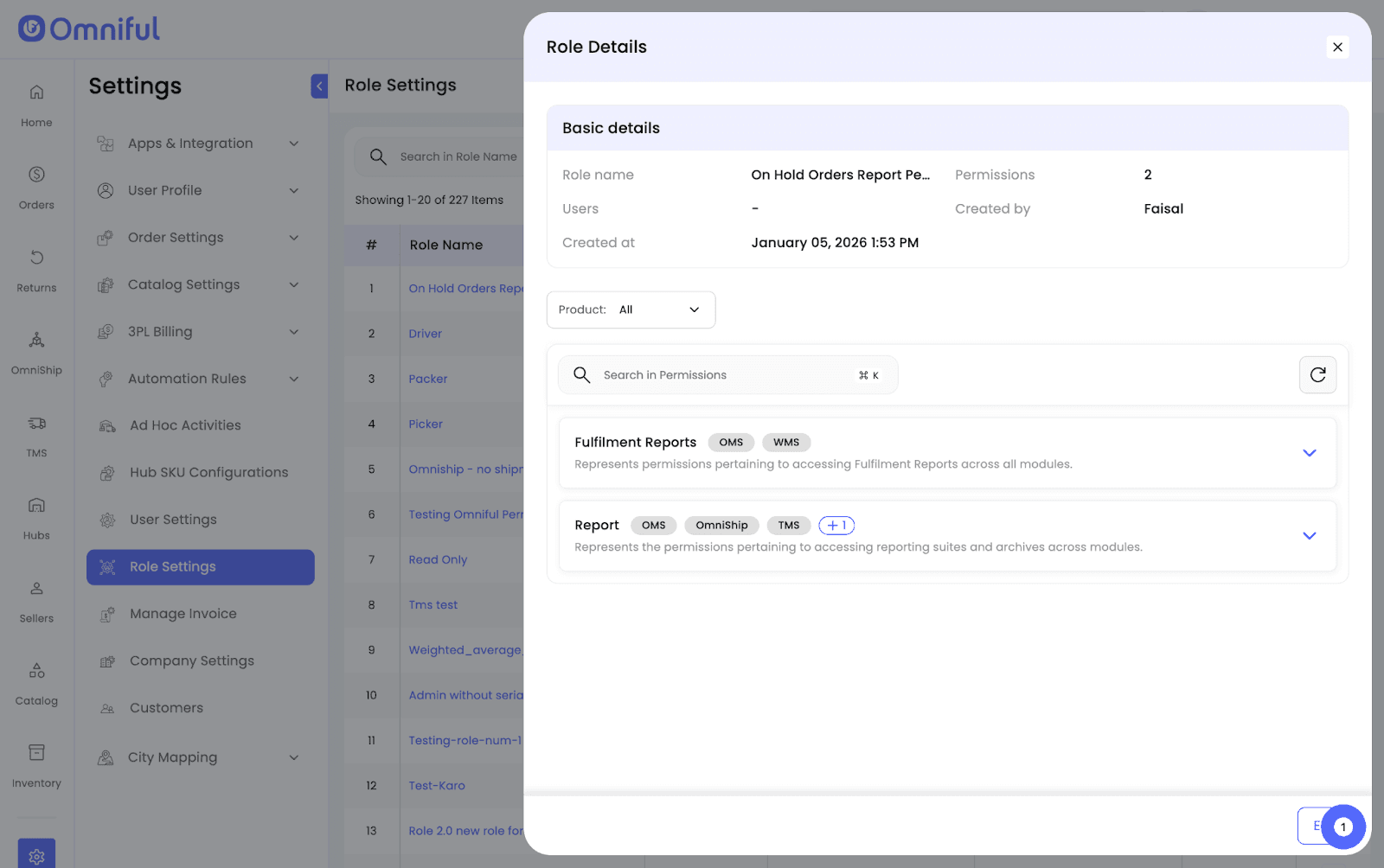
- Navigate to Settings → Role Settings.
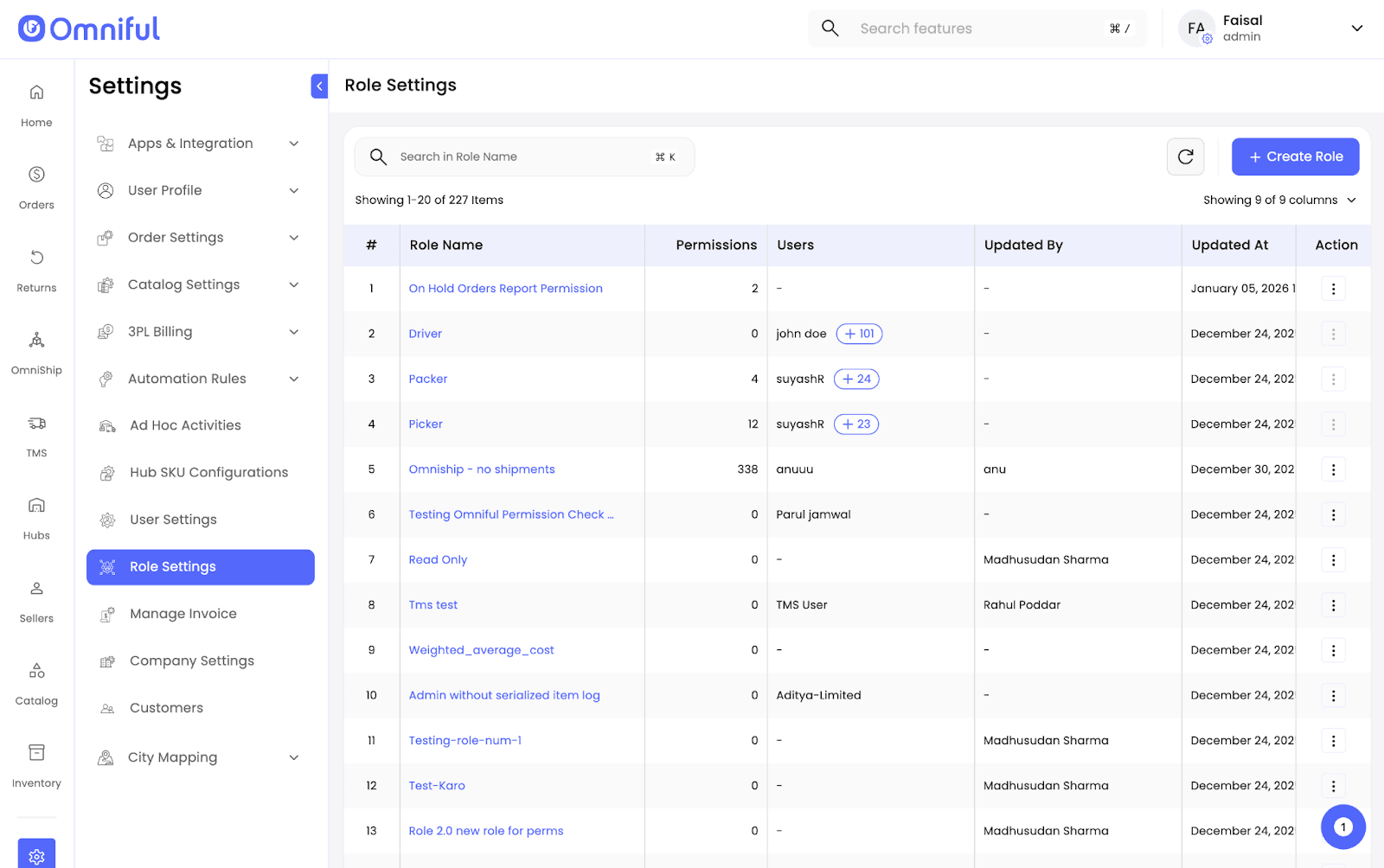
- Create a new role and search for Reports permissions.
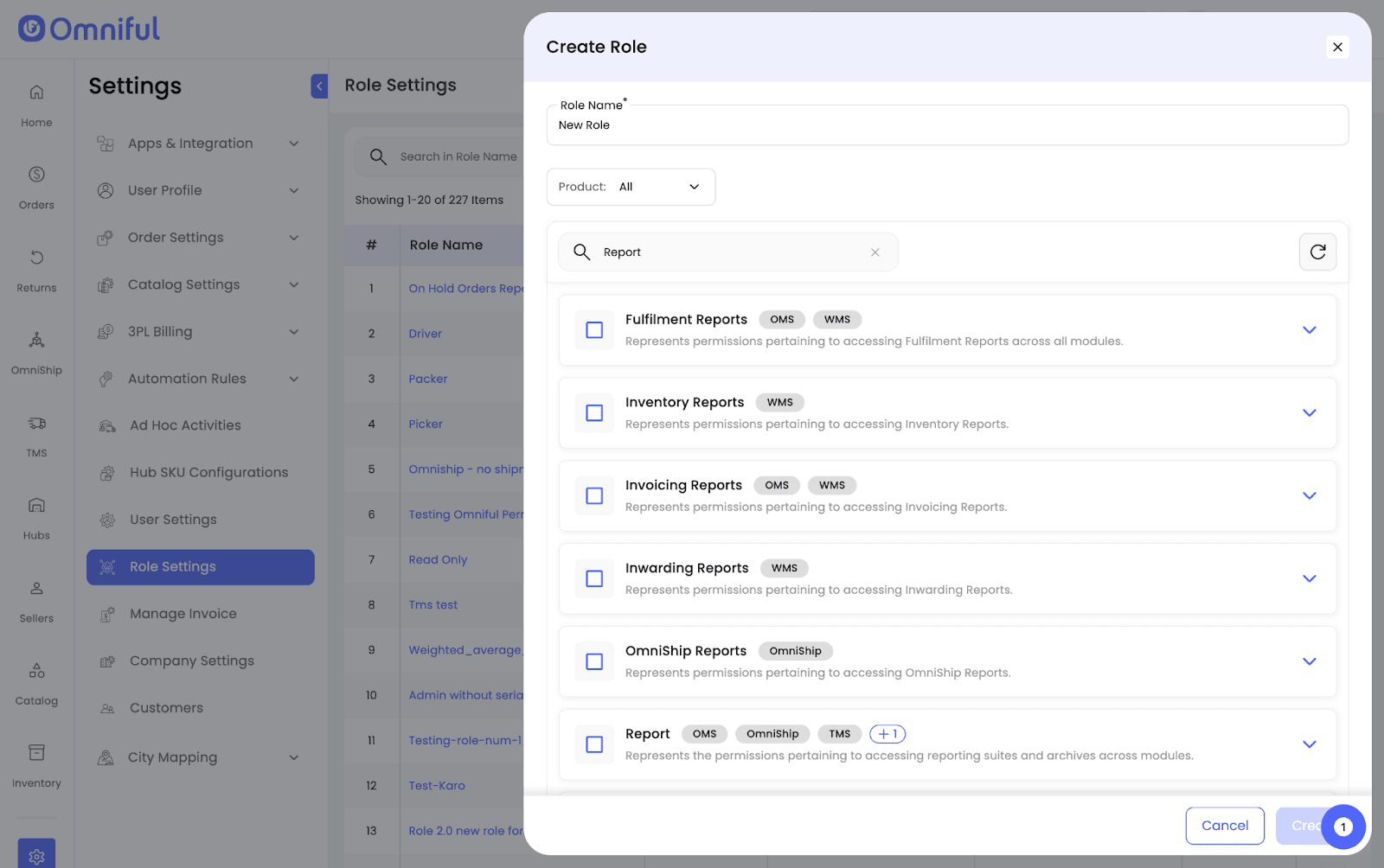
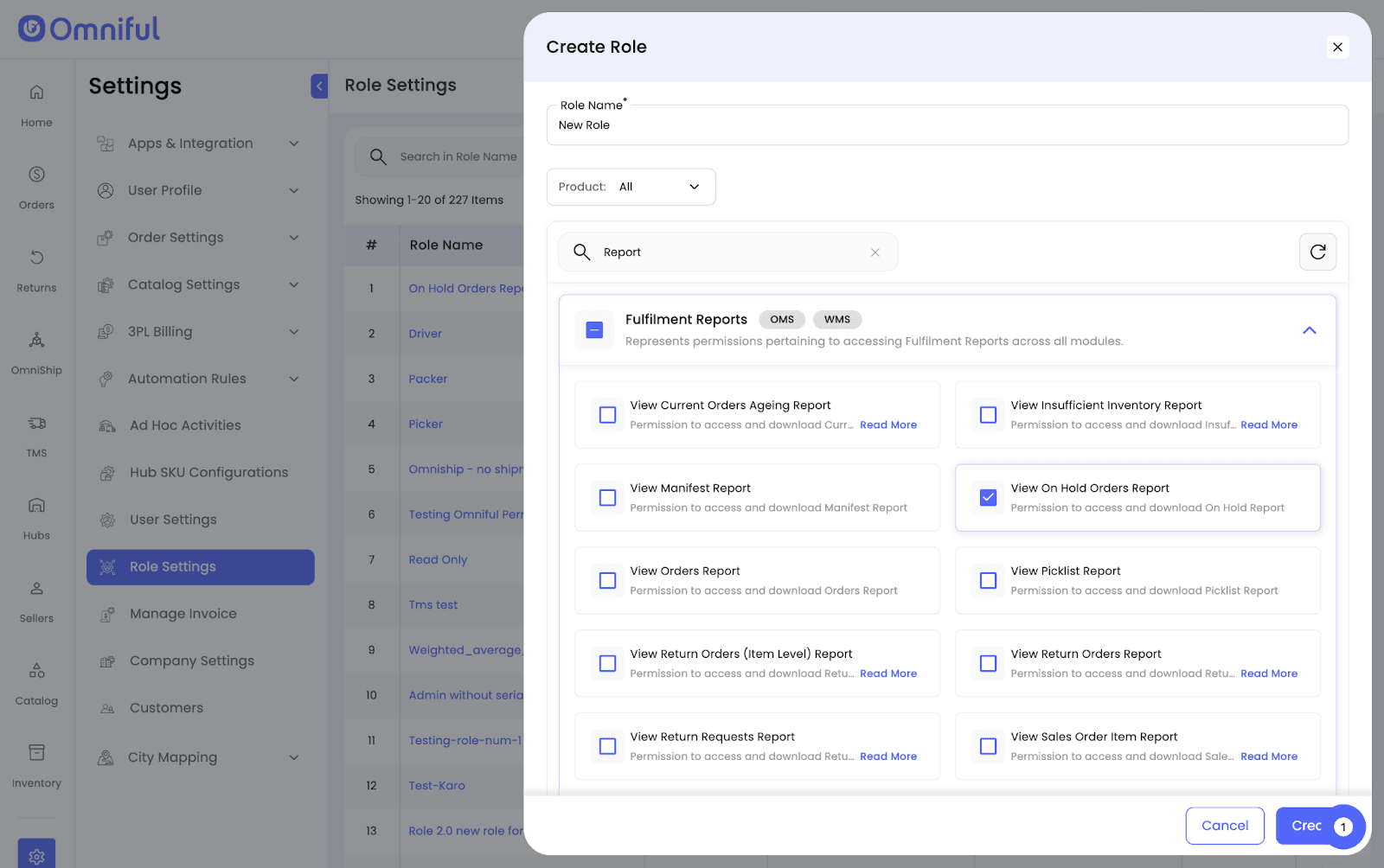
- Select individual report permissions (e.g., View On Hold Orders Report).
- Ensure the generic View Reports permission is also enabled.
- Save the role and assign it to users.
Technical Details
Permissions are now decoupled at an individual report level across Fulfillment, Inventory, Invoicing, and other report categories.
A user must have both the specific report permission and the generic View Reports permission to access a report.