

Table of Contents
Share On


Route Planner – Optimized Trip Creation in TMS
Route Planner is a TMS feature that automates trip creation by generating optimized delivery routes using configurable rules and vehicle capacity constraints.
Version: v1.0
Owner: Omniful Product Team
Summary
Route Planner is a TMS feature that helps operations teams create optimized delivery routes and trips from a selected set of unplanned shipments using configurable routing rules. By applying optimization logic (such as shortest distance or fastest route) and vehicle capacity/utilization constraints, the system reduces manual planning effort and improves on-time execution.
How It Works
-
Navigate to TMS → Create Trips
The screen displays unplanned shipments available for trip planning.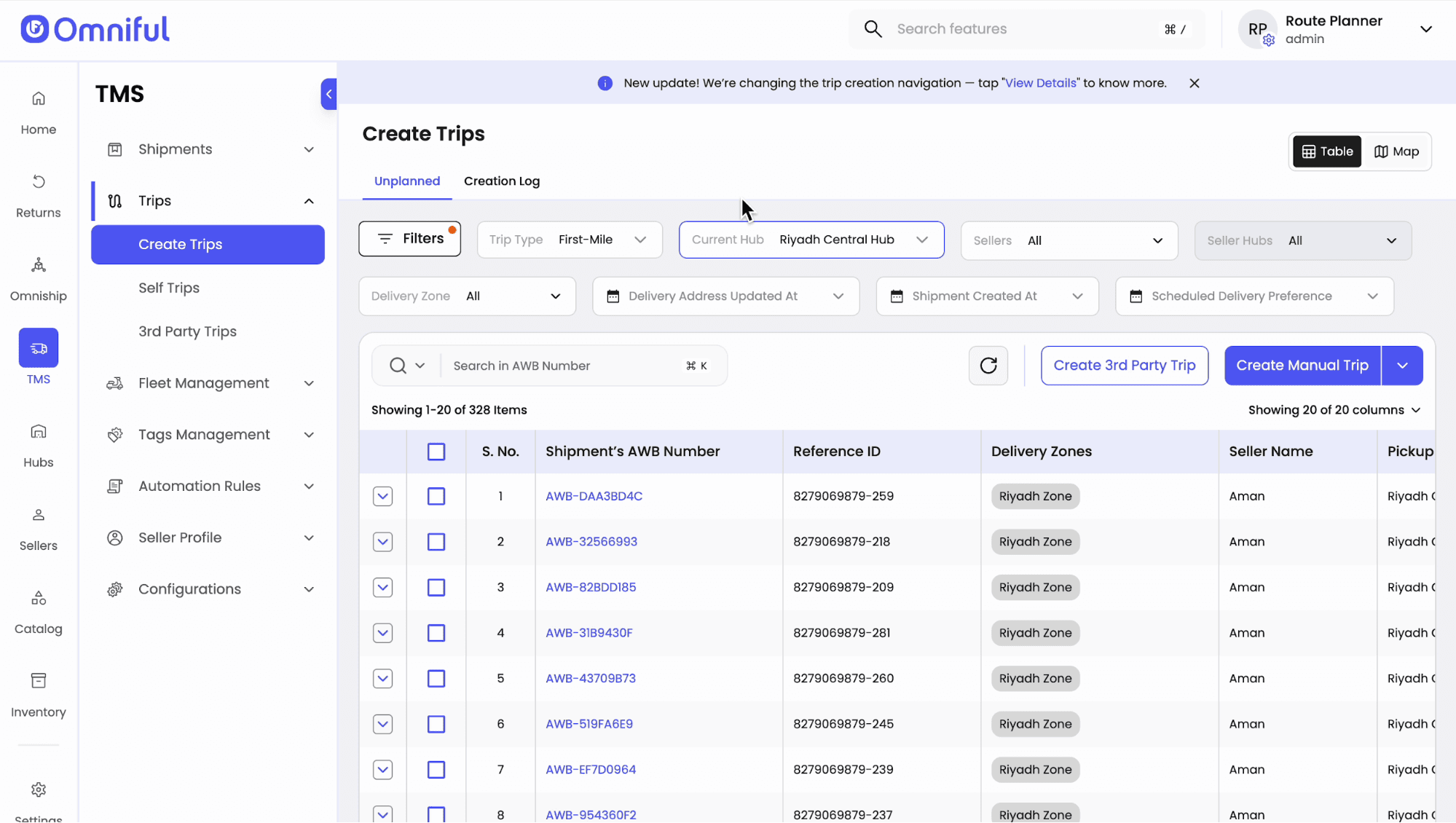
-
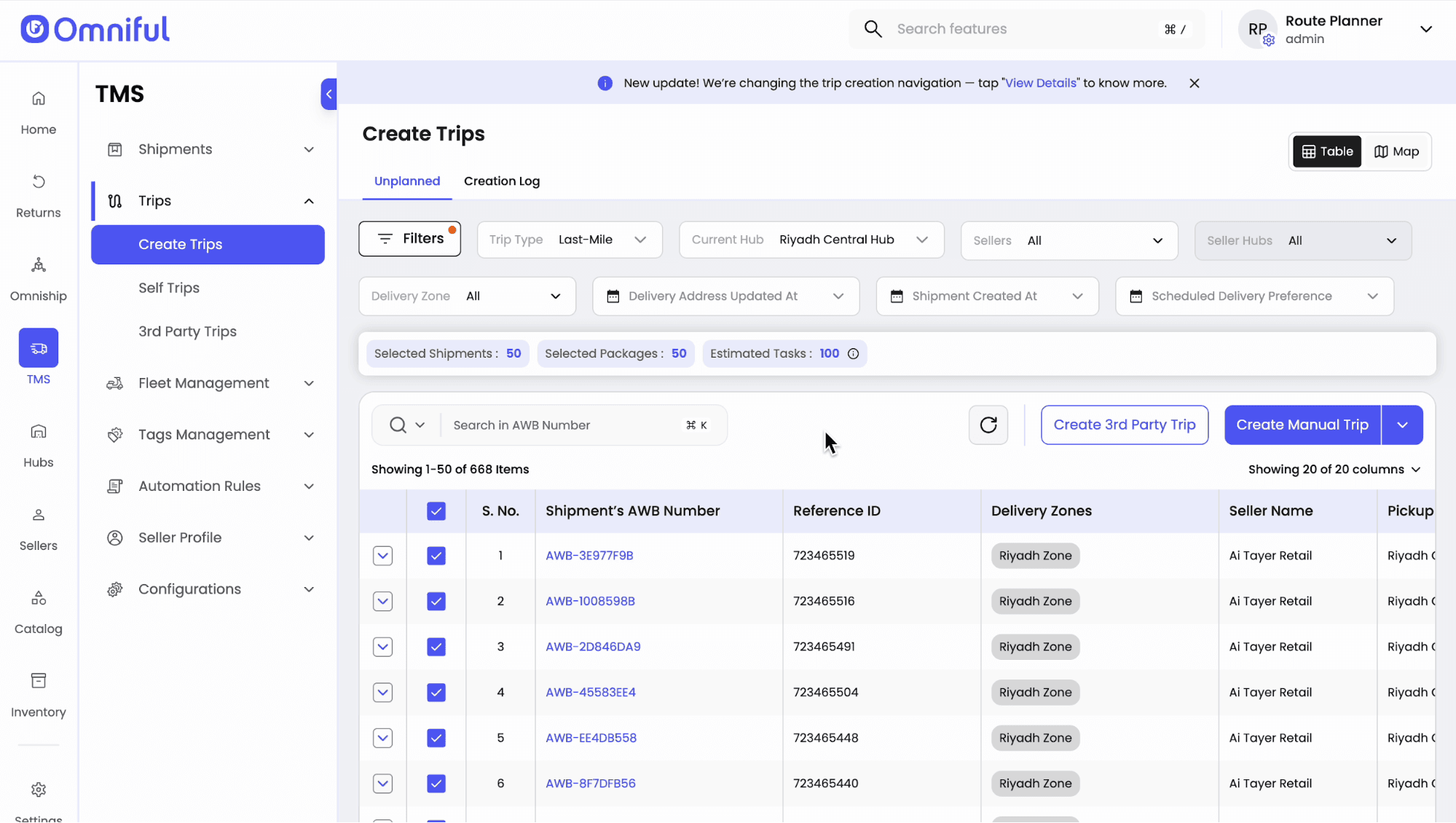
Select the Trip Type
Choose First Mile or Last Mile based on the operation being planned. -
Select shipments for planning Use filters to shortlist shipments by date, hub, or other operational criteria.
-
Open the Configuration Panel
Configure:- Route optimization logic
- Turnaround time per stop
- Vehicle utilization limits
- Maximum weight/volume capacities for vehicle types (Bike, Car, Dyanna, Van)
- Daily operational time window
- Optional constraints (e.g., max stops per trip, max packages per vehicle, max route distance)
- Enable Automatic Assignment (Optional): Allow drivers and vehicles to be assigned based on availability and handling tags.
Save the configuration.
These rules will be applied while generating routes.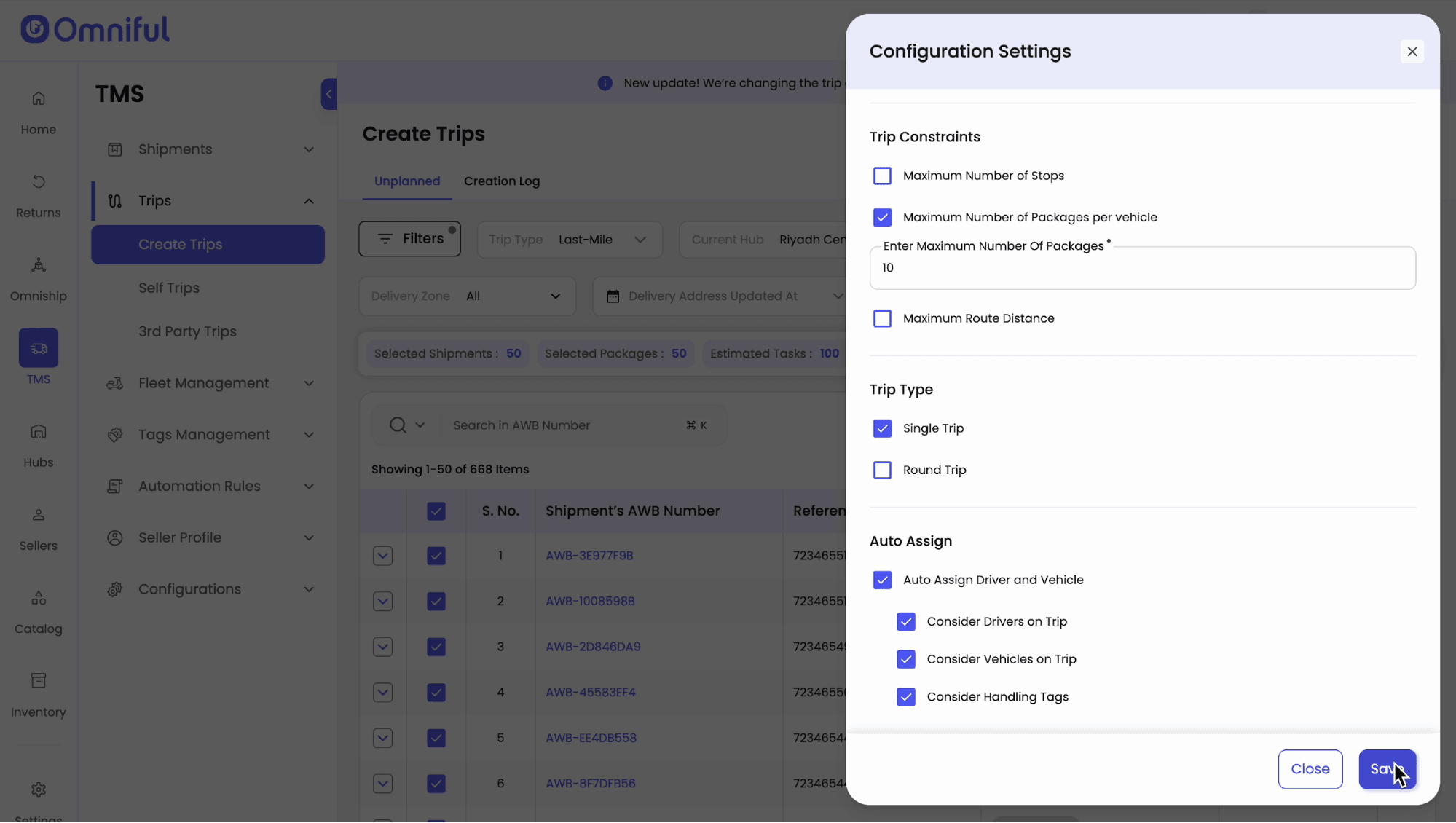
-
Click “Plan Trips” to Generate Routes
The system creates optimized routes and trips based on the selected shipments and configured rules.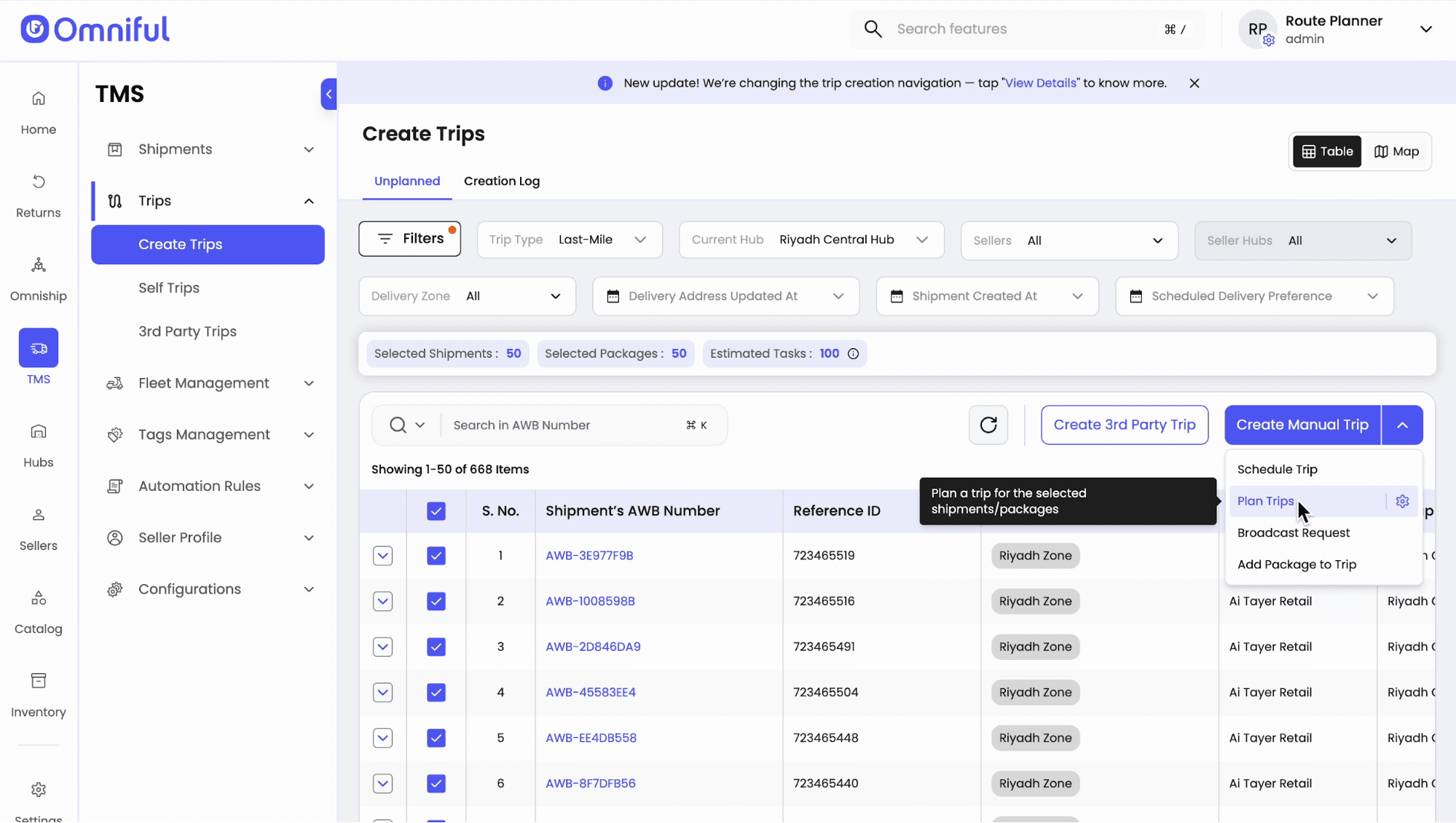
-
Review the Creation Log
Track all route planning requests generated by the system.
-
Open a Plan to View Routes on the Map
Review generated routes and trips visually.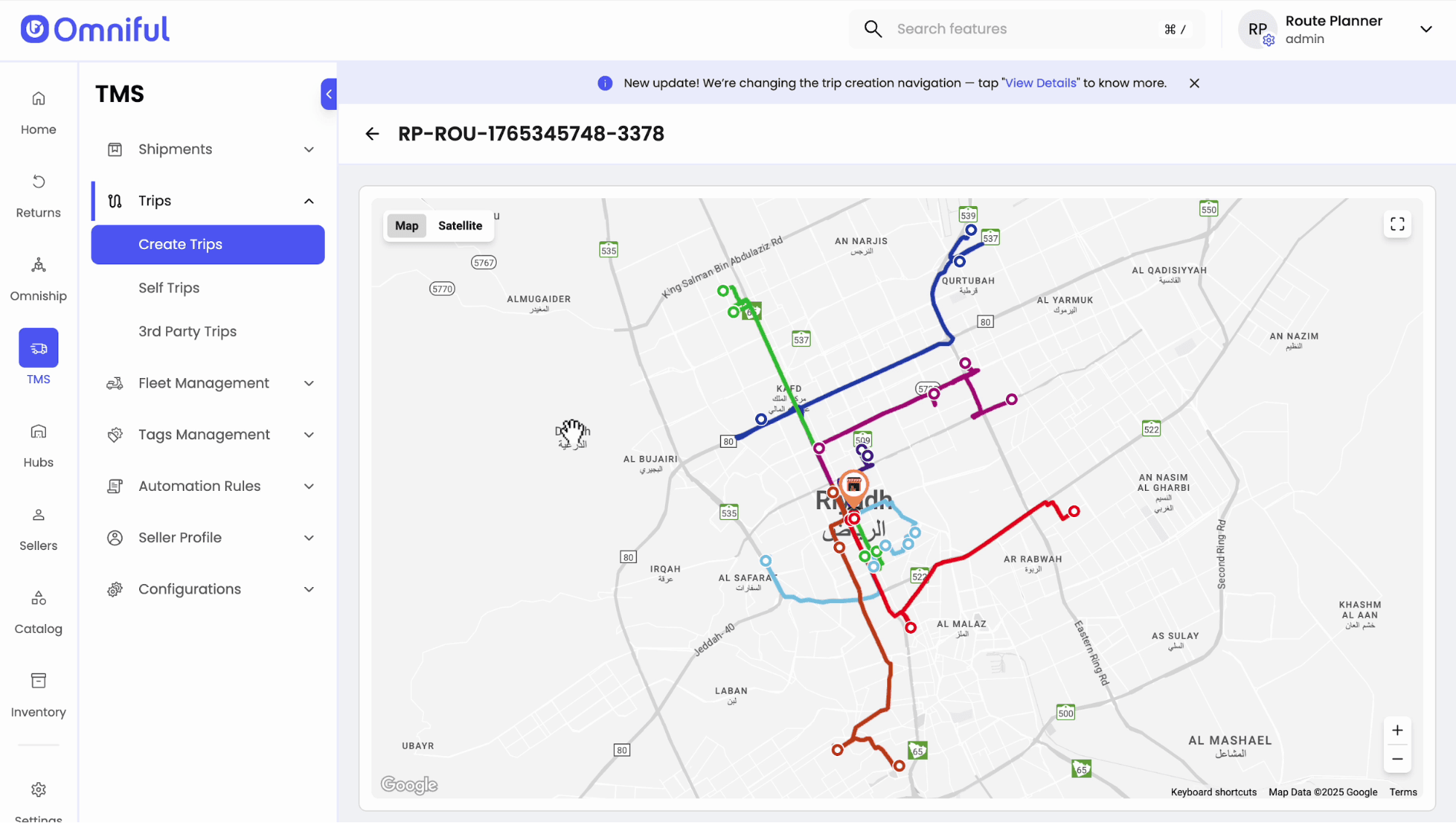
-
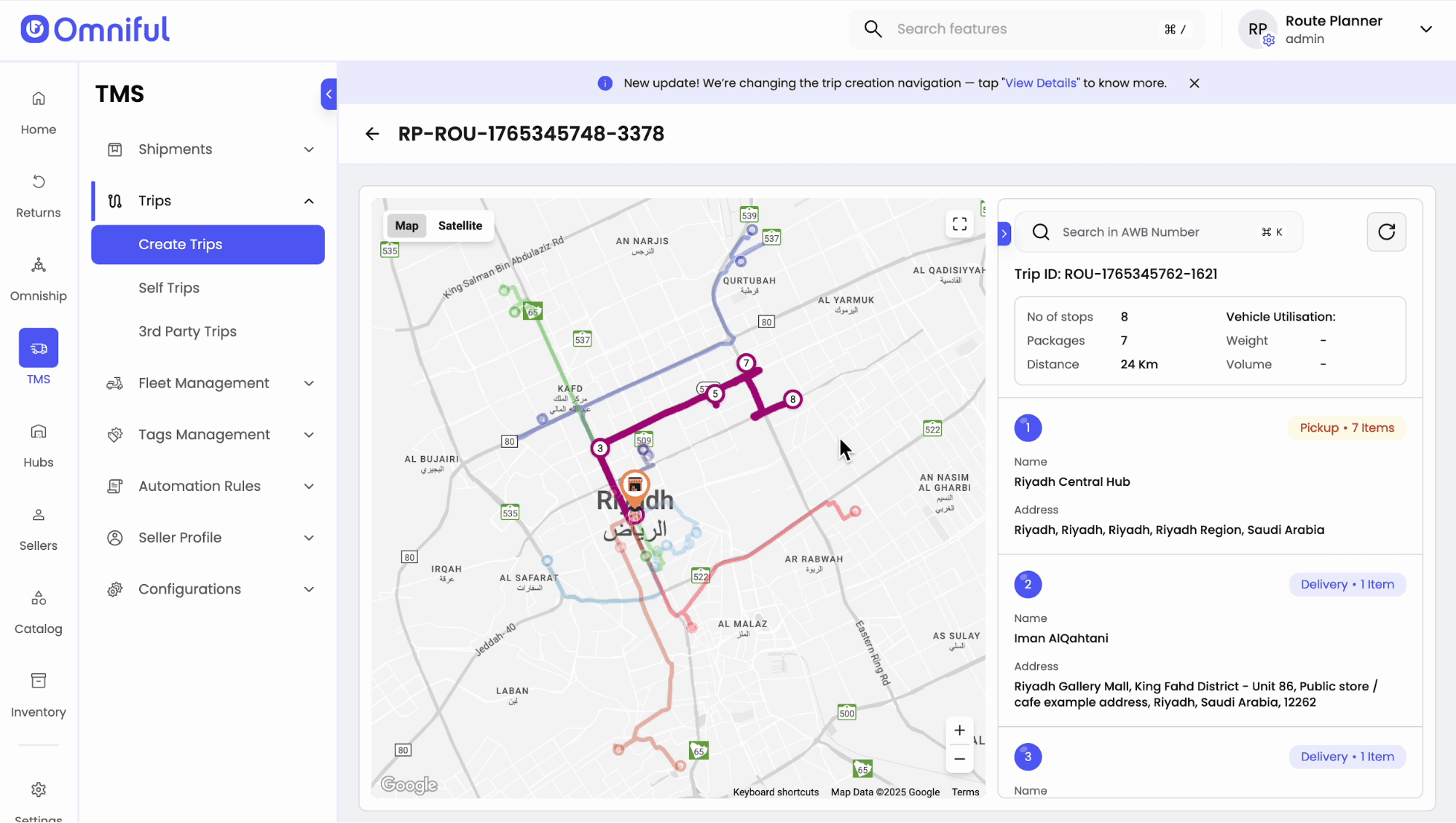
Select a Route to View Trip Details
View:- Number of stops
- Total trip distance
- List of assigned packages
-
Go to Self Trip
All route-planner and manually created trips are listed for execution.
Trips follow the standard TMS workflow including driver acceptance, dispatch, live tracking, and completion.
Technical Details
- Supports trip planning for First Mile and Last Mile operations.
- Optimization options include shortest distance and fastest route.
- Vehicle constraints can be defined per vehicle type with weight and volume capacity limits.
- Operational controls support daily time windows and optional limits on stops, packages, and route distance.
- Automatic assignment can be enabled to match drivers and vehicles based on availability and handling tags.