

Table of Contents
Table of Contents
Share On


Date: 30 October 2025
SKU Type Tags in Search
Enhances the SKU search experience during order creation in Omniful by displaying SKU type tags like "Kit", "Case Pack", or "Pallet" to improve clarity and accuracy.
Version: 1
Owner: Product Team
Summary
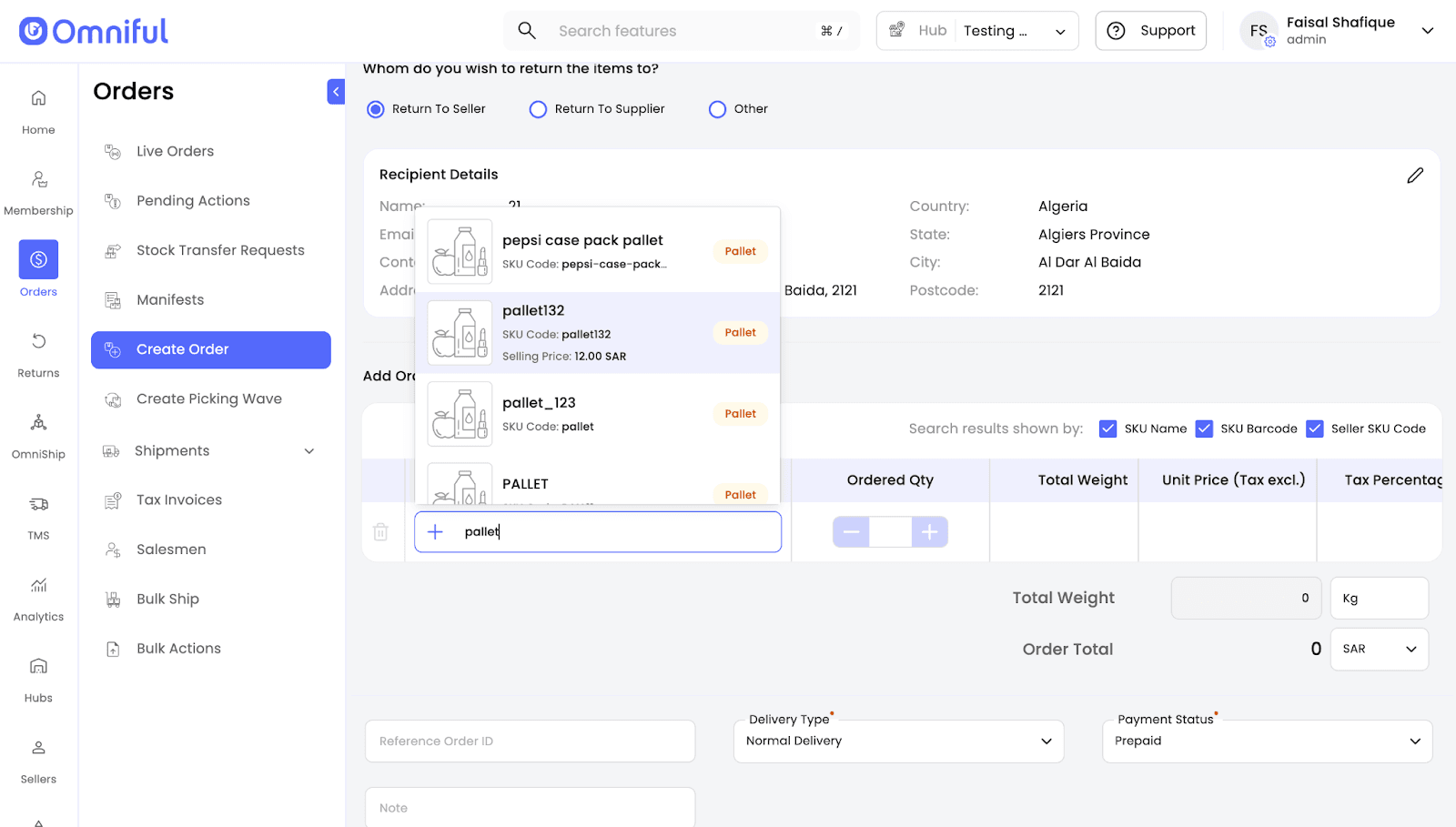
When creating an order (forward or return) in Omniful and searching for SKUs, the system now enhances SKU search results by displaying the SKU type as a tag beside each matching SKU — for example, “Kit”, “Case Pack”, or “Pallet”. This helps users quickly identify the correct SKU type while creating orders.
Where Does It Appear?
- Create Customer Order
- Return to Sender Order
- Single Off‑System Return
- Create Shipment Order
How It Works
- Open any Order creation or Return Order creation workflow that includes an SKU search field (e.g., Create Customer Order).
- Search for the desired SKU.
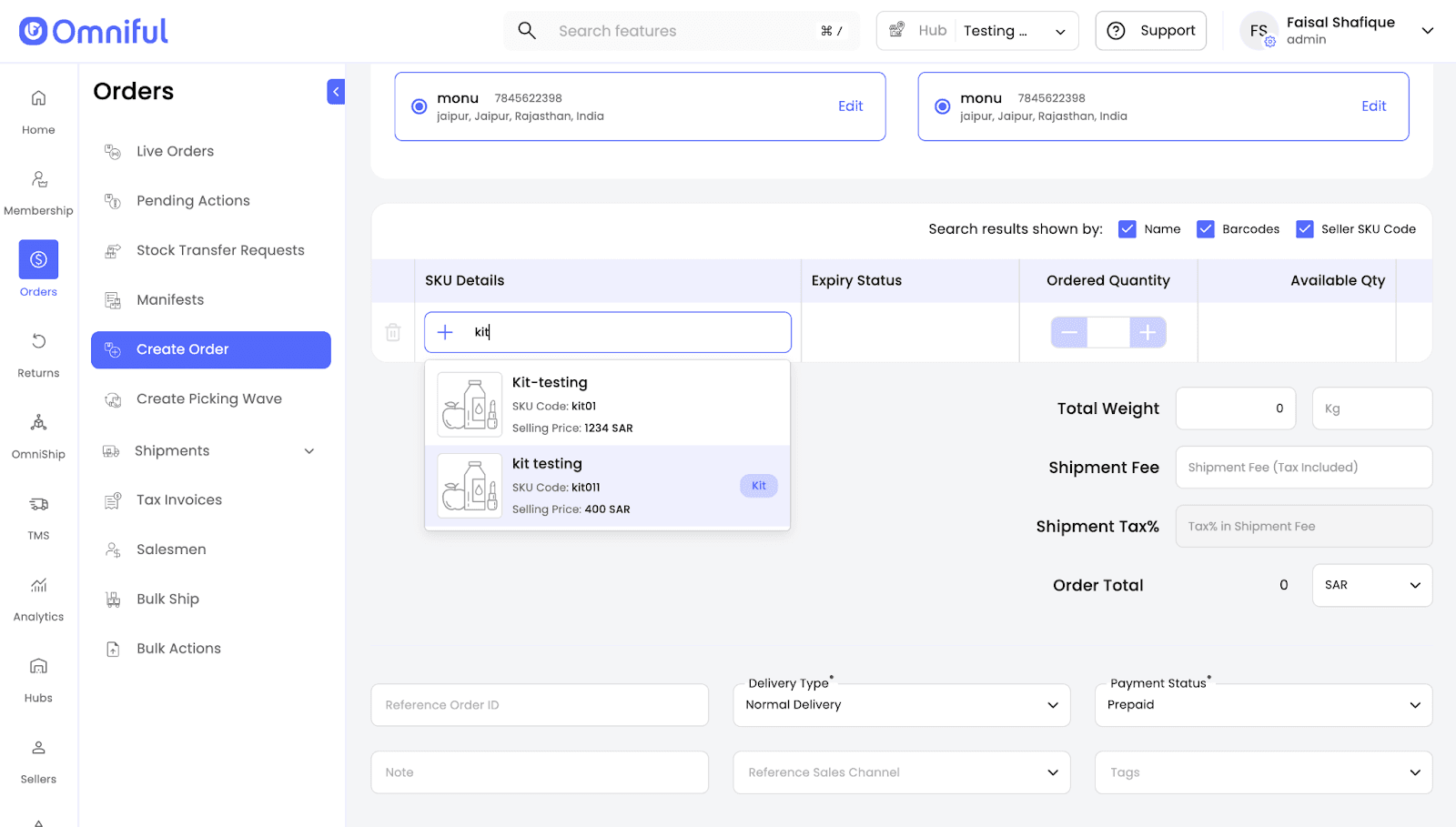
- In the suggestions list, the SKU type appears as a tag (e.g., Kit, Case Pack, Pallet) next to each match.
Technical Details
UI enhancement that surfaces SKU type as a compact tag in SKU search suggestions. Demonstrated tags include: Kit, Case Pack, Pallet.
Applies across different order creation workflows where SKU search is performed.