

Table of Contents
Share On


TMS - Auto Vehicle Allocation (AVA)
Intelligent driver recommendation for last-mile trip creation
Version: 1.0
Owner: Omniful Product Team
Summary
Auto Vehicle Allocation introduces configuration-based driver and vehicle recommendation during manual trip creation. The feature evaluates SLA readiness, vehicle eligibility, capacity safeguards, driver availability, and basic performance criteria before recommending an assignment.
- Applicable only to last-mile trips.
- Recommendations are generated during the trip assignment step of Create Trip.
- Users can switch back to manual assignment at any time.
- If no eligible driver is found, no recommendation is returned and the user can continue manually.
How It Works
-
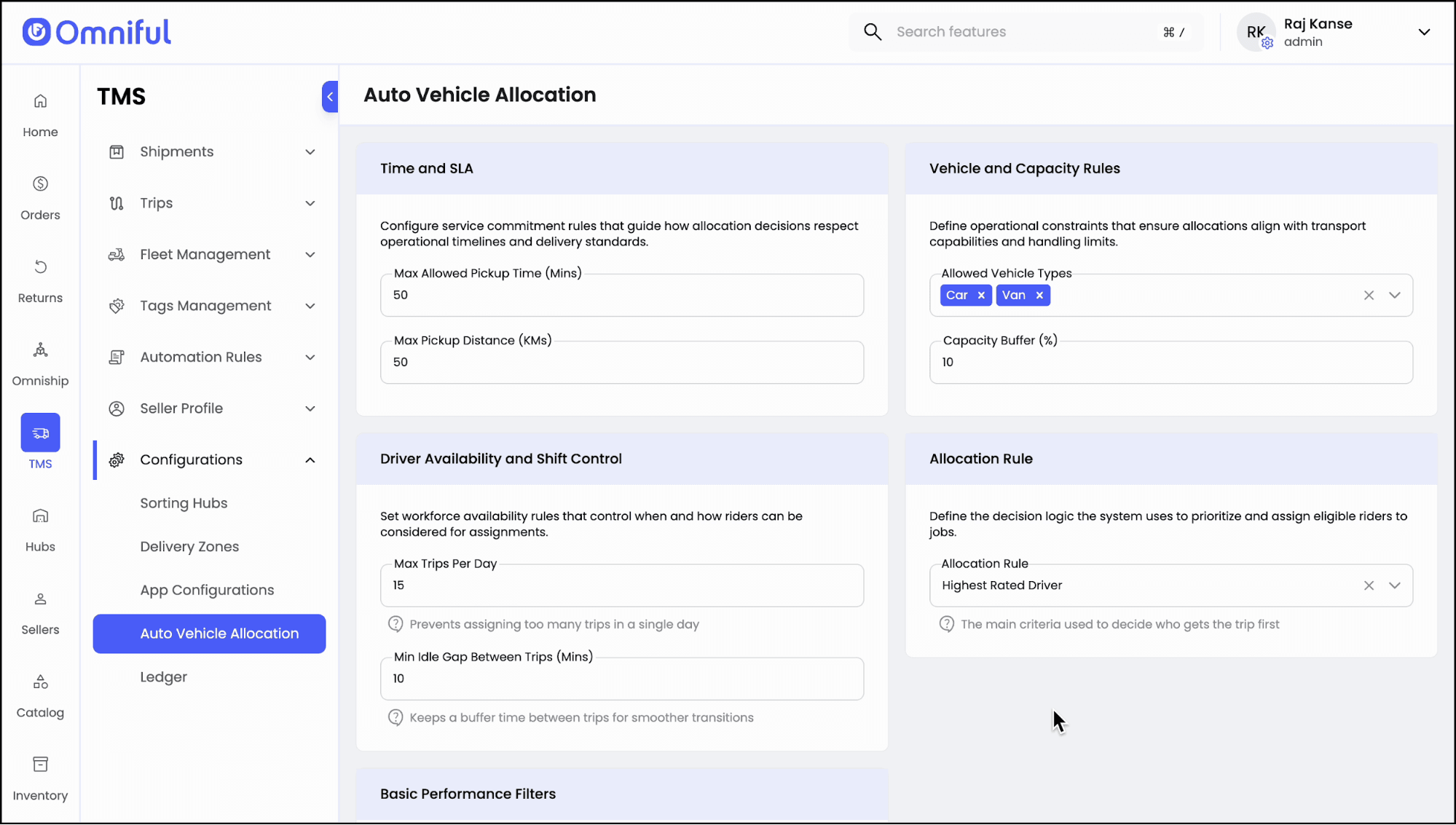
Configure Auto Vehicle Allocation rules
Navigate toTMS > Configurations > Auto Vehicle Allocation. Define time and SLA thresholds, allowed vehicle types, capacity buffer, driver shift limits, allocation logic, and performance filters.
-
Open Create Trips
Go toTMS > Trips > Create Tripsto review unplanned shipments that are available for trip creation.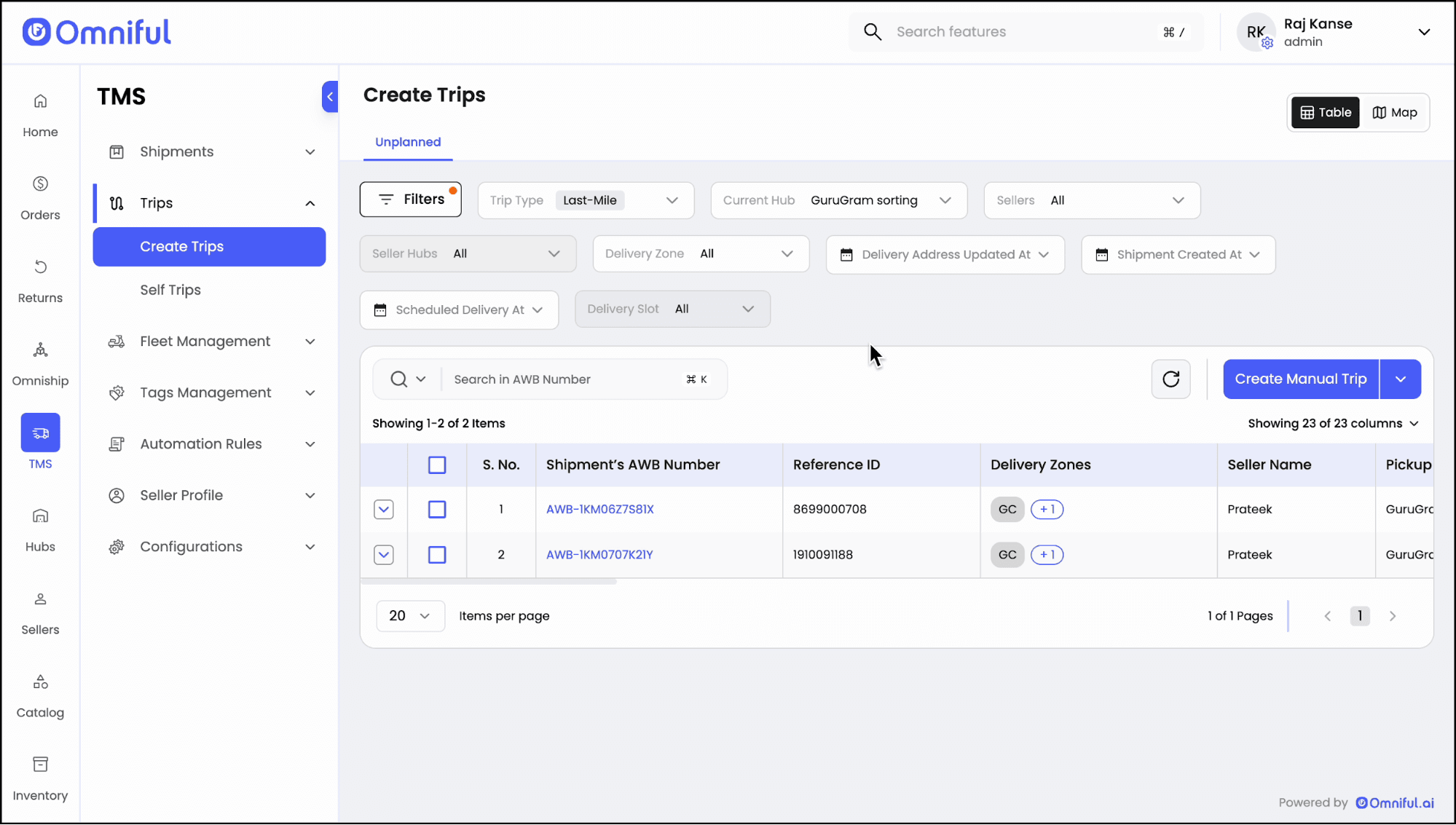
-
Select the shipments to plan
Choose the shipments that should be grouped into the trip and initiate trip creation from the action button.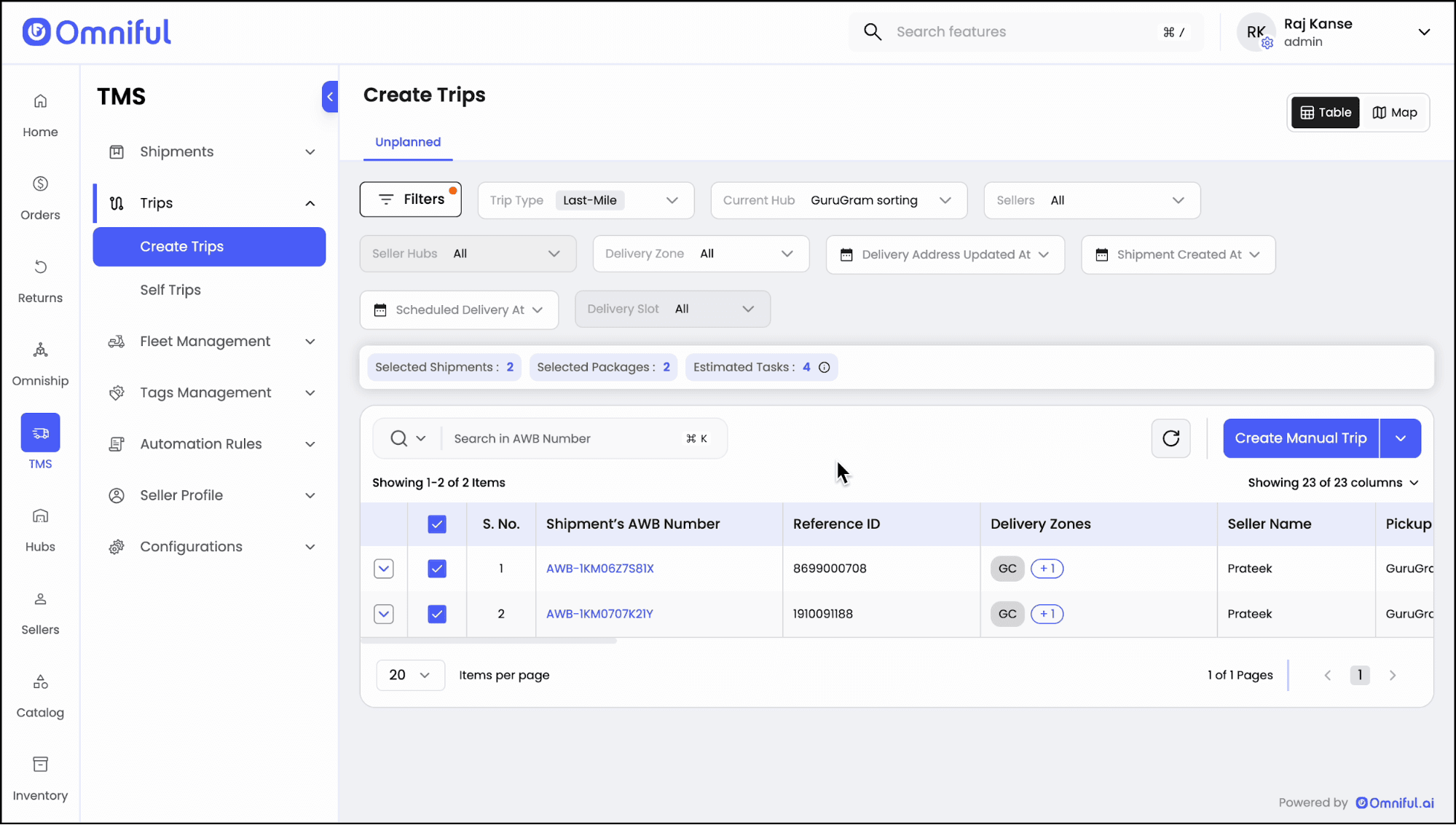
-
Review the Add Shipments step
Add more packages if required or continue with the selected shipment set, then click Next.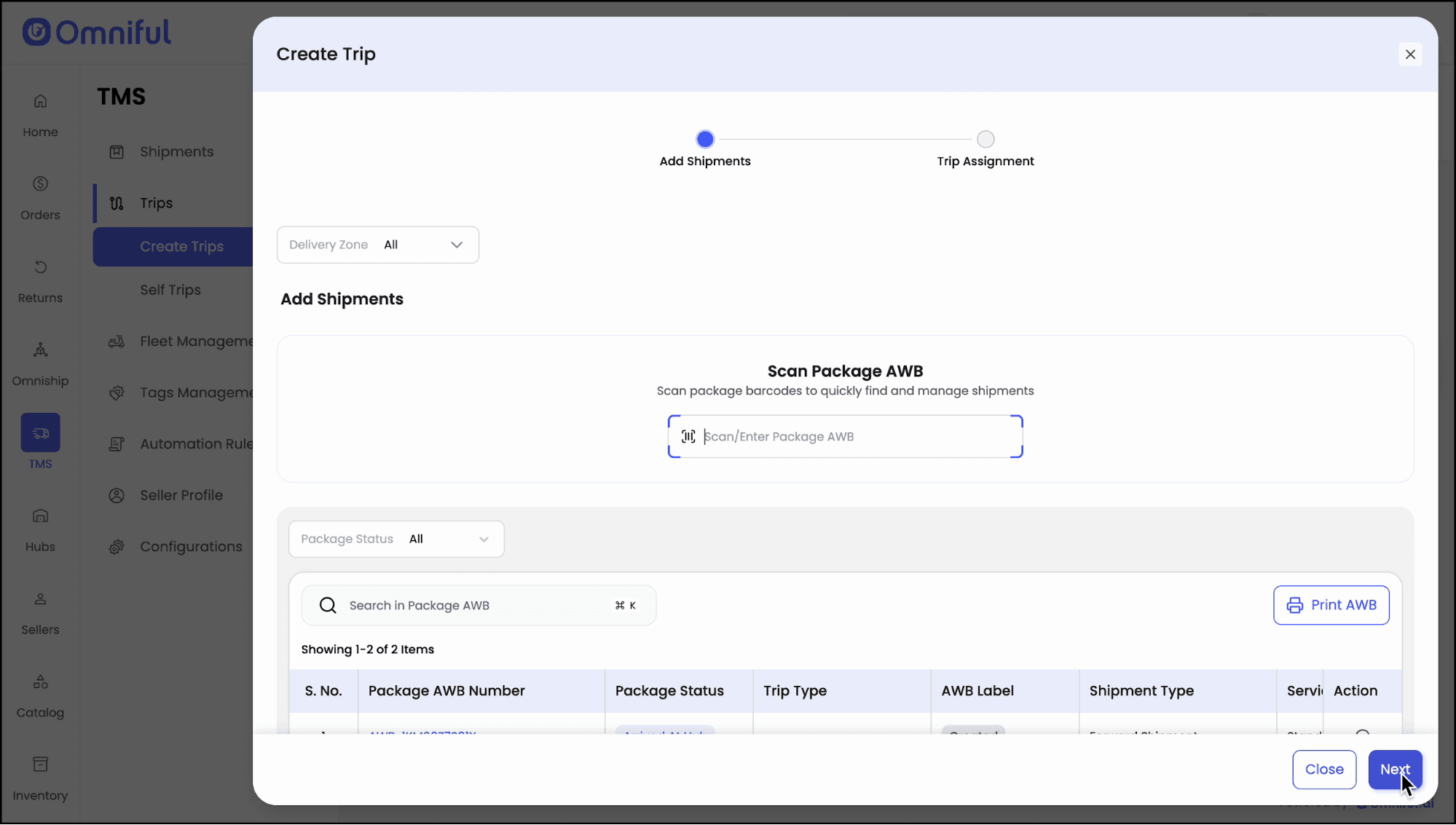
-
Choose assignment mode
At the assignment step, users can either continue in Manual mode or switch to Auto Allocation.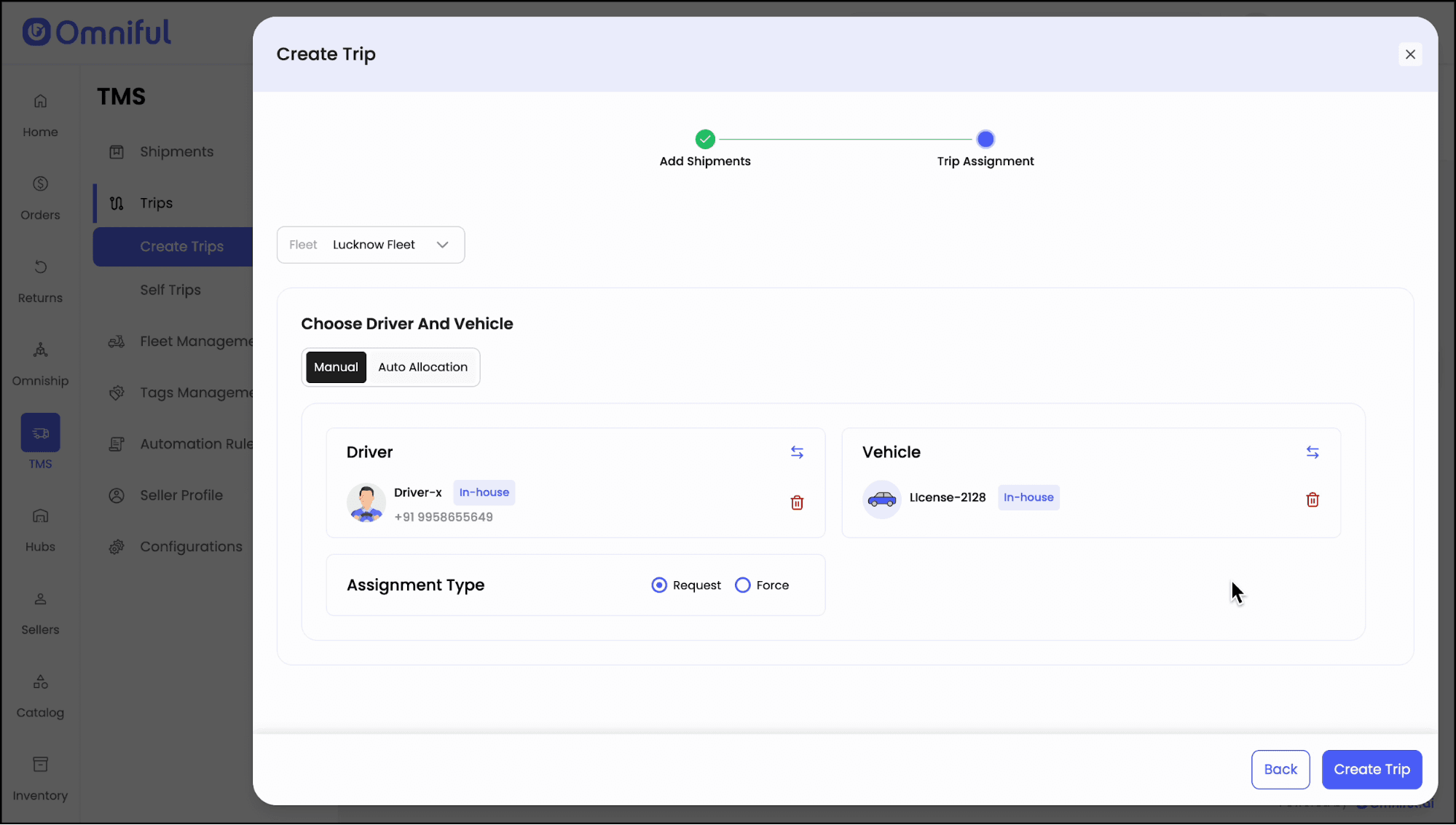
-
Accept the recommendation
In Auto Allocation mode, the system recommends a driver and vehicle based on the configured rules. Review the suggestion and create the trip.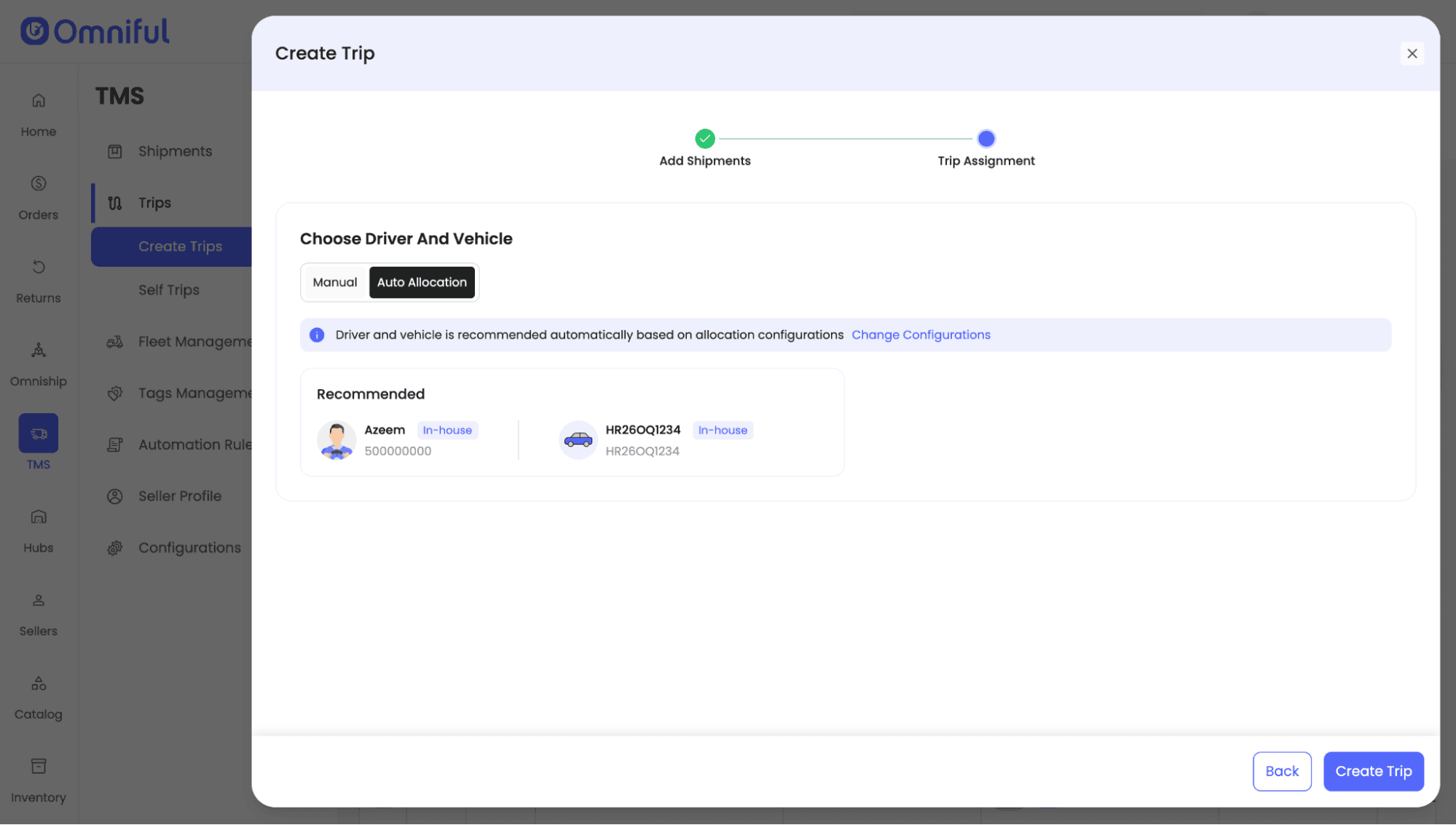
-
Complete trip creation
After the recommendation is accepted, the trip is created and continues through the standard trip life cycle.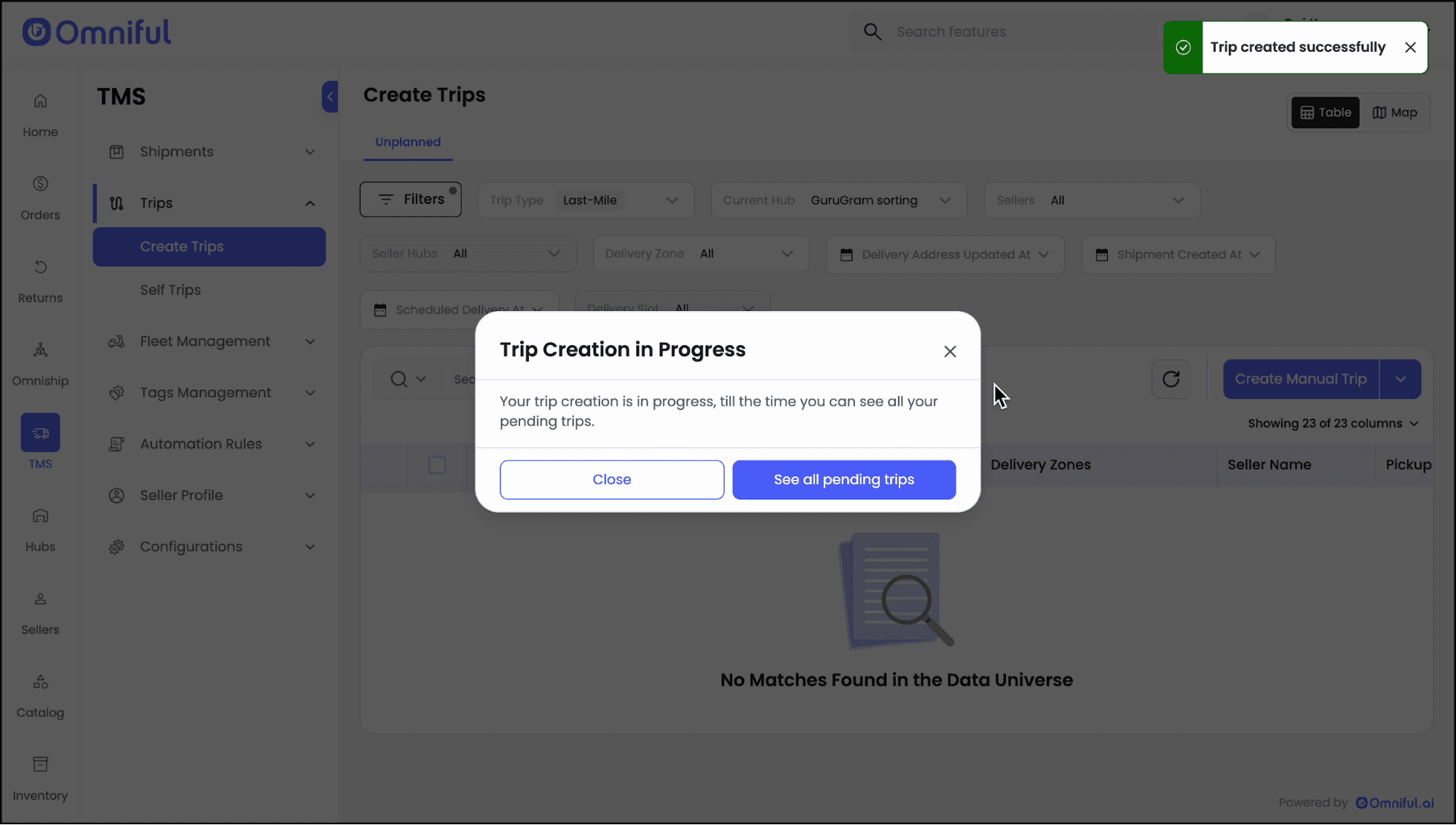
Technical Details
Rule inputs used by the recommendation engine
| Rule Area | Supported Setting | Operational Impact |
|---|---|---|
| Time and SLA | Max Allowed Pickup Time, Max Pickup Distance | Filters drivers who cannot realistically reach pickup within the configured SLA window. |
| Vehicle and Capacity | Allowed Vehicle Types, Capacity Buffer | Restricts recommendations to compatible vehicles and prevents unsafe or overloaded assignments. |
| Driver Availability | Max Trips per Day, Min Idle Gap Between Trips | Avoids over-allocation and maintains a buffer between trip assignments. |
| Allocation Rule | Highest Rated Driver, Nearest Driver | Prioritizes the best-rated eligible driver or nearest driver when generating a recommendation. |
| Performance Filter | On-time Threshold | Ensures only drivers meeting the minimum performance threshold are considered. |